![FMG_Logo_RGB_Small_Blk-1.png]](https://help.fmgsuite.com/hs-fs/hubfs/FMG_Logo_RGB_Small_Blk-1.png?width=75&height=49&name=FMG_Logo_RGB_Small_Blk-1.png)
FMG websites include built-in SEO tools so you can support your online presence without writing code or managing a separate platform. Much of it happens automatically: we create a title and description for every page, generate an XML sitemap, apply structured data, and keep your site mobile-optimized. The rest lives in one place in your admin, where you can connect analytics tools and redirect old URLs.
👀 Looking to update how a page appears in Google? Each page's title and description (the headline and short summary people see in search results) are managed in that page's own settings, not on this screen. Learn more in this article: Page-Specific Advanced SEO Settings.
To integrate or update these tools, navigate to Website >> SEO in the navigation pane on the left side of your dashboard:
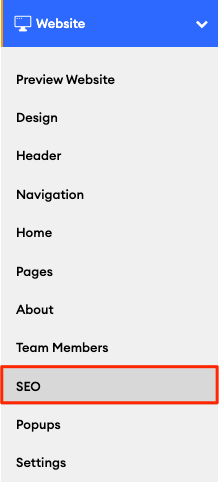
Website SEO Settings
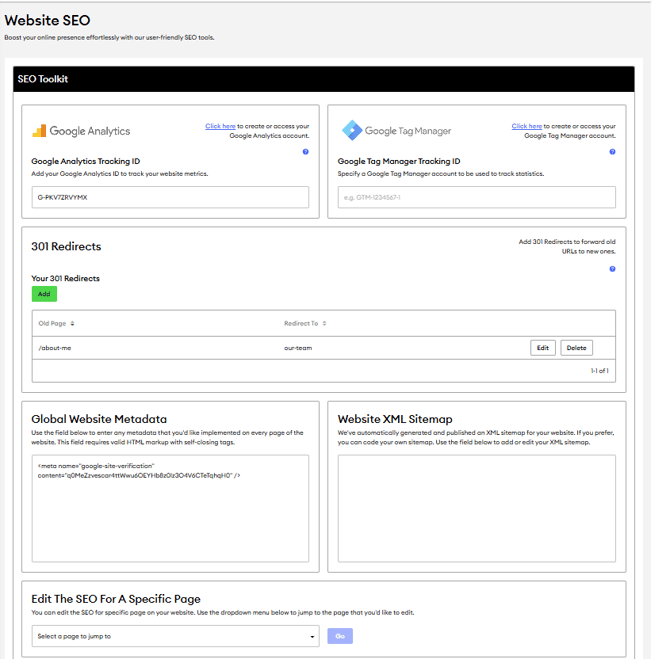
The Website > SEO settings section allows you to integrate several tools important to your marketing and SEO strategies:
-
Google Analytics: to track your website metrics.💡Learn more in this article: Setting Up Google Analytics
-
Google Tag Manager: to manage your tracking tags in one place.💡Learn more in this article: Google Tag Manager
-
301 Redirects: to forward old URLs to new ones and preserve your search rankings when pages move or when you migrate a site to FMG.💡Learn more in this article: 301 Redirects
- Global Website Metadata: adds site-wide code to every page of your site.💡See the Global Website Metadata section below.
- Website XML Sitemap: generated and updated automatically.💡See the Website XML Sitemap section below.
- Edit the SEO for a Specific Page: Jump to a specific page's SEO settings using the page dropdown at the bottom of the screen. 💡Learn more about adding meta descriptions to specific pages in this help article: Page-Specific Advanced SEO Settings
Global Website Metadata & Website XML Sitemap
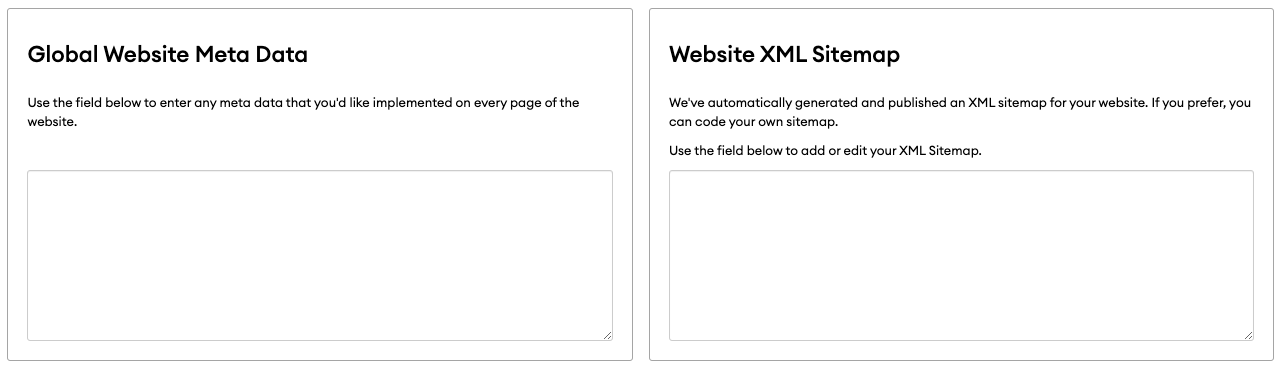
Global Website Metadata
This field adds code to every page of your website at once. It's typically used by a web developer or third-party SEO service for things like:
- Verifying that you own your site with services like Google, Microsoft Bing, or Facebook
- Adding site-wide structured data (schema markup)
- Setting a site-wide content security policy
Important: Don't add page titles or descriptions here. Because this field applies to every page, it can create duplicate tags that SEO audit tools flag as errors. To customize a page's title or description, use Page-Specific Advanced SEO Settings instead.
Website XML Sitemap
A sitemap is a list of all the pages on your website. Search engines like Google use it to find your pages and understand how your site is organized, which helps your pages show up in search results.
FMG creates and updates your sitemap automatically. It includes every active, approved page on your site, so when you publish a new page or remove an old one, your sitemap updates on its own.
To view your sitemap, add /sitemap.xml to the end of your website address. For example: www.jmitchellassociates.com/sitemap.xml
Why you might need it: if you use Google Search Console or Bing Webmaster Tools, you can submit your sitemap address there to help search engines find your pages faster. Your web developer or SEO service may also ask for this link.
Important: The Website XML Sitemap field on this screen replaces your automatic sitemap with a custom one. However, a custom sitemap won't update when you add or remove pages, so it has to be maintained manually, and an outdated sitemap can keep search engines from finding your pages.