
How Do I Set Up Smarsh Archiving?
- Go to Dashboard > Settings > Archives and Reports > Connect to Archiver.
- Scroll down and click the Smarsh box.
- Enter the archiving email address or token that Smarsh created for your MyRepChat account.
Note: Haven't set up a MyRepChat-specific archiving email address or token with Smarsh yet? Reach out to their team to get one created. If pricing is a concern, let us know — we're happy to help.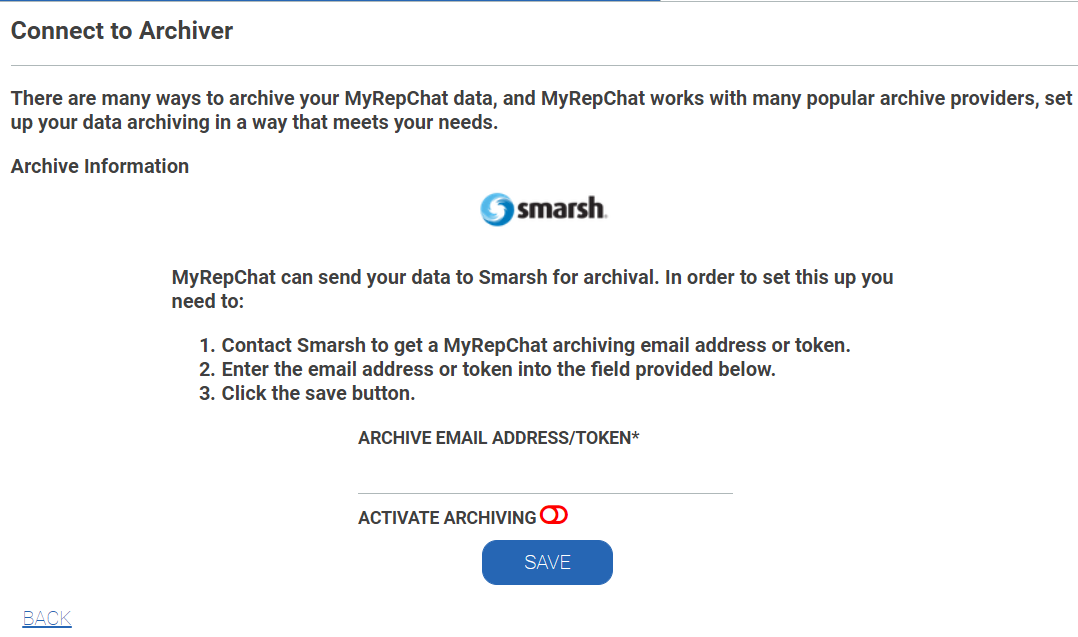
- Enable Activate Archiving (the toggle should move to the right and turn green).
- Click Save.
Smarsh-Specific Information
MyRepChat uses a Smarsh-specific API to send archive data.
- The Archive Layout uses the header, message, and footer fields in the layout.
- Each Smarsh archive includes the full day, based on your Archive Schedule.
- Unicode 11 emojis are supported.
- MMS messages include the actual image as an attachment.