
Integrating with Infusionsoft lets you import your contacts into MyRepChat, and lets MyRepChat add notes to your contacts' profiles in Infusionsoft.
See How Do I Import Contacts From My CRM? for general CRM integration features and behavior that apply across providers.
How Do I Set Up the Integration?
- From the Dashboard, go to Settings > Integrations > Connect to CRM.
- Find and click the Infusionsoft box — a new screen will appear.
- Click Login to Infusionsoft — you'll be redirected to the Infusionsoft login page.
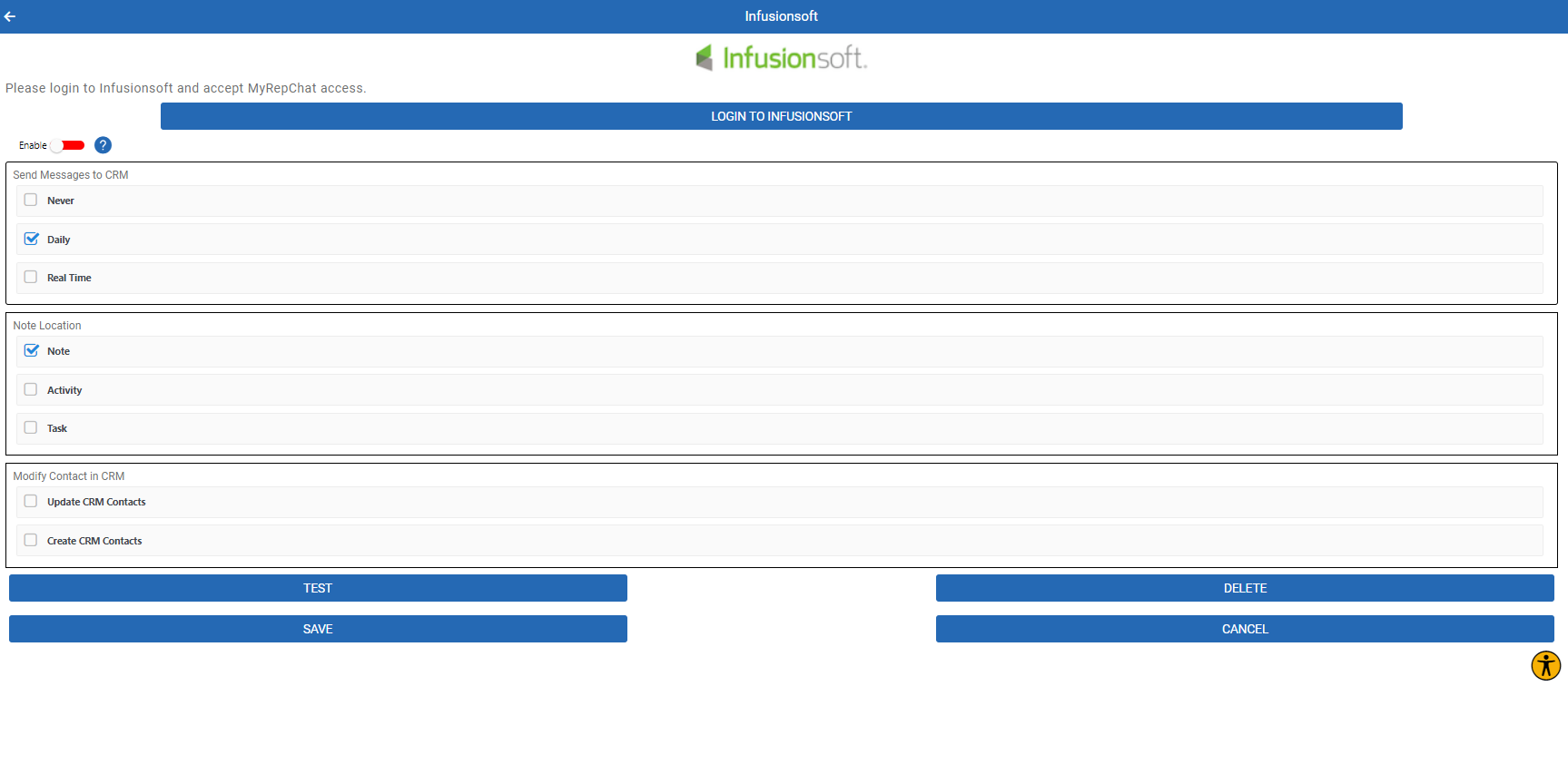
- Log in and accept MyRepChat's access to your Infusionsoft data.
- Choose when to send MyRepChat messages to Infusionsoft:
- Daily: Sends the previous day's messages overnight, as one conversation per contact.
- Real Time: Sends each message individually as it happens.
- Click Save.
- Click Test to confirm your configuration is working — a status message appears in a black bar at the bottom of the screen.
What Is Infusionsoft's Search Behavior?
Each CRM has different search behavior and limitations. For Infusionsoft specifically:
- Since Infusionsoft stores phone numbers exactly as entered, MyRepChat tries several formats automatically. If a number isn't saved in one of these formats, MyRepChat won't find the contact:
xxxyyyzzzz(no punctuation)xxx-yyy-zzzz(xxx)yyy-zzzz
- Name searches with a space check the first name before the space and the last name after it.
- You can also search using just a first name or just a last name.