
Integrating with Base CRM lets you import your contacts into MyRepChat, and lets MyRepChat log SMS messages as notes on your customers' profiles in Base CRM.
See How Do I Import Contacts From My CRM? for general CRM integration features and behavior that apply across providers.
How Do I Set Up the Integration?
- From the Dashboard, go to Settings > Integrations > Connect to CRM.
- Click the Base box — a secondary section with setup instructions will appear.
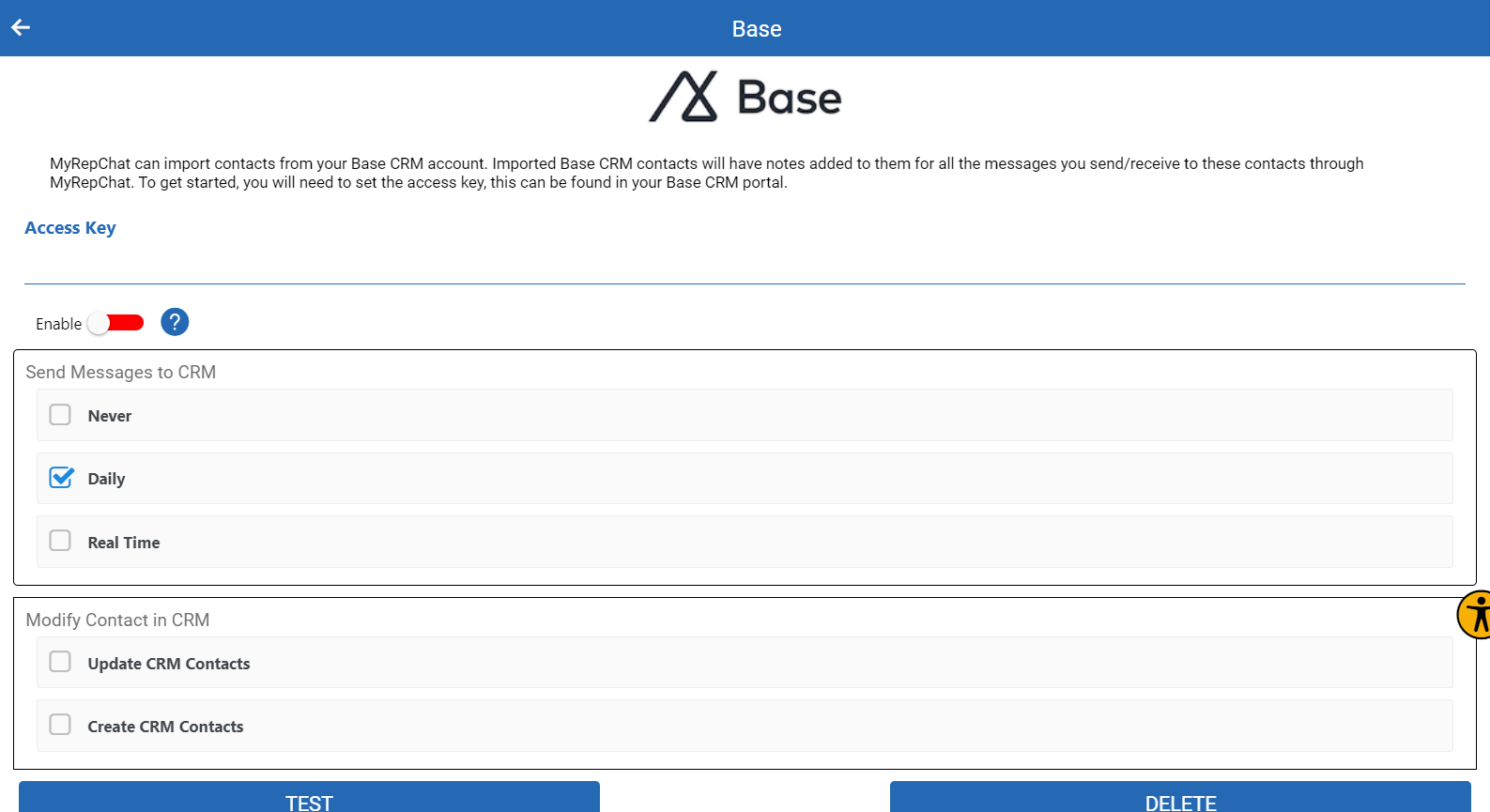
- Get your Access Key from Base CRM: log in, go to your profile, select Preferences > OAuth, then click the Access Tokens tab and click Add Access Token.
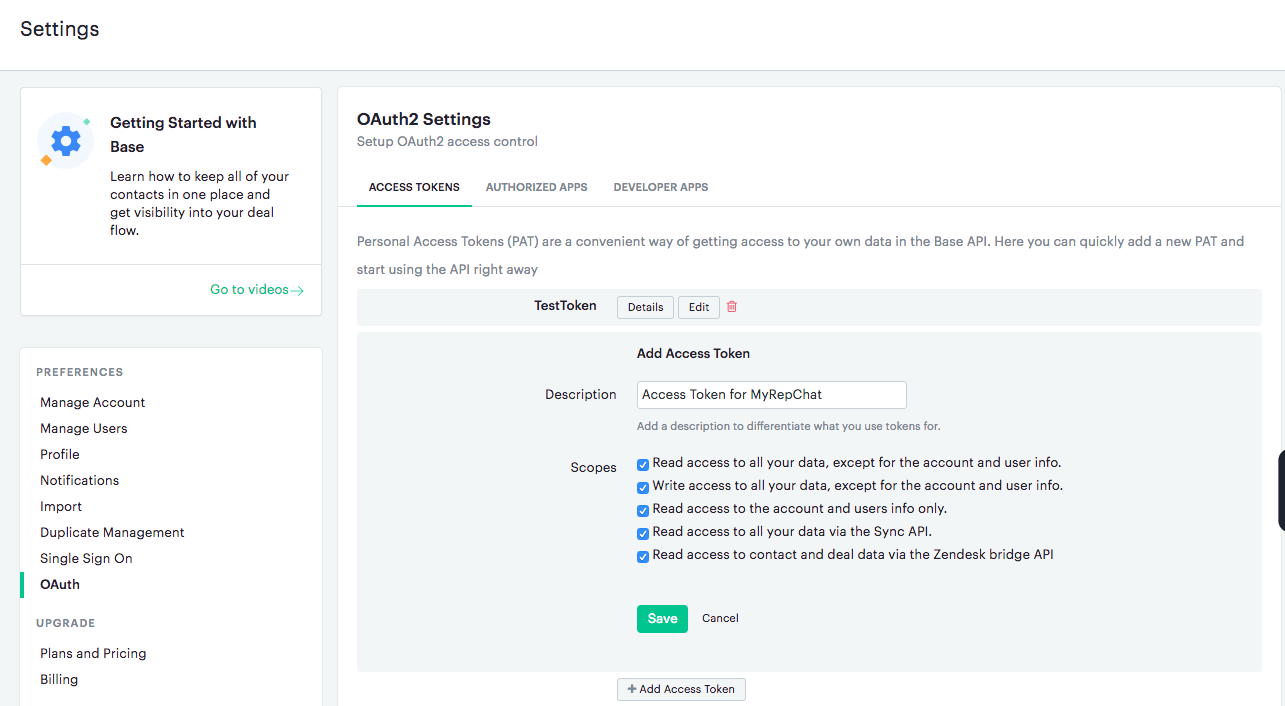
- Click Save in Base CRM, then copy the generated token.
- Paste the token into the Access Key field in MyRepChat and click Save.
Note: For questions about adding an access token in Base CRM, contact Base CRM support directly.
What Is Base's Search Behavior?
Each CRM has different search behavior and limitations. For Base specifically:
- Phone searches check only the mobile field and ignore punctuation.
- Phone searches use a "contains" match, so searching just the last 4 digits will still find a match.
- Name searches check both the first and last name fields.