![FMG_Logo_RGB_Small_Blk-1.png]](https://help.fmgsuite.com/hs-fs/hubfs/FMG_Logo_RGB_Small_Blk-1.png?width=75&height=49&name=FMG_Logo_RGB_Small_Blk-1.png)
FMG includes a built-in cookie disclaimer banner you can choose to display on your website or Marketing Suite landing page. When enabled, the banner notifies visitors that your site uses cookies and can be dismissed. Learn more about our cookie policy in this help article: FMG Website Suite Data & Privacy Factsheet
How to Enable the Cookie Disclaimer
- Log in to your FMG account and go to Website > Settings.
- Scroll down to the Cookie Banner section.
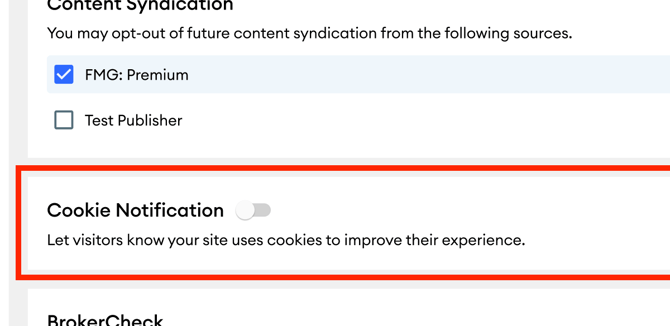
- Toggle the banner on.
- Choose where you'd like the banner to appear:
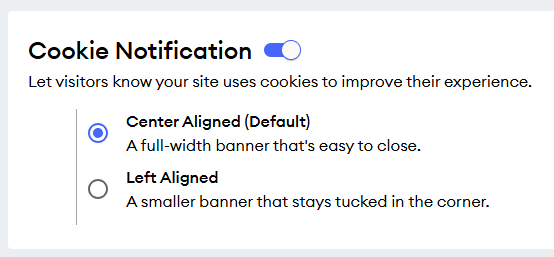
- Center Aligned (default)
- Left
- Your changes save automatically. The banner will appear on your site right away.
Website Display
Once enabled, a banner appears at the bottom of your site or landing page informing visitors that your site uses cookies. It includes a link to FMG’s cookies policy document and can be dismissed by the visitor at any time.
Note: This is a cookie disclaimer notification and does not include granular controls for website visitors to choose which cookies they want to opt into.
Left Aligned Example:
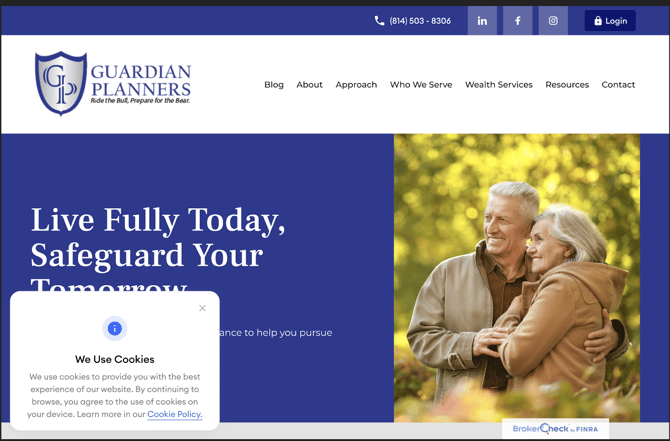
Center Aligned Example: