![FMG_Logo_RGB_Small_Blk-1.png]](https://help.fmgsuite.com/hs-fs/hubfs/FMG_Logo_RGB_Small_Blk-1.png?width=75&height=49&name=FMG_Logo_RGB_Small_Blk-1.png)
Spanish Monthly Market Insights (MMI) is the Spanish translation of the existing Monthly Market Insights automated email. This is a text‑only email (no video) that delivers Spanish‑language market commentary and a summary of recent market events, mirroring each month's English MMI. 
Timing and frequency:
-
The Spanish MMI is sent a few days after the English MMI each month to allow for translation.
Note: Access to Spanish Automations is dependent on Home Office opt-in. If you do not see Spanish Automations in your Automated Marketing tools, it is likely that your Home Office or B/D has restricted access to them.
How to activate Spanish Monthly Market Insights
-
In the FMG admin, go to Automated Marketing from the left navigation.
-
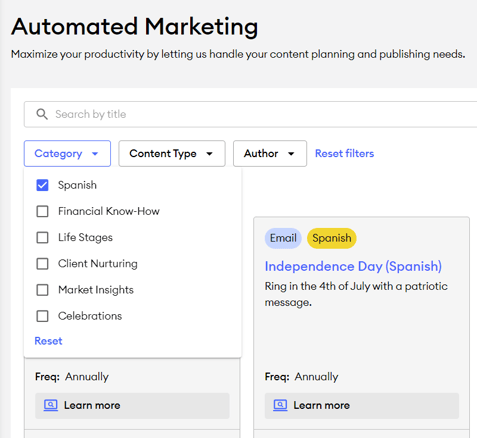
In the Automated Marketing tab, select the "Category" filter and choose the "Spanish" option to easily find all Spanish automations.
-
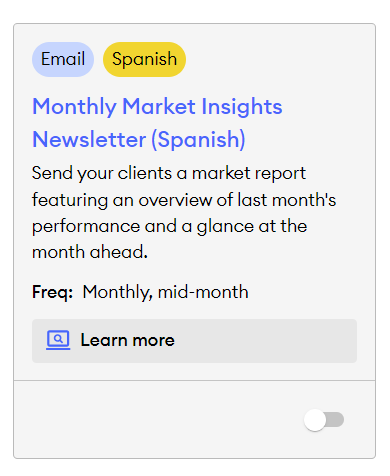
Find the Monthly Market Insights Newsletter (Spanish) and toggle it on.
-
Configure the audience
-
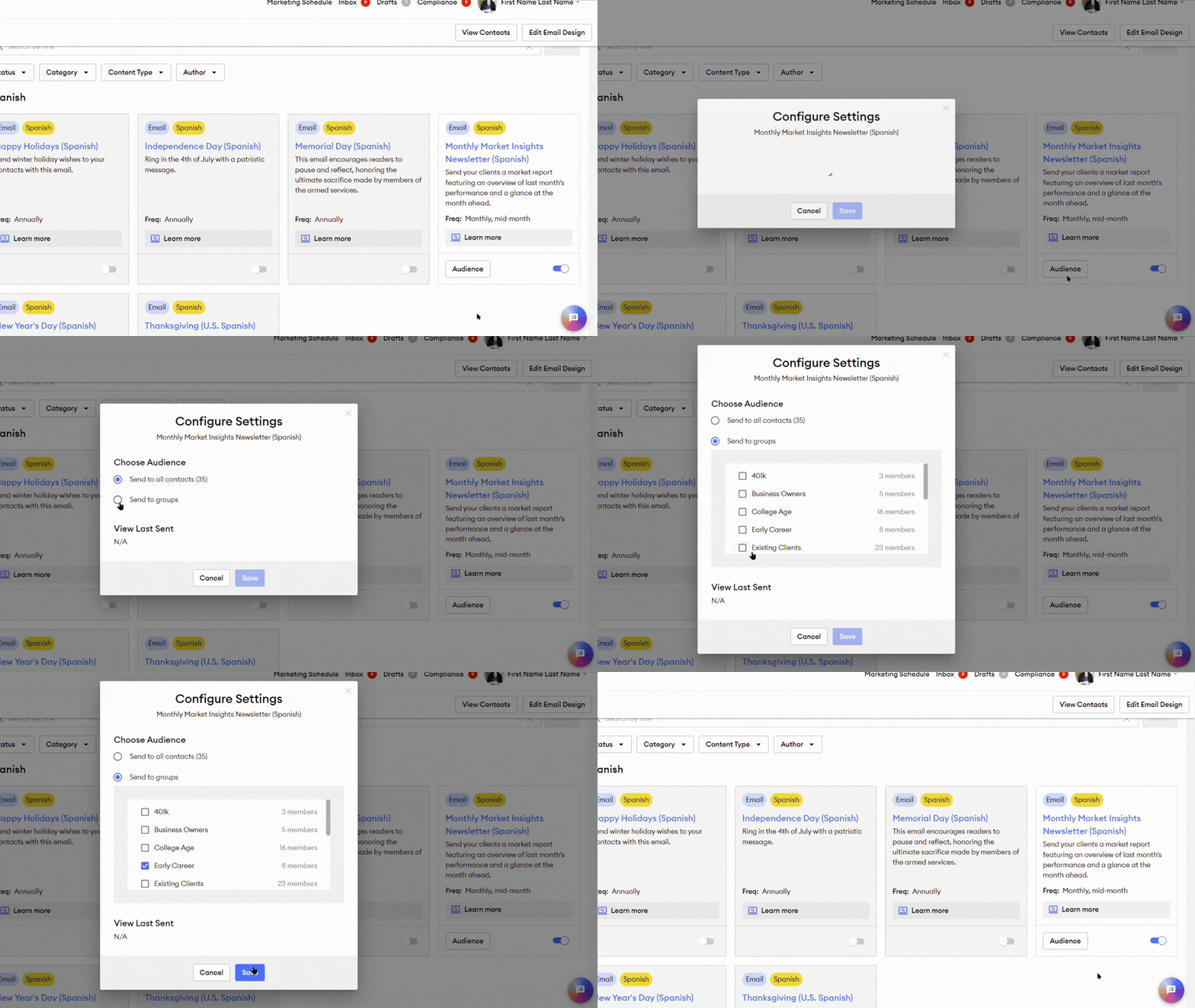
By default, all contacts are selected when you toggle an automation on.
-
To change who receives the automation emails, select the "Audience" button on the automation, then choose “Send to groups” and select specific contact groups to send the Spanish automation to.
-
Compliance:
-
Spanish MMI automation is made available for compliance review before its scheduled send; compliance must approve the Spanish email before the scheduled date, or the automation will not send.
-
Once approved, the Spanish MMI will be sent automatically to the configured audience on its scheduled date.
Sending the Spanish MMI Manually from the Content Library
⛔If you plan to send a customized version manually from the Content Library, ensure the automated version is turned off to avoid duplicate sends.
-
The Spanish MMI email is added to the Content Library as a standalone email a few days after the English automation is sent out.
-
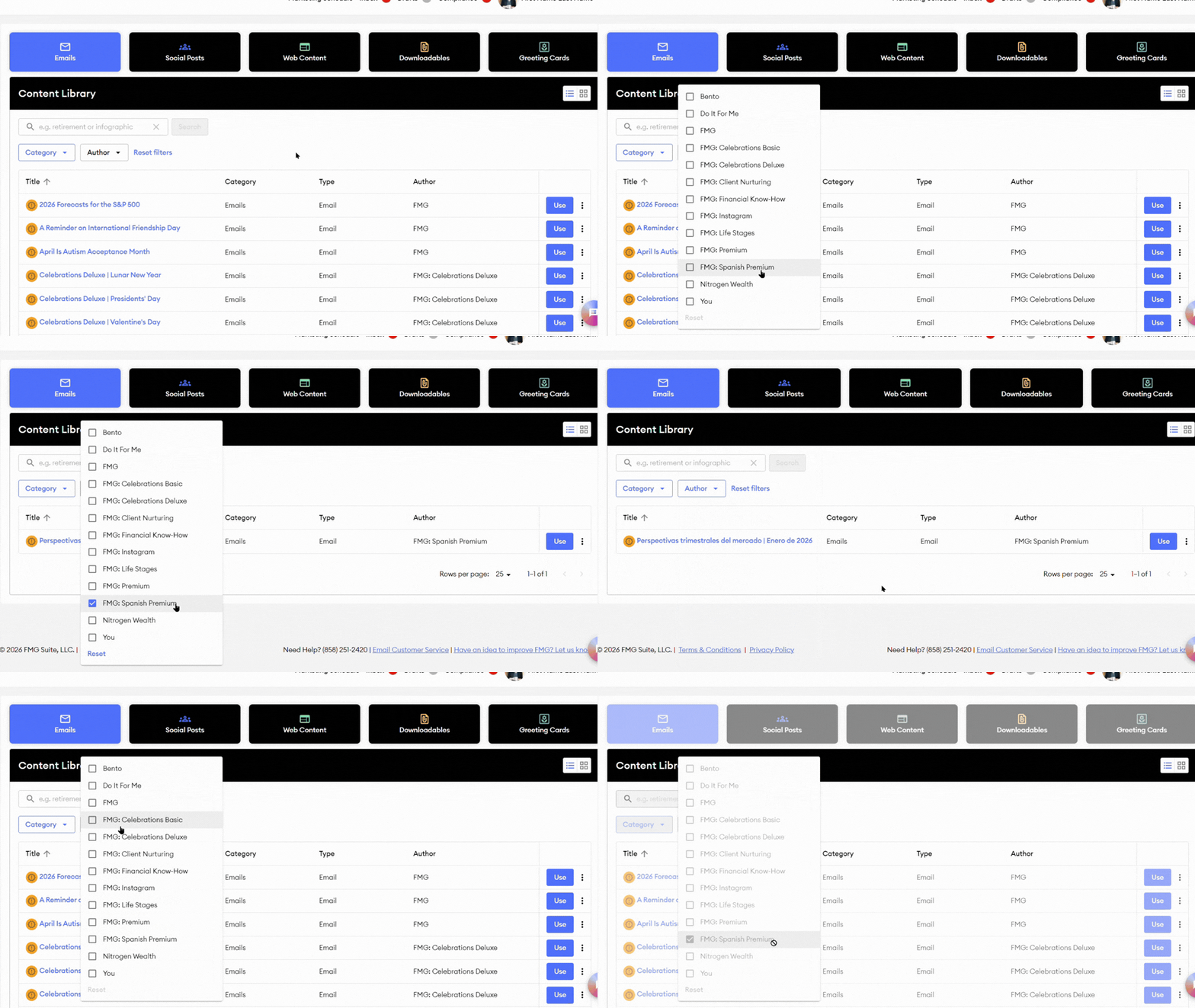
To find the Spanish MMI, select the Emails tab in the Content Library, then, in the Author filters, choose "FMG: Spanish Premium." This will display all available Spanish-translated emails, including the most recent Spanish Monthly Market Insights.
-
Editing and sending:
-
You can open the standalone Spanish MMI email in the Email Builder by selecting "Use" next to the email in the Content Library. Then you can adjust the copy, subject line, or design, and then send it manually to selected contacts or groups.
-
💡Any customized Spanish email still requires compliance approval before sending, and you should turn off the corresponding automation to avoid duplicates.
-