![FMG_Logo_RGB_Small_Blk-1.png]](https://help.fmgsuite.com/hs-fs/hubfs/FMG_Logo_RGB_Small_Blk-1.png?width=75&height=49&name=FMG_Logo_RGB_Small_Blk-1.png)
Spanish Celebrations are Spanish translations of some of our holiday email automations (Memorial Day, Independence Day, Thanksgiving, Happy Holidays, New Year’s Day), designed to help you send yearly greetings to Spanish‑speaking clients.
Note: Access to Spanish Automations is dependent on Home Office opt-in. If you do not see Spanish Automations in your Automated Marketing tools, it is likely that your Home Office or B/D has restricted access to them.
How to Activate Spanish Celebration Automations
-
In the FMG admin, go to Automated Marketing from the left navigation.
-
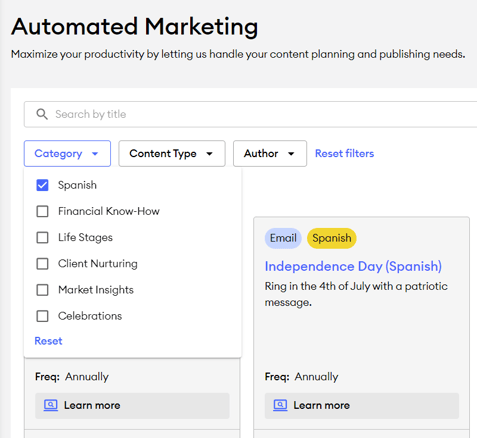
In the Automated Marketing tab, select the "Category" filter and choose the "Spanish" option to easily find all Spanish automations.
- There are Spanish-translated Celebrations for the following holidays:
- Memorial Day
- Independence Day
- Thanksgiving
- Happy Holidays
- New Year’s Day
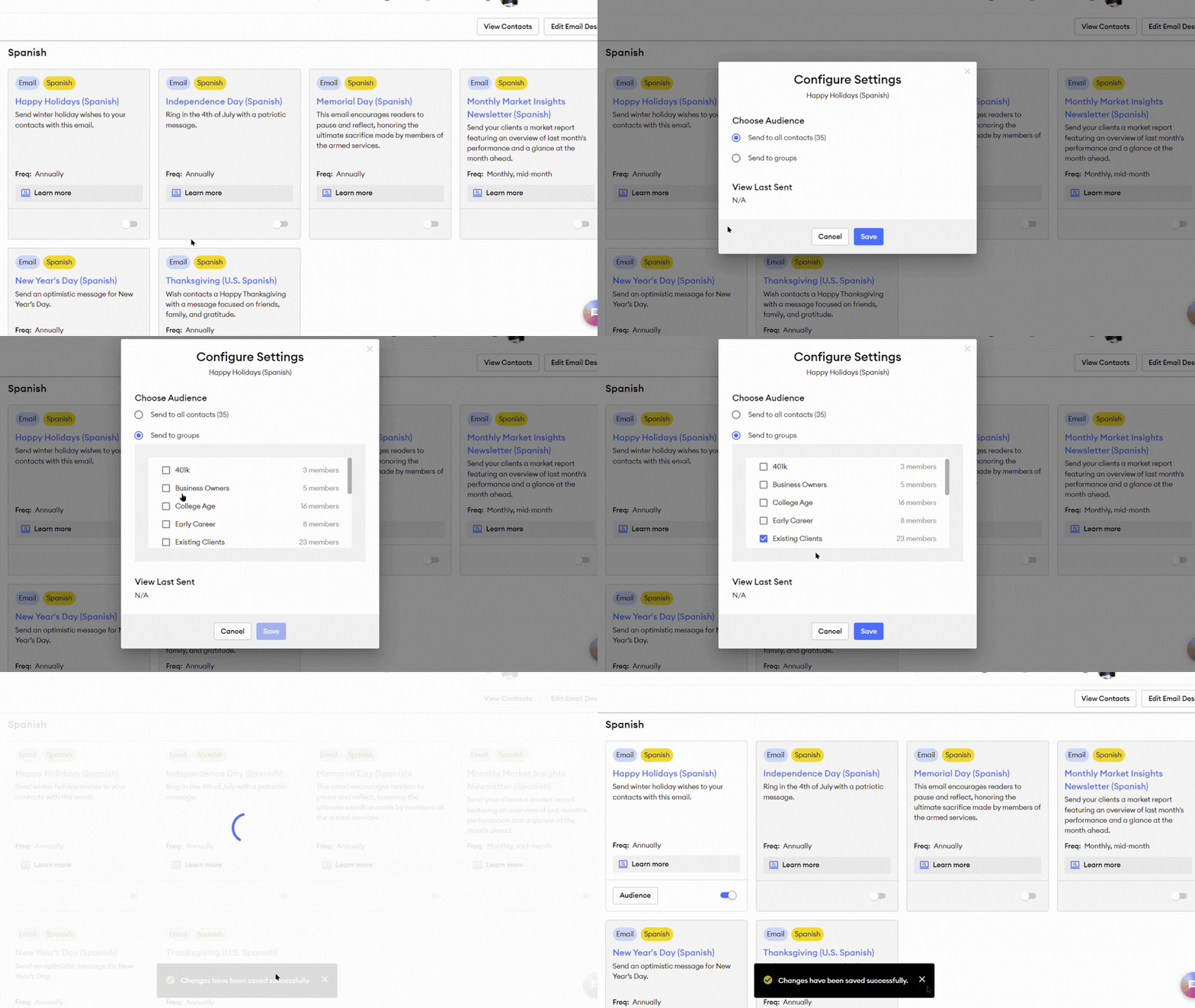
- Toggle on each individual Spanish Celebration you wish to send.
-
Configure the audience
-
By default, all contacts are selected when you toggle an automation on.
-
To change who receives the automation emails, select the "Audience" button on the automation, then choose “Send to groups” and select specific contact groups to send the Spanish automation to.
- Select "Save" when you're done editing the audience.
-
⏰Spanish holiday automations will send to your chosen audience on the day of the holiday!
Sending Spanish Celebrations Manually from the Content Library
 ⛔If you plan to send a customized version manually from the Content Library, ensure the automated version is turned off to avoid duplicate sends.
-
The Spanish celebration emails are added to the Content Library as standalone emails a few weeks before the Spanish automation is scheduled to send.
-
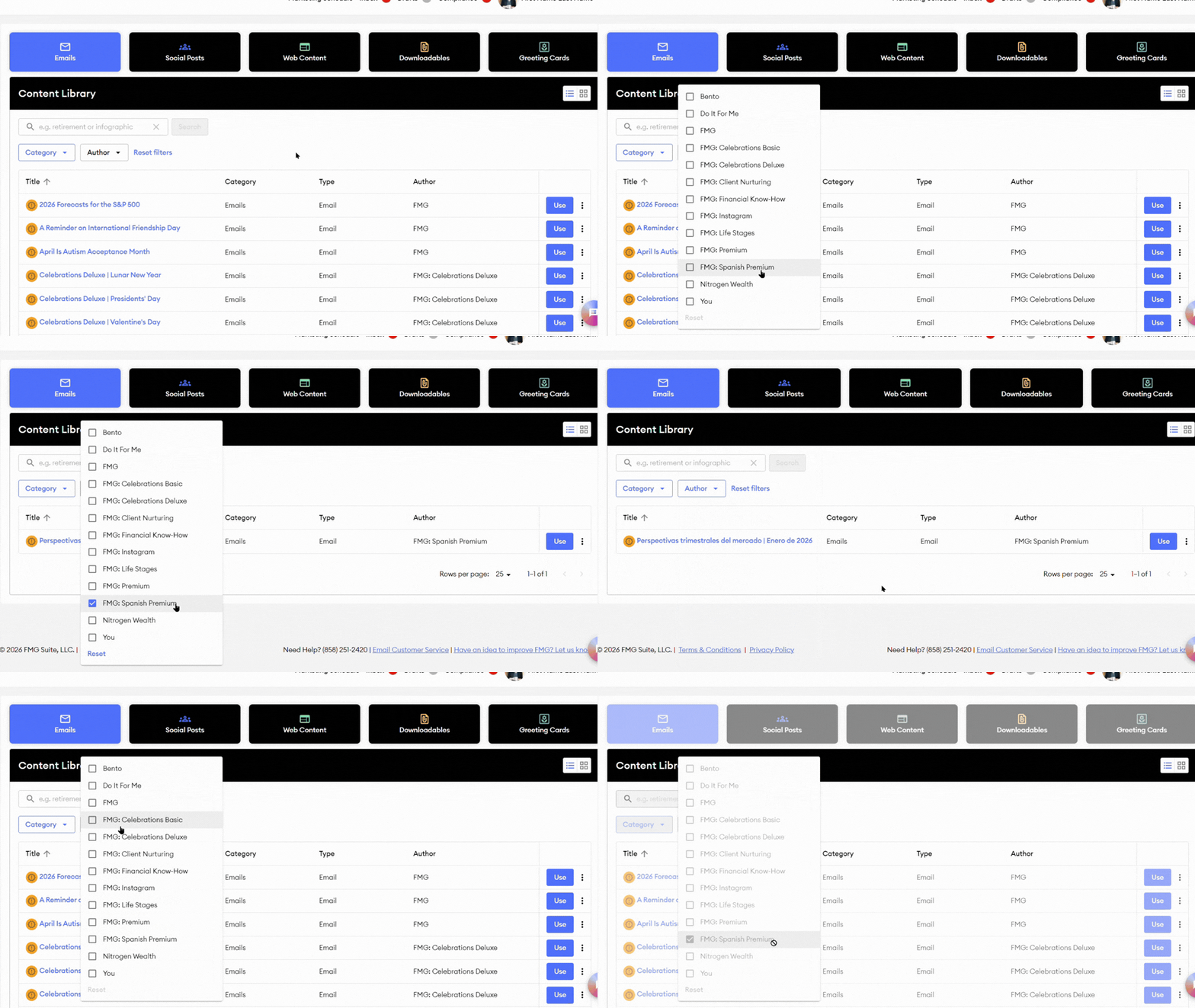
To find the Spanish standalone emails, select the Emails tab in the Content Library, then, in the Author filters, choose "FMG: Spanish Premium." This will display all available Spanish-translated emails in the Content Library.
-
Editing and sending:
-
You can open the standalone Spanish email in the Email Builder by selecting "Use" next to the email in the Content Library. Then you can adjust the copy, subject line, or design, and then send it manually to selected contacts or groups.
-
💡Any customized Spanish email still requires compliance approval before sending, and you should turn off the corresponding automation to avoid duplicates.
-