![FMG_Logo_RGB_Small_Blk-1.png]](https://help.fmgsuite.com/hs-fs/hubfs/FMG_Logo_RGB_Small_Blk-1.png?width=75&height=49&name=FMG_Logo_RGB_Small_Blk-1.png)
Overwatch Coach is an AI compliance tool built into the FMG page editor. It reviews the text and images on your home page and custom pages and flags anything that could raise a compliance concern, which means fewer rejections and a faster compliance review. Use it to find and fix those issues before you submit the page to compliance for review.
Overwatch Coach appears as a Scan for Compliance button in the FMG webpage editor. It works the same way as Overwatch Coach for email, blogs, and social posts.
⚠️ Caution: Whether you have access to Overwatch Coach for website pages depends on your broker/dealer or home office.
How to check a website page for compliance with Overwatch Coach
- Open your home page or a custom page in the FMG website editor.
- Add or edit the text, images, and sections on the page as usual.
- Click Scan for Compliance at the top right of the editor to start the review. Overwatch Coach only runs when you click the button. Results usually appear within a minute.
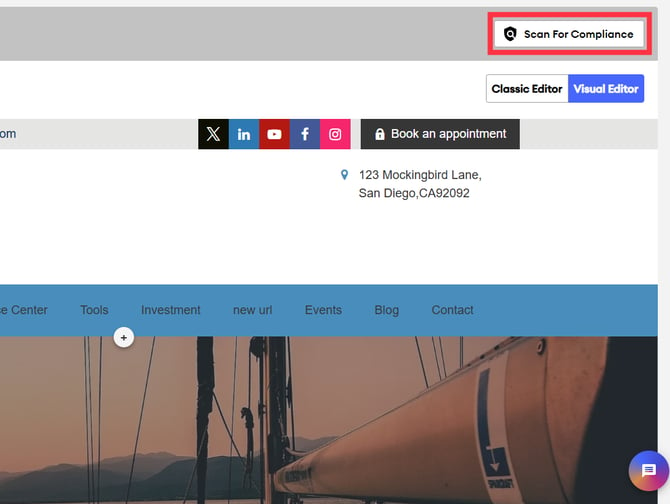
- 💡The Scan for Compliance button is available in both the visual editor and the classic editor.
- Review the results:
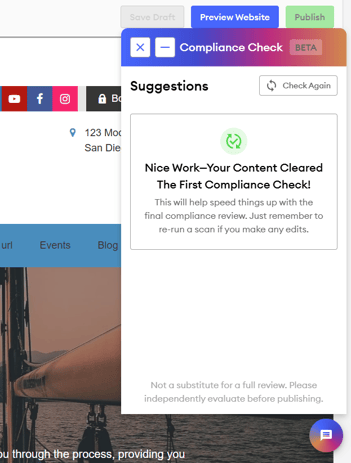
- If nothing is flagged, you’ll see a confirmation that your content cleared the first compliance check.
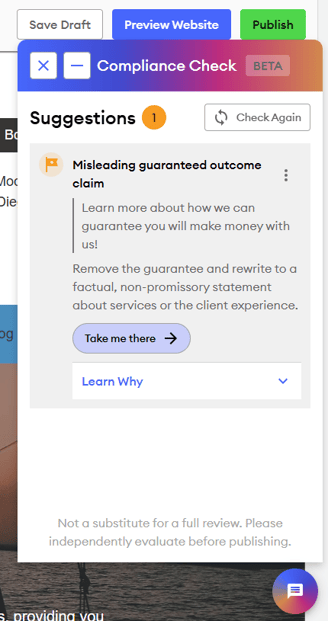
- If text is flagged, the exact line or statement appears in quotation marks with a suggested change and a short explanation. Click Learn Why to see the full policy behind the flag.
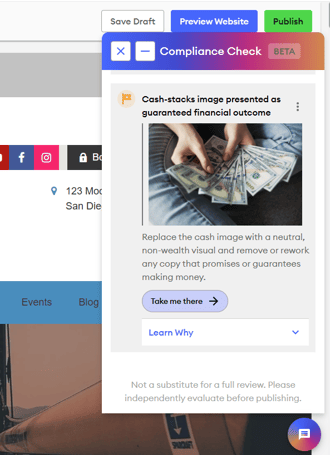
- If an image is flagged, the image appears in the results so you can tell which one it is.
- If nothing is flagged, you’ll see a confirmation that your content cleared the first compliance check.
- Click Take me there on a flagged item to easily jump to that spot on the page.
- 💡Click the three-dot menu next to a flagged item to select More Like This, Less Like This, or Ignore Suggestion to rate how helpful it was and improve our Overwatch Coach tool.
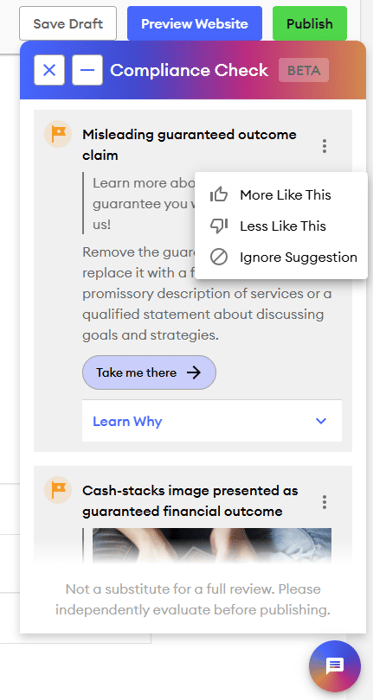
- 💡Click the three-dot menu next to a flagged item to select More Like This, Less Like This, or Ignore Suggestion to rate how helpful it was and improve our Overwatch Coach tool.
- Make your changes. Overwatch Coach does not edit the page for you.
- Click Scan for Compliance again to confirm you’ve fixed everything. You can rerun the check as many times as you like.
- Publish the page to save your changes and submit it for compliance review with your broker/dealer as you normally would.
Note: Overwatch Coach never approves a page or stops you from publishing. If you disagree with a flag, you can ignore it and publish anyway. If you have direct compliance with your home office or broker/dealer, their compliance team still does the final review of your content.
What Overwatch Coach reviews on a website page
| Content type | Reviewed by Overwatch Coach |
|---|---|
| Text you add to the page in FMG | Yes |
| Images you add to the page in FMG | Yes (for compliance only, not copyright) |
| PDFs and other attachments | No |
| Embedded video | No |
| Links and the pages they lead to | No |
| Form fields | No |
| Syndicated pages and Publisher content | No |