![FMG_Logo_RGB_Small_Blk-1.png]](https://help.fmgsuite.com/hs-fs/hubfs/FMG_Logo_RGB_Small_Blk-1.png?width=75&height=49&name=FMG_Logo_RGB_Small_Blk-1.png)
The Content Library is not limited to content produced by FMG. Through Institutional Intelligence, FMG's partner content program, you also get professionally produced emails, social posts, downloadables, and more from vetted asset managers, wealth tech providers, and other industry partners. Each partner has its own collection, so you can browse a single partner's material or pull individual pieces into your marketing the same way you would with any other FMG content. Read on for how to find it, browse it, and put it to work.
Institutional Intelligence Content in the Content Library
To get started, click Content Library in the navigation pane on the left side of your dashboard. You will see the Institutional Intelligence banner. If you don't see the banner, partner content may not be available for your program yet.
Click View Content or Browse Partners on the banner.
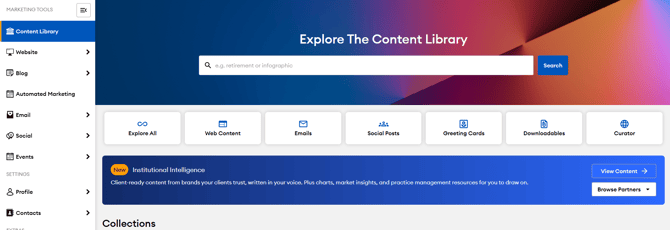
Navigating the Institutional Intelligence section
You can navigate partner content by:
- Partner tiers: Partners are grouped into three display tiers: Founding, Premier, and Featured. Partner collections sort alphabetically within each tier. Tier placement reflects a partner's participation level in the program, not the quality or relevance of the content, so it is worth browsing all three.
- Browse Partners dropdown: If you already know which partner you are looking for, use this to jump straight to their collection.
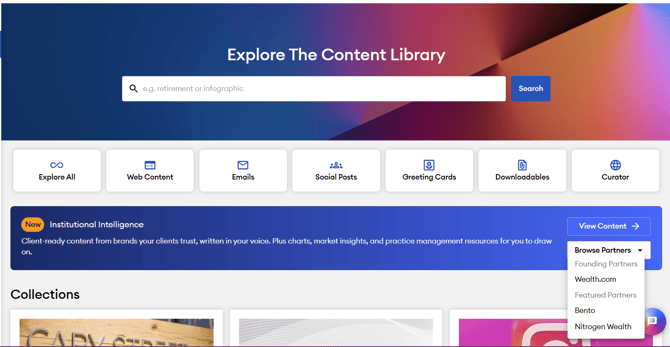
Any collections your home office has placed on the Content Library homepage will display above partner collections.
Content Types
Partners can publish six content types. Availability varies by partner, so not every partner offers all six.
- Emails: Send a partner-authored email to your contacts or a selected list.
- Email Sequences: Schedule a multi-email series that sends automatically over time.
- Social Posts: Post partner content to your connected social accounts.
- Social Sequences: Schedule a series of related social posts.
- Downloadables: Share a guide or PDF as a lead magnet, an attachment, or a landing page offer.
- Event Kits: Build an event or webinar invitation using downloadable partner-authored copy and design.
Using Institutional Intelligence Content
Once you find a piece you like, it works like any other content in the Content Library.
- Preview the content by clicking on the title or the Details button.
- Select the action for that content type, such as Use for Emails, Social Posts, and Web Content, or Download for Downloadable content. Emails can also be used as blogs by selecting Start Blog.
- You can adjust the content copy, add your own introduction, and apply your images if you want to.
- Select your contact list or audience for emails, or choose the social accounts to share a social post.
- Then, schedule your content!
Compliance for Institutional Intelligence Content
- Content that is visible in your Content Library may still require compliance review.
- Editing any pre-approved content piece sends it through compliance for approval. This is also true for FMG-created content and content produced by your home office.