![FMG_Logo_RGB_Small_Blk-1.png]](https://help.fmgsuite.com/hs-fs/hubfs/FMG_Logo_RGB_Small_Blk-1.png?width=75&height=49&name=FMG_Logo_RGB_Small_Blk-1.png)
Why Your Link Isn't Working
FMG invitation and password reset links are single-use and expire after one week. There are three common reasons a link stops working before you get to use it:
- You already clicked it. Once a link is used, it's invalid. Any subsequent click will land you on the login page.
- Your email security software clicked it first. Tools like Microsoft Defender Safe Links, Mimecast, Proofpoint, and Barracuda automatically scan links in incoming emails. In doing so, they may "activate" your one-time link before you ever open it.
- The link expired. If more than a week has passed since you received the email, the link is no longer valid.
How to Fix It
Step 1: Request a new link
If you're setting up your account for the first time, contact your FMG administrator or FMG Support to get a new invitation email. If you're resetting your password, use the Forgot Password link on the login page to request a new reset email. When you receive it:
- Use only the link from the most recent email — discard any older ones
- Click the link promptly to avoid expiration
Step 2: Open the link correctly
- Use an up-to-date browser (Chrome, Firefox, Safari, or Edge)
- Make sure you're logged out of any existing FMG accounts
- Click the link once — don't refresh or navigate away
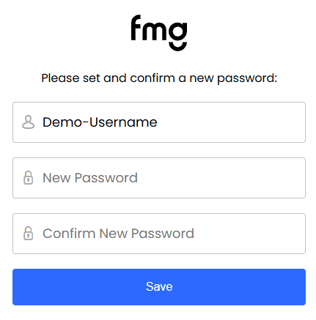
- For account setup or password resets: Once you land on the password screen, fill in your password right away and don't navigate away — the session can time out.
Step 3: Contact your IT team if the problem continues
If new links keep failing, your organization's email security tools are likely intercepting them. Ask your IT help desk to:
- Whitelist FMG's sender domain: email00.fmgsuite.com
- Configure URL protection to bypass FMG invitation and password reset links