![FMG_Logo_RGB_Small_Blk-1.png]](https://help.fmgsuite.com/hs-fs/hubfs/FMG_Logo_RGB_Small_Blk-1.png?width=75&height=49&name=FMG_Logo_RGB_Small_Blk-1.png)
To add your CA license number to your email signature:
-
Navigate to Profile >> Contact Information in the navigation pane on the left side of your dashboard:

-
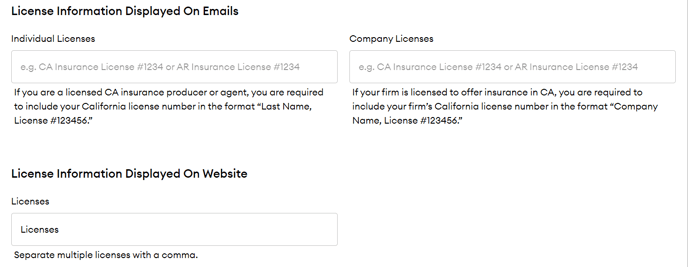
Now find the License Information Displayed On Emails section:
-
Individual Licenses: If you are a licensed CA insurance producer or agent, add your license number in this format: “Last Name, License #123456.”
-
Company Licenses: If your firm is licensed to offer insurance in CA, add your firm's California license number in this format: “Company Name, License #123456.”
-
-
Save your changes as a draft by clicking "Save Draft." You can then "Preview Website" or "Publish" your changes.
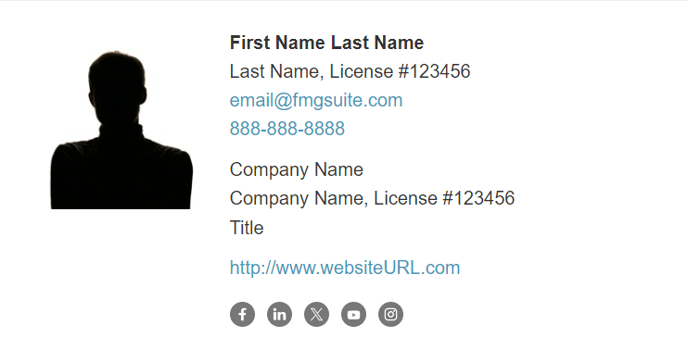
Your license number will now appear after your full name or after your company name: