
What are Orphan Conversations?
Orphan conversations are text messages from a phone number that isn't currently saved as a contact in MyRepChat. This usually happens when a contact was deleted (for example, a wrong number or spam), or when a message came in on a number that should be added to an existing contact — like a text sent to a home landline instead of a mobile number.
How Do I Resolve an Orphan Conversation?
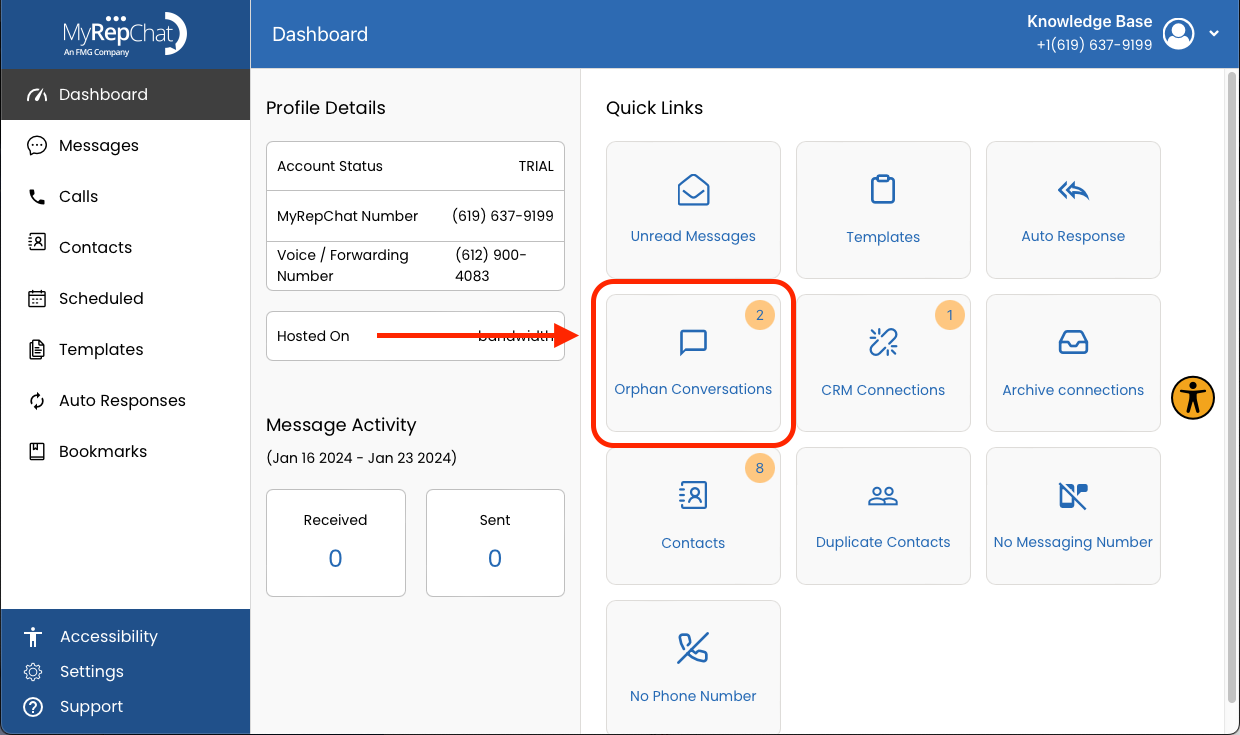
- Click Orphan Conversations to review the associated phone numbers and decide whether each should be linked to a contact, or was spam that should have been blocked rather than deleted. Note: If a number is spam, consider blocking it instead of deleting it, to prevent future orphan conversations from the same number.
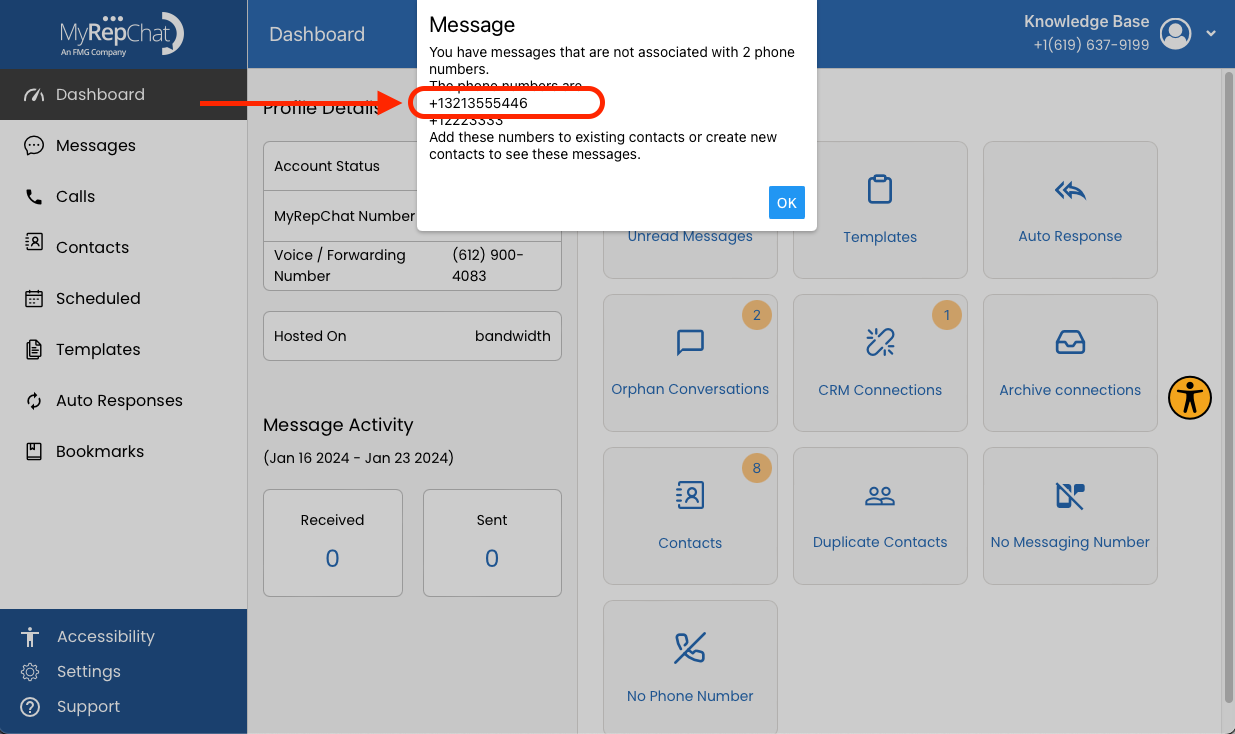
- Find the number you'd like to add to an existing contact, or use to create a new one.
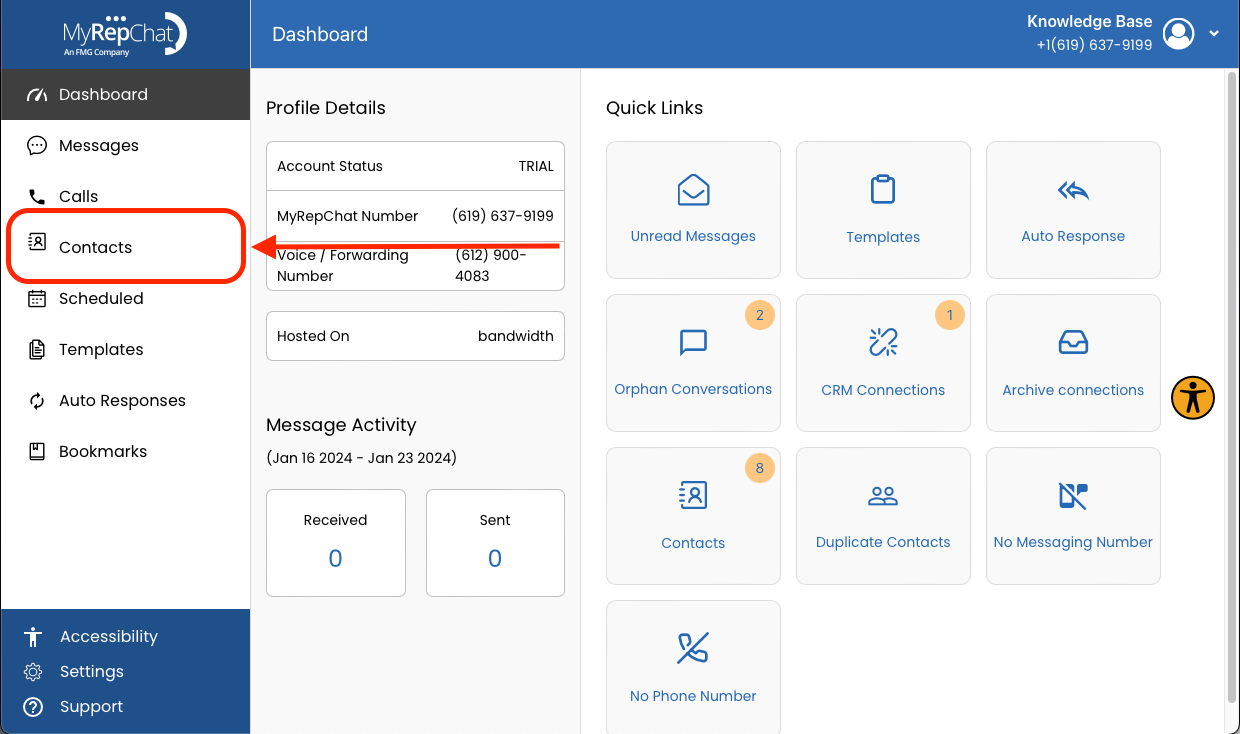
- Click Contacts in the menu on the left side of your Dashboard.
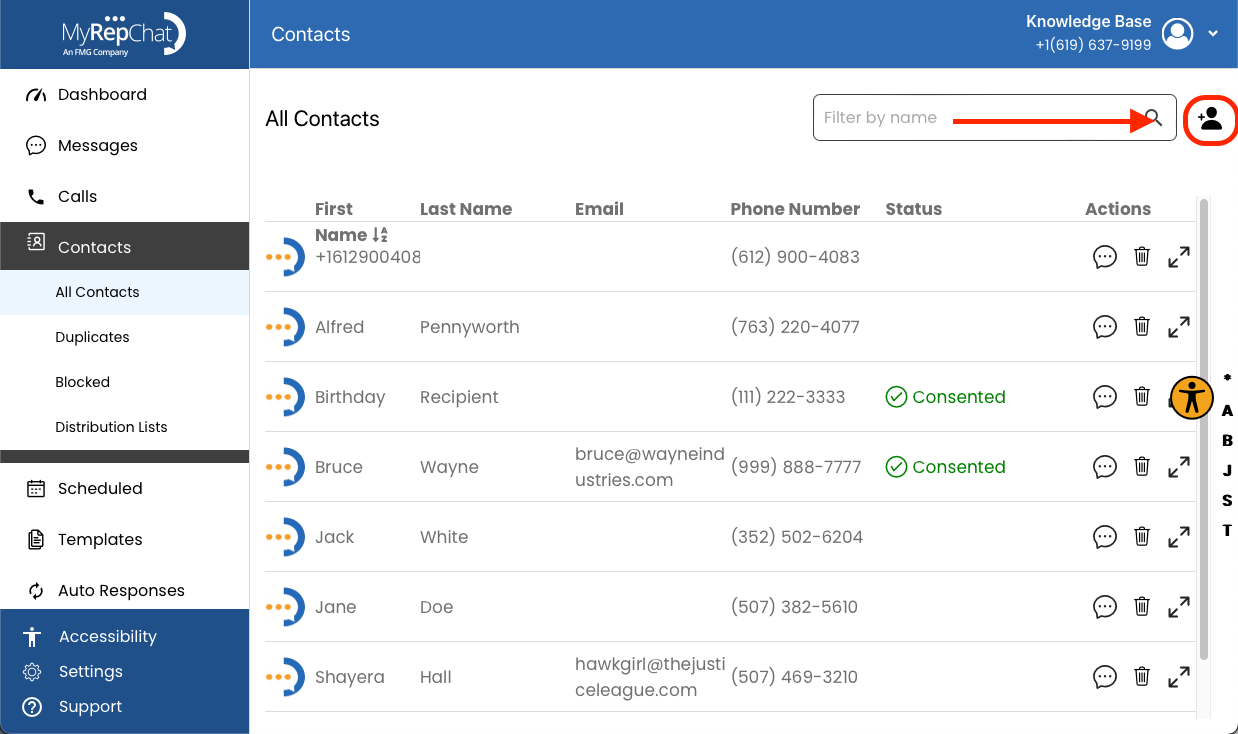
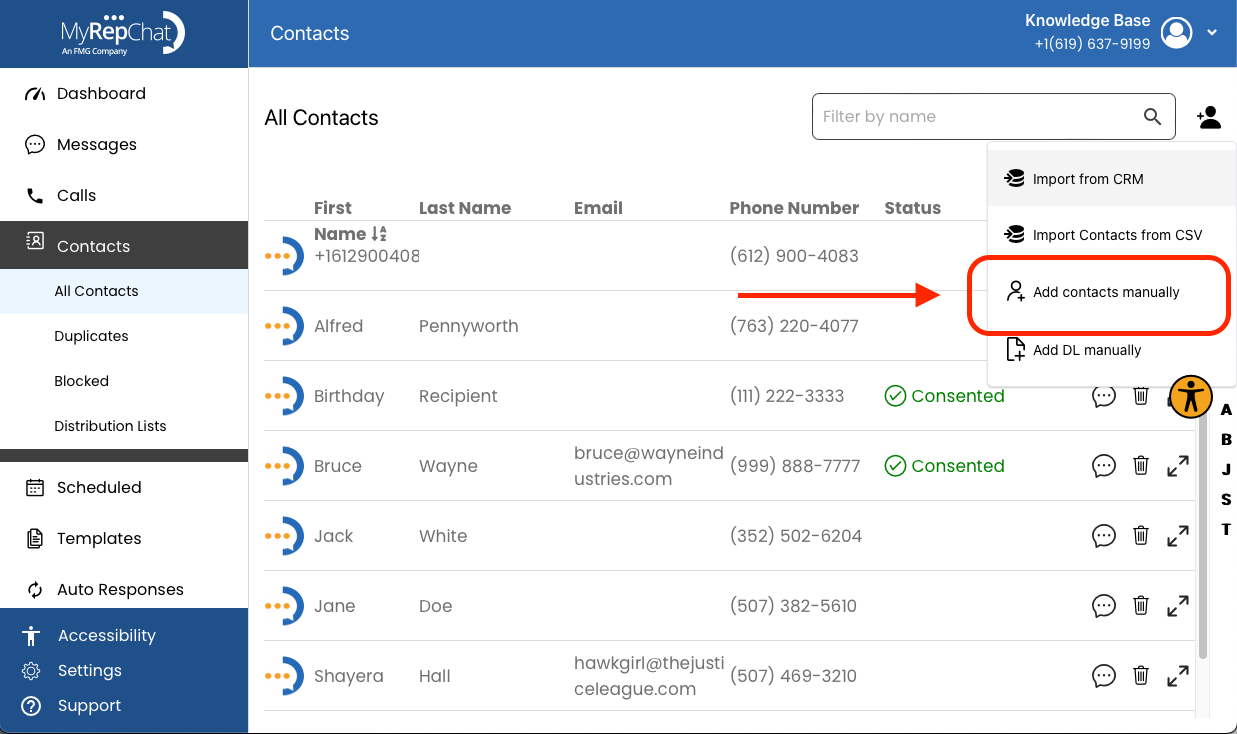
- Click the person icon on the right side of the search bar on the Contacts page.
- Click Add Contacts Manually in the dropdown menu.
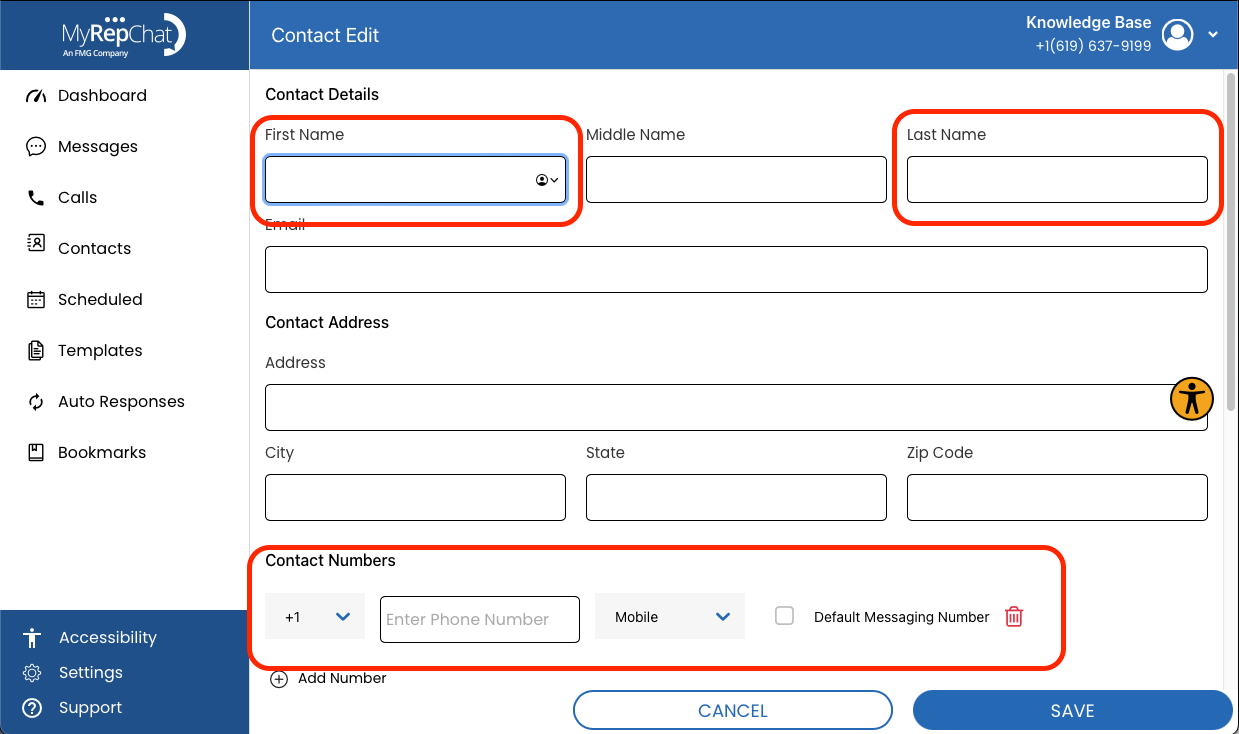
- Enter the first name, last name, phone number, and any other details you'd like saved to the profile.
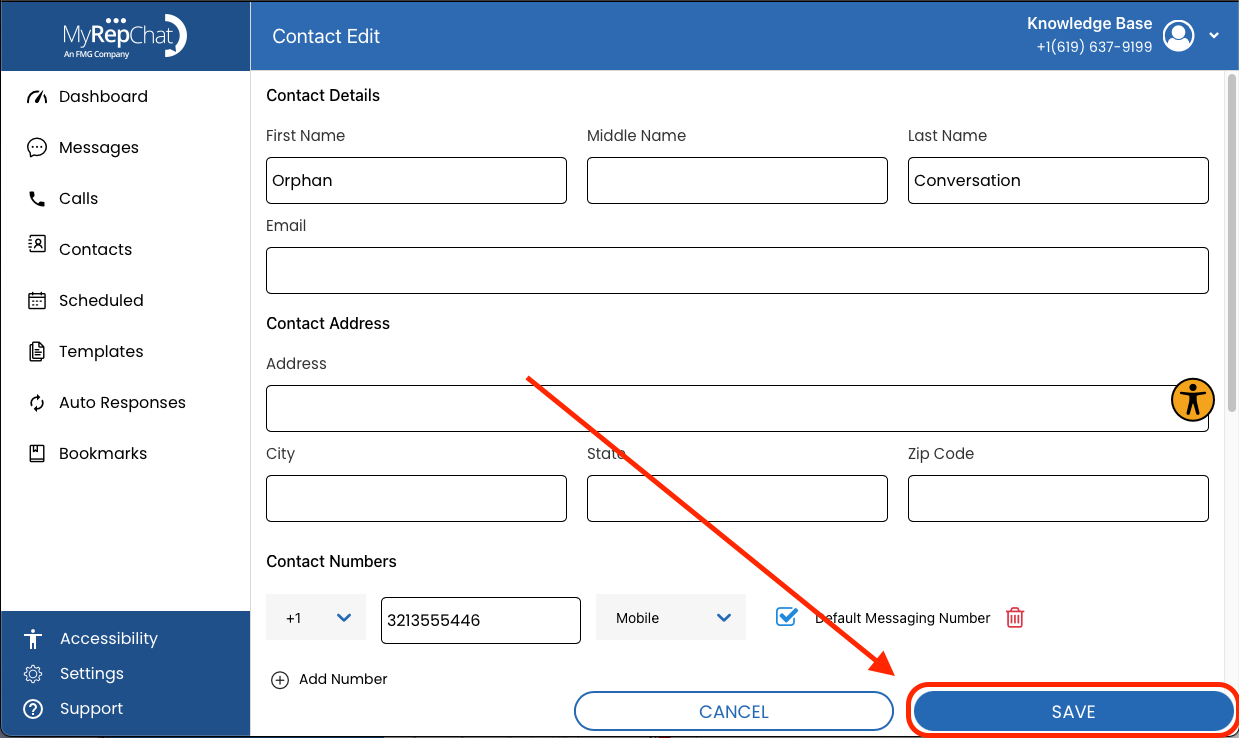
- Click Save — this removes the number from Orphan Conversations.
- You can now find their conversation history in your Messages tab.
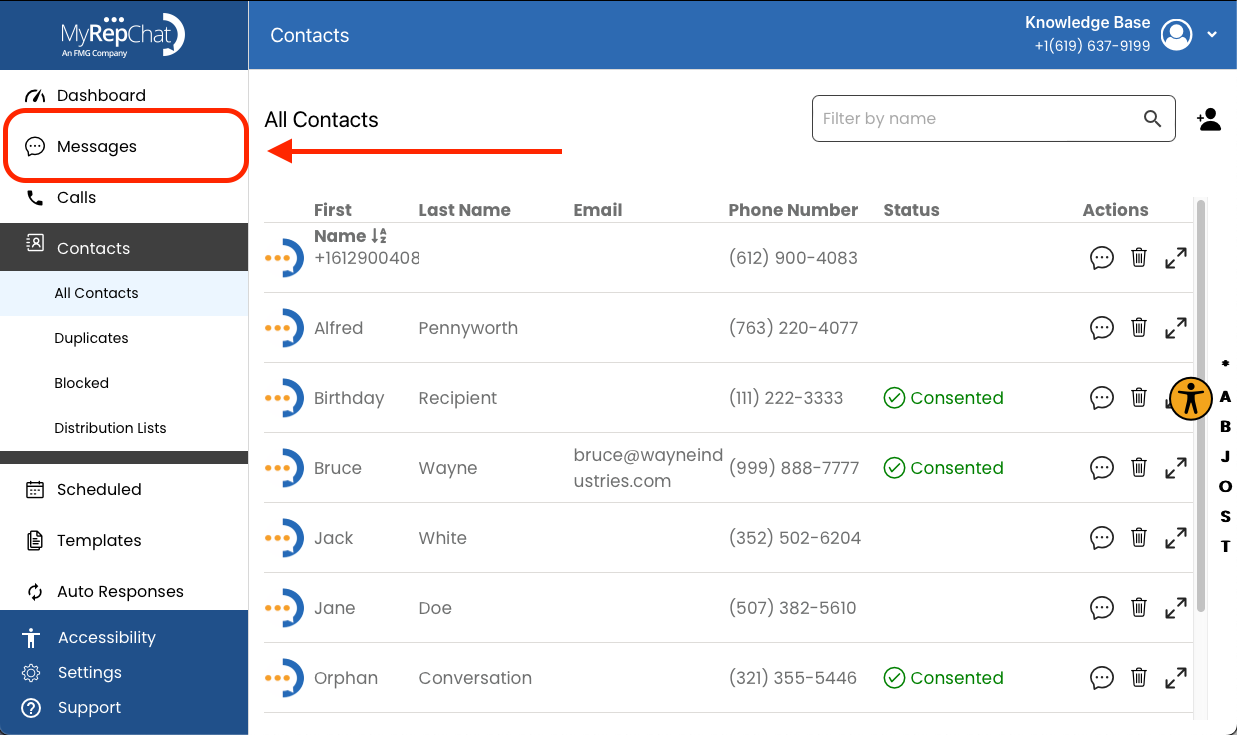
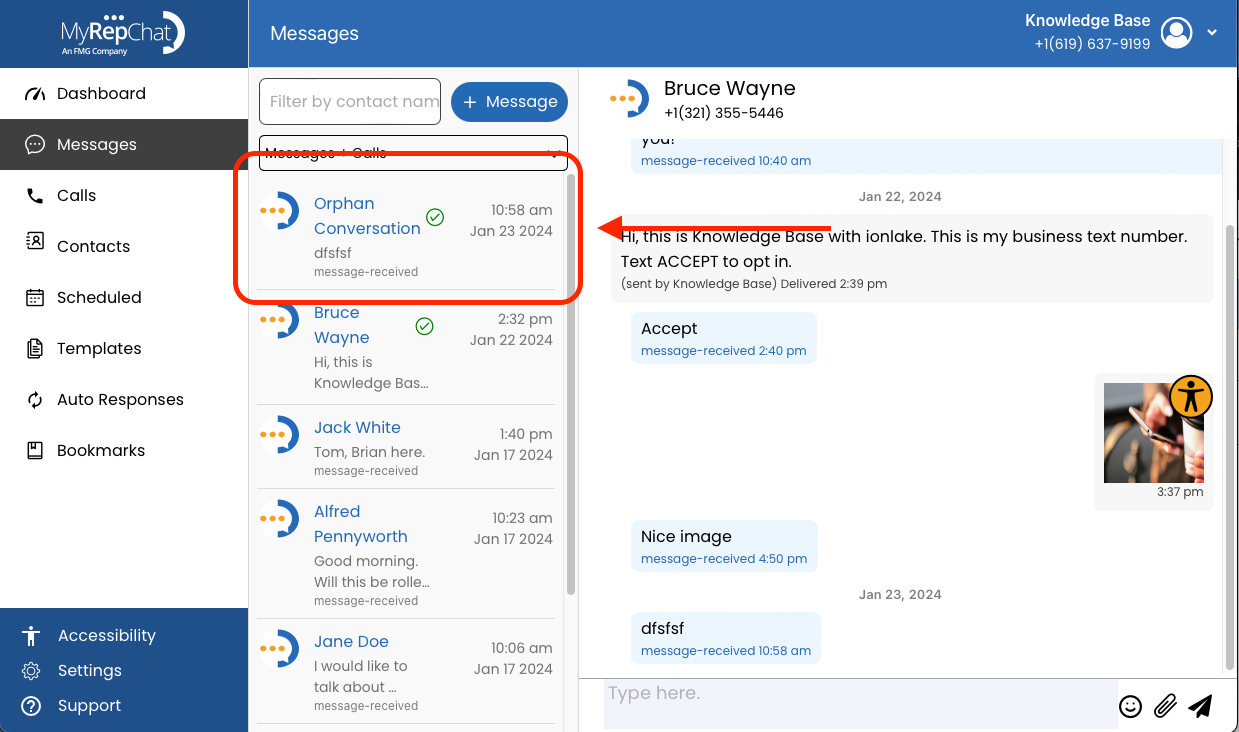
If the conversation doesn't appear in Messages, go to Contacts > All Contacts and search using the Filter by name box. Once you find the contact, click the message bubble to open their chat history.