
Monitoring lets you review the content of SMS messages sent and received across accounts in your group. You write custom patterns using regular expressions (regex), and when a message matches, you can choose to simply be notified, or have the message held for your review before it's sent or delivered. When reviewing a held message, you can accept it or reject it with a reason.
How Do I Set Up Monitoring?
- Add the email address(es) of anyone who should be notified when a pattern is matched. Separate multiple addresses with a semicolon (e.g.,
jon@example.com; jane@example.com).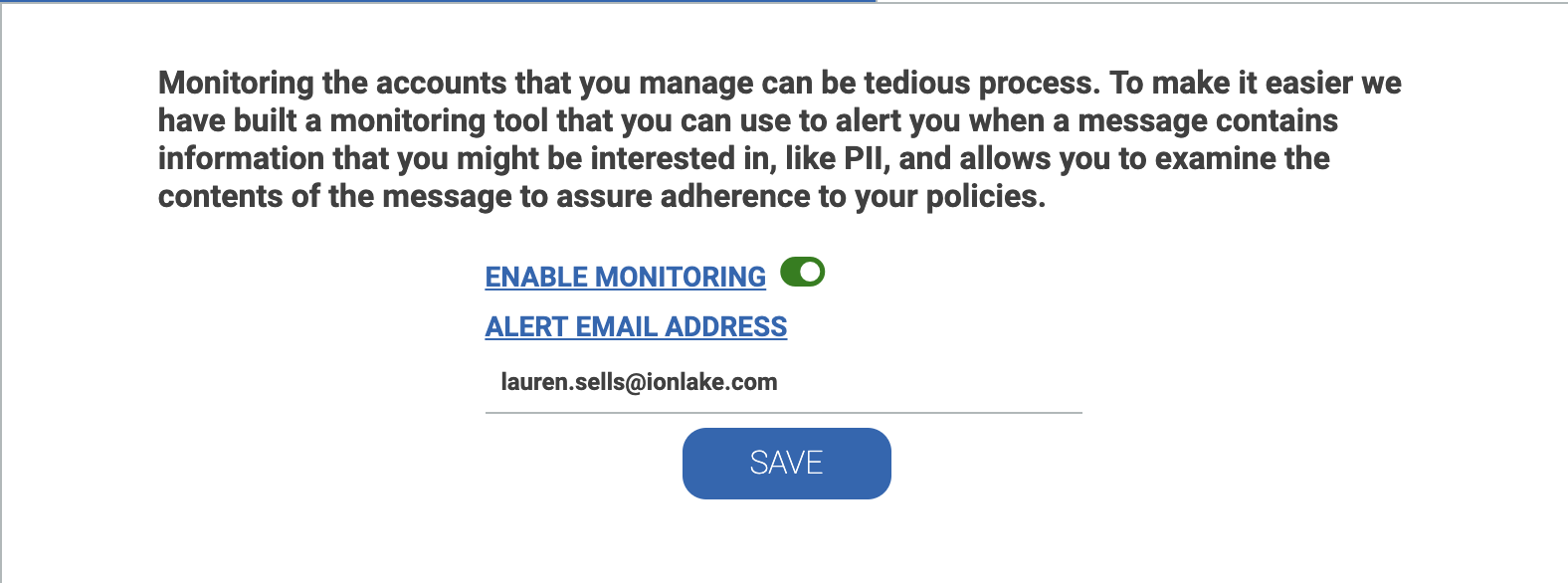
- Click Add Pattern.
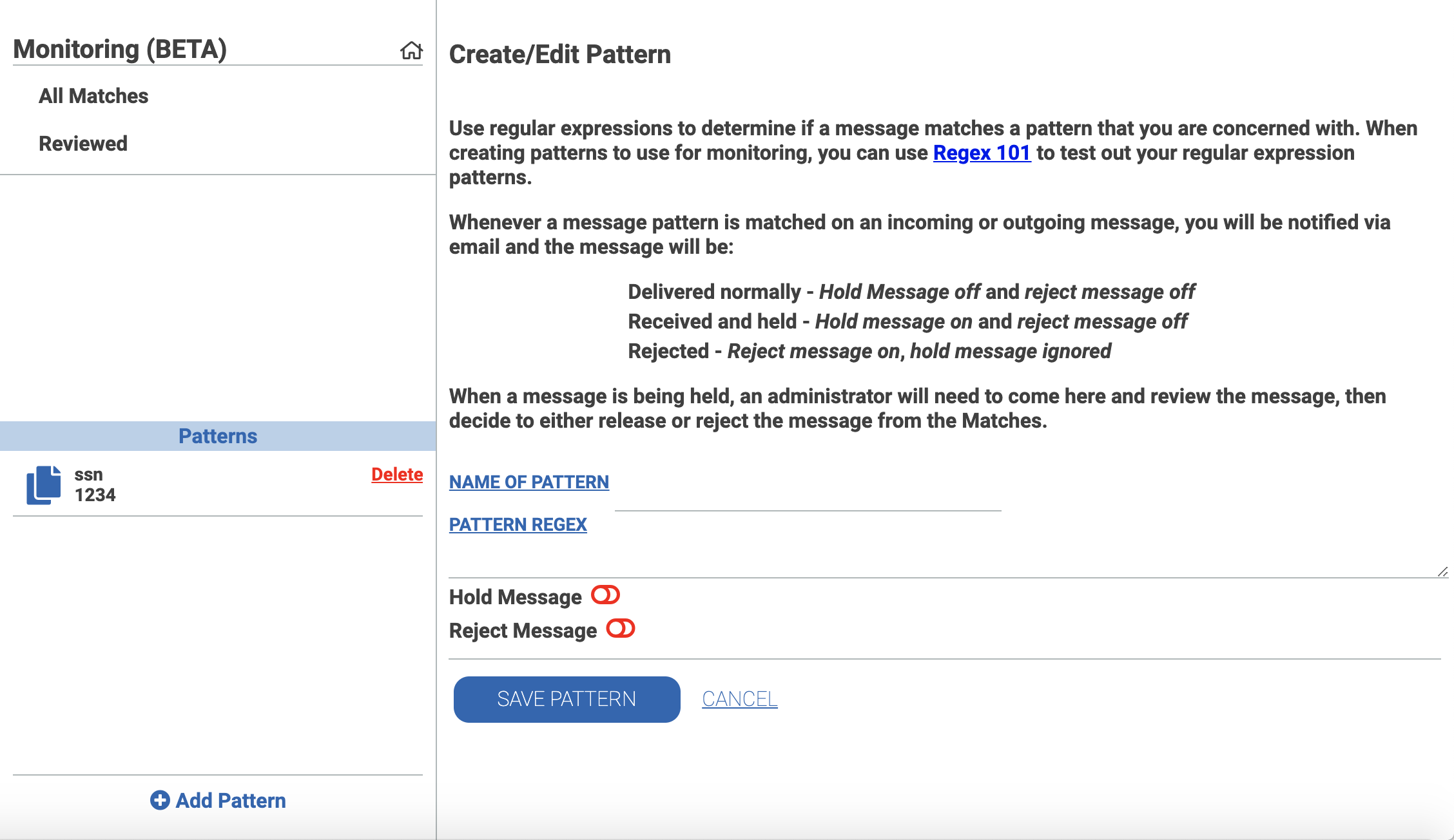
- Enter a name for the pattern and the regex pattern itself.
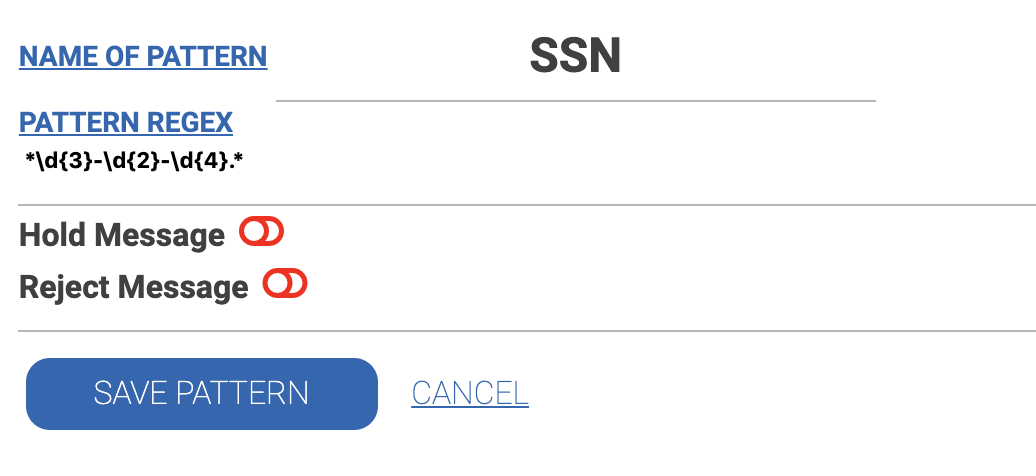
- For example, to flag messages that might contain a Social Security Number (SSN), you could name the pattern "SSN" and use
.*\d{3}-\d{2}-\d{4}.*as the pattern.
- For example, to flag messages that might contain a Social Security Number (SSN), you could name the pattern "SSN" and use
- Choose whether to Hold the message until reviewed, or Reject it outright as soon as it's identified.
- We use regular expressions because they let you, as a group administrator, match virtually anything you need. See "What Are Some Common Regex Patterns?" below for starting points.
- Example of message pattern for social security number:
Once your patterns are defined, they're compared against all incoming and outgoing messages across your group's accounts. Any match sends a notification email to the address(es) you provided.
What Happens When a Message Matches a Pattern?
Outgoing messages with Hold enabled: The message isn't sent. The account holder receives an email saying their message needs review. You'll also get an email and can choose to Release it (sends the message) or Reject it (prompts you for a reason, which is emailed to the account holder).
Incoming messages with Hold enabled: The message isn't made available to the account. The account holder receives an email noting they received a message from a specific number that's being held for review. You'll also get an email and can Release it (makes the message viewable) or Reject it (prompts for a reason, emailed to the account holder).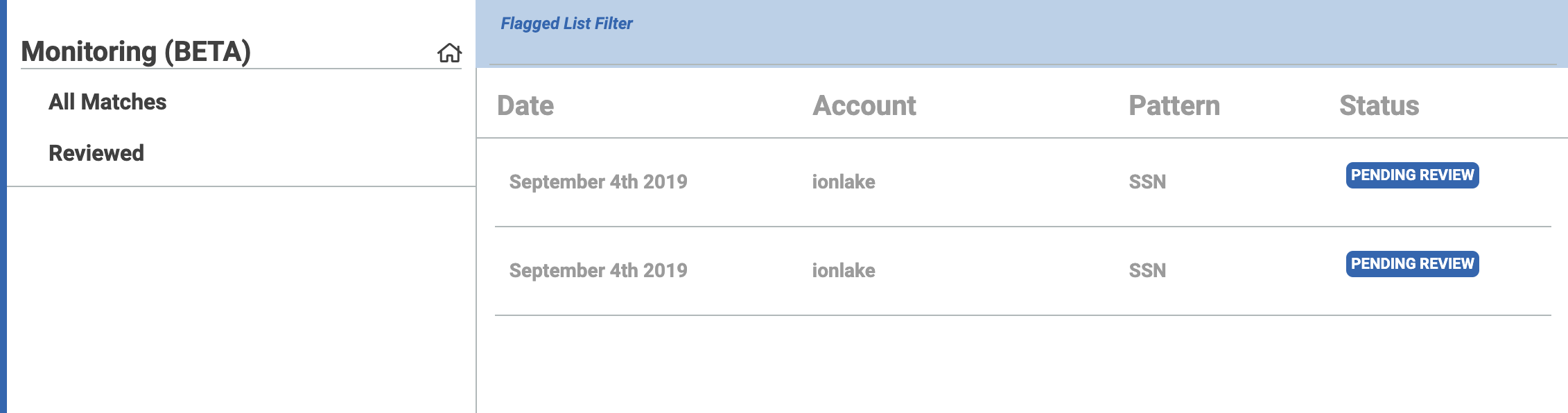
Messages matching a pattern without Hold enabled: The message sends or delivers normally, but you still receive a notification email. You can view the matching message and clear it from your list at any time.
How Do I Review a Flagged Message?
- View all matches and select the message you want to review.
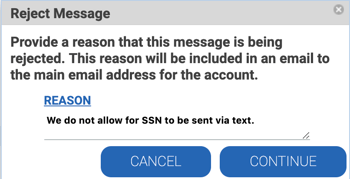
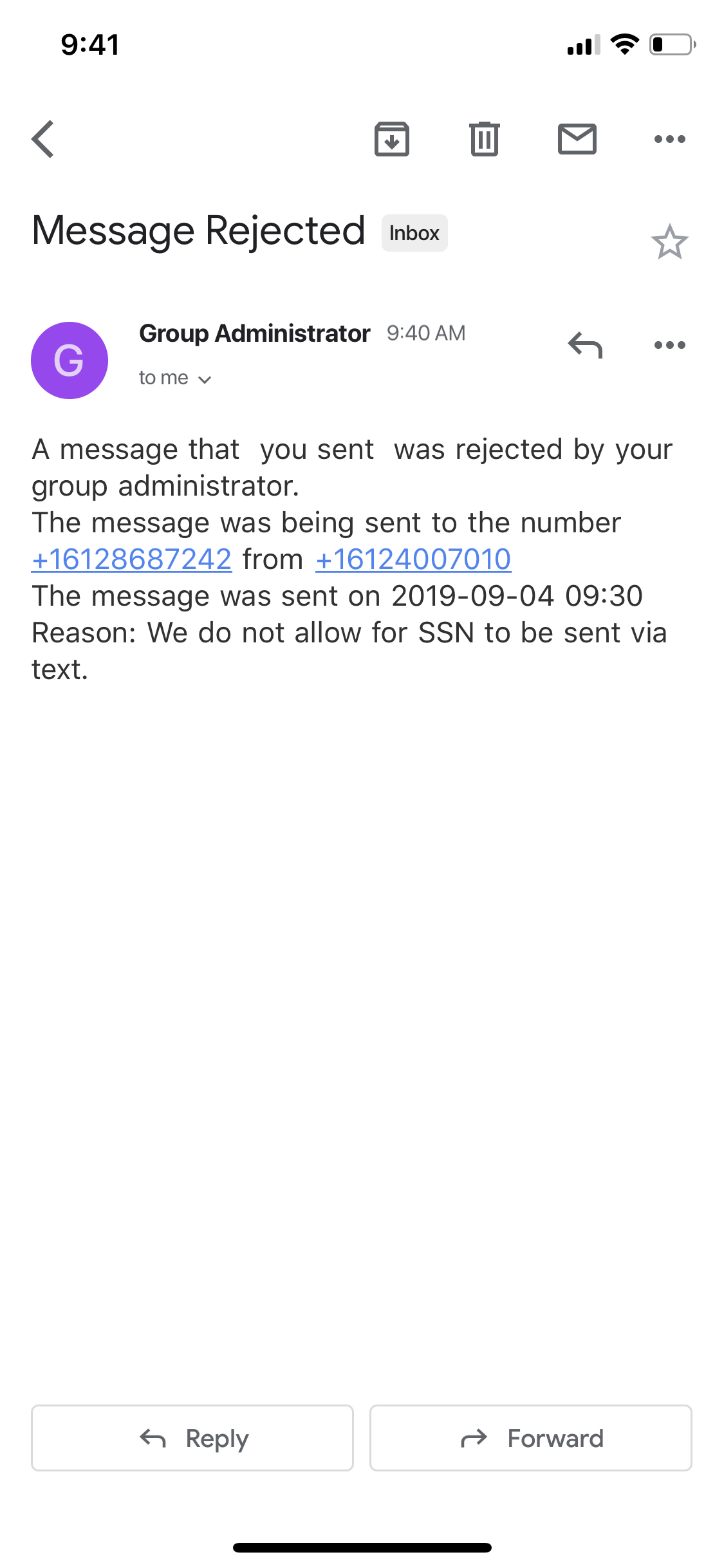
- To reject it, enter a reason when prompted, then click Continue. The user is notified by email that their message was rejected.
What Are Some Common Regex Patterns?
MyRepChat doesn't pre-build patterns for you, since everyone's compliance needs differ — a generic pattern risks being too broad for some use cases and too narrow for others, leading to false positives or false negatives.
Two elements you'll almost always want to include:
- The
(?si)modifier at the start, which makes your pattern case-insensitive and treats line breaks as normal whitespace. .*?at the start and end of your pattern, with\bto mark word boundaries — this makes your pattern match if it appears anywhere in the message, not just when the message contains nothing else.
A few patterns to start from:
| Pattern | Regex |
|---|---|
| SSN | (?si)^.*?\b(\d{3}[\s.-]?\d{2}[\s.-]?\d{4})\b.*?$ |
| Date of Birth | `(?si)^.?\b(0[1-9] |
| Credit Card | (?si)^.*?\b[0-9]{4}[\s.-][0-9]{4}[\s.-][0-9]{4}[\s.-][0-9]{4}\b.*?$ |
| Emoji | (?si)^.*?([\uD83C-\uDBFF\uDC00-\uDFFF]+).*?$ |
These are generic starting points — review them carefully before use:
- The SSN pattern allows optional whitespace, dot, or dash delimiters.
- The DOB pattern only supports mm/dd/yyyy format.
- The credit card pattern matches any 4-4-4-4 digit sequence with space, dot, or dash delimiters — not validated against real card number formats.
- The emoji pattern matches Unicode surrogate pairs, which can occasionally include characters outside normal emoji use.
A few tips for writing your own patterns:
- Avoid cramming too much into one pattern with multiple ORs — it's usually clearer and easier to troubleshoot to create separate patterns instead.
- Be as generic as you can while still being accurate — this improves readability and makes troubleshooting easier.
- Watch for near-matches you don't want to block — for example, a 9-digit reference number could accidentally match an SSN pattern that doesn't require delimiters.
You can test and refine your regex patterns at regex101.com before using them in MyRepChat.