
Assistants and other users may have access to multiple accounts to help send messages on behalf of several MyRepChat users. Once your login is associated with more than one account, you can switch between them using the same username and password.
How Do I Switch Accounts?
- While logged into MyRepChat on the web, click the dropdown arrow near the account name in the upper right corner.
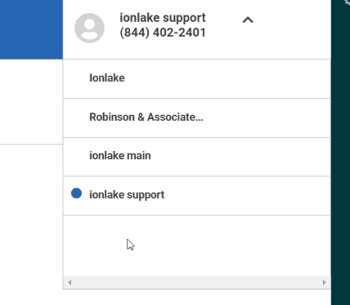
- A list of accounts you have access to appears — the account with a blue dot next to it is the one you're currently in.
- Select the account you'd like to switch to.
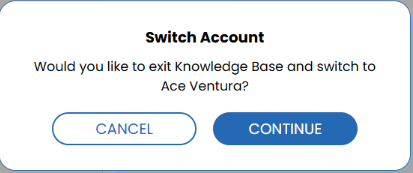
- Click Continue on the confirmation pop-up. Your browser will automatically reload with that account's information.