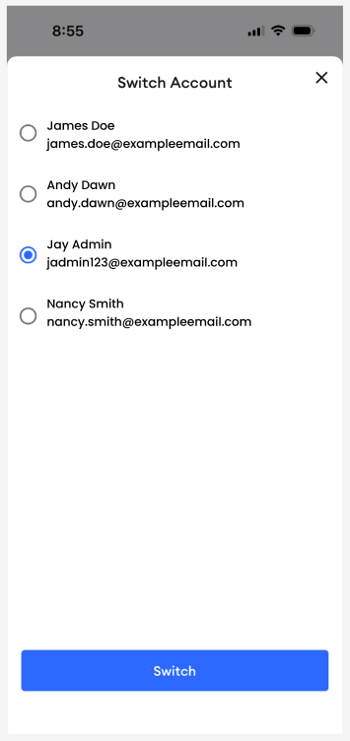
If you have access to more than one MyRepChat number or account, you can switch between them seamlessly using either of these methods.
How Do I Switch Accounts?
Option 1: From Messages or Calls
- Tap the circular icon with your initials in the top right of the screen.
- Select the account you want from the Switch Account prompt.
- Tap Switch to begin using that account.
Option 2: From the More Tab
- Tap More.
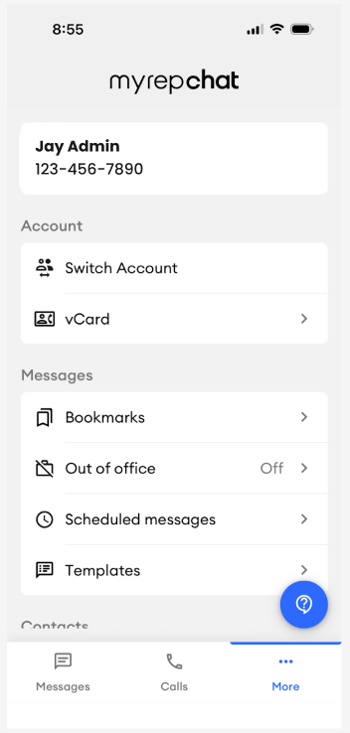
- Select Switch Account to reach the same account selection screen.