
A vCard is a virtual business card that makes your contact information easily accessible to you and your contacts.
How Do I Send My vCard?
- Compose a new message, or open an existing conversation.
- Tap the + icon at the bottom left to add an attachment.
- Tap vCard from the attachment options.
- You'll see a prompt letting you know an auto-message will be sent along with your vCard.
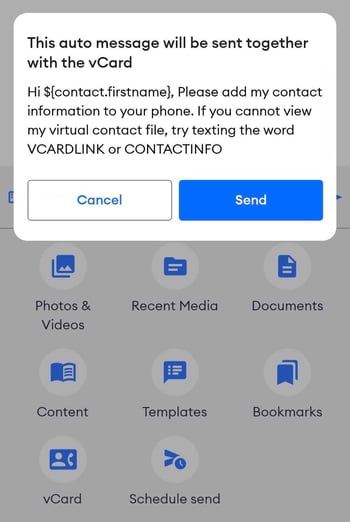
- Tap Send to send the vCard and message, or Cancel to back out.