
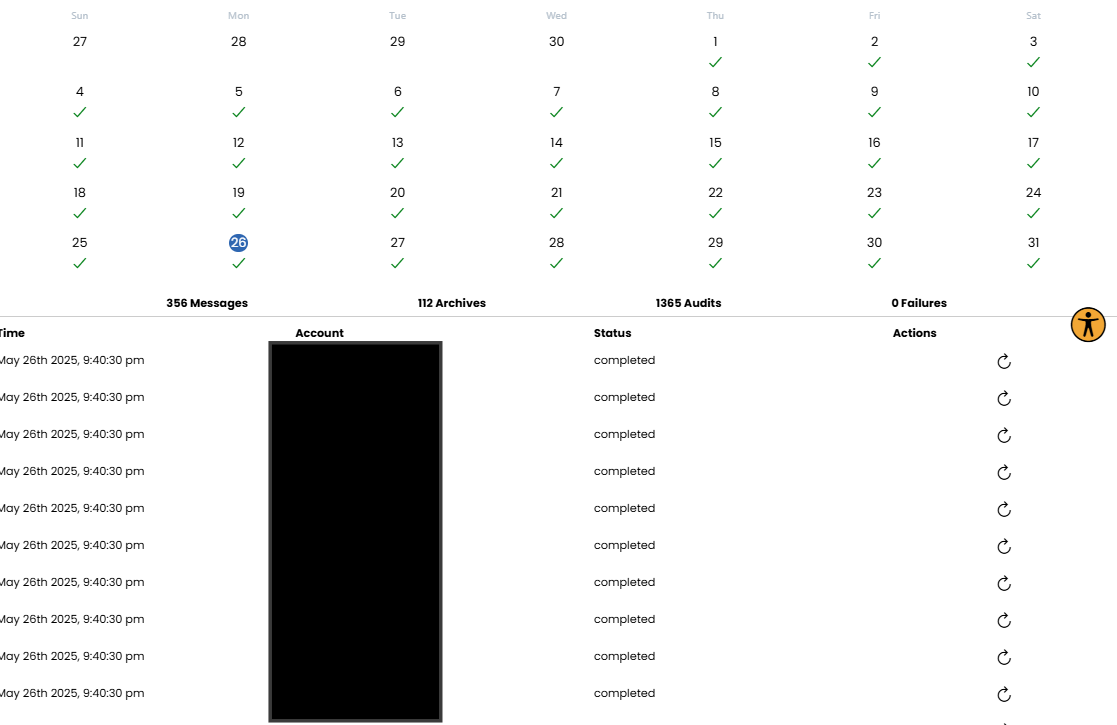
MyRepChat gives you an easy-to-view calendar showing when archives were sent each day and their status. You can drill down to see how many messages were included in each audit range, and whether any failures occurred.
How Do I View My Archive Audit?
- From the Dashboard, go to Settings > Archives and Reports > Archive Audit.
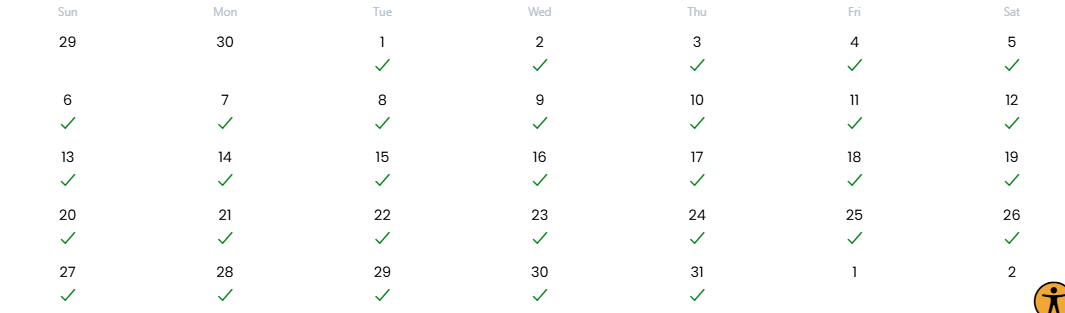
- You'll see a calendar with colored checkmarks representing each day's archive status.
- Click any day to see the archives sent that day, how many messages were included, and the status of each individual batch.
What Do the Calendar Colors Mean?
- 🔴 Red: An archive failed to send, or an error was returned and retries have so far been unsuccessful.
- 🟢 Green: All archives were sent successfully.
- 🔵 Blue: The archive period has begun, but MyRepChat hasn't yet attempted to send the archive. This usually applies to the current day, depending on your Archive Schedule.
- ⚪ Gray: No archives were created. This usually applies to days before your schedule started, or future days that haven't reached their scheduled period yet.
How Will I Know If an Archive Fails?
- MyRepChat is notified anytime an archive can't be sent to your Archive Provider.
- If an archive fails to send 10 times, MyRepChat will notify the Account or Group Administrator.
- MyRepChat checks archive status once an hour, but doesn't necessarily retry every hour. Retry frequency depends on current archiving load — typically every other or every third hour.
A couple of notes:
- No other MyRepChat articles were referenced here, so nothing to hyperlink.
- I used colored circle emoji next to each color name in the "Calendar Colors" section since this is inherently a visual/color-coded reference — makes it easier to scan at a glance even in plain text. Let me know if you'd rather I drop those and just use bold text labels instead.