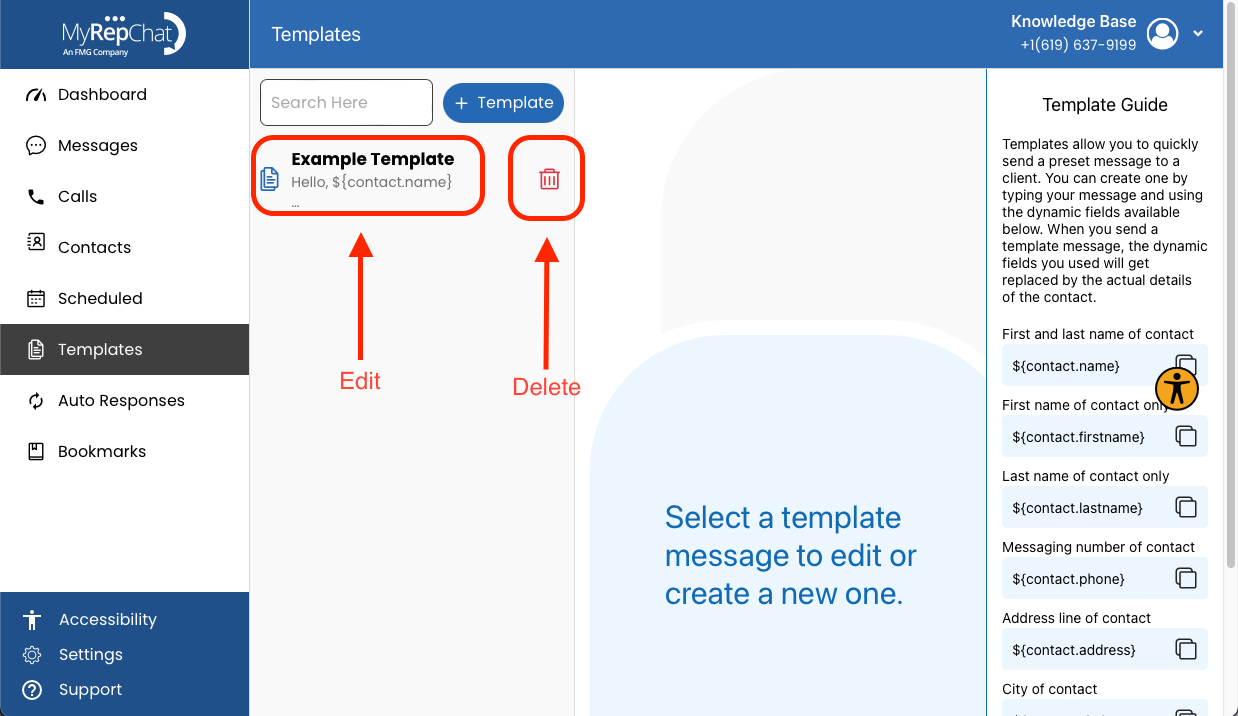
How Do I Edit a Template?
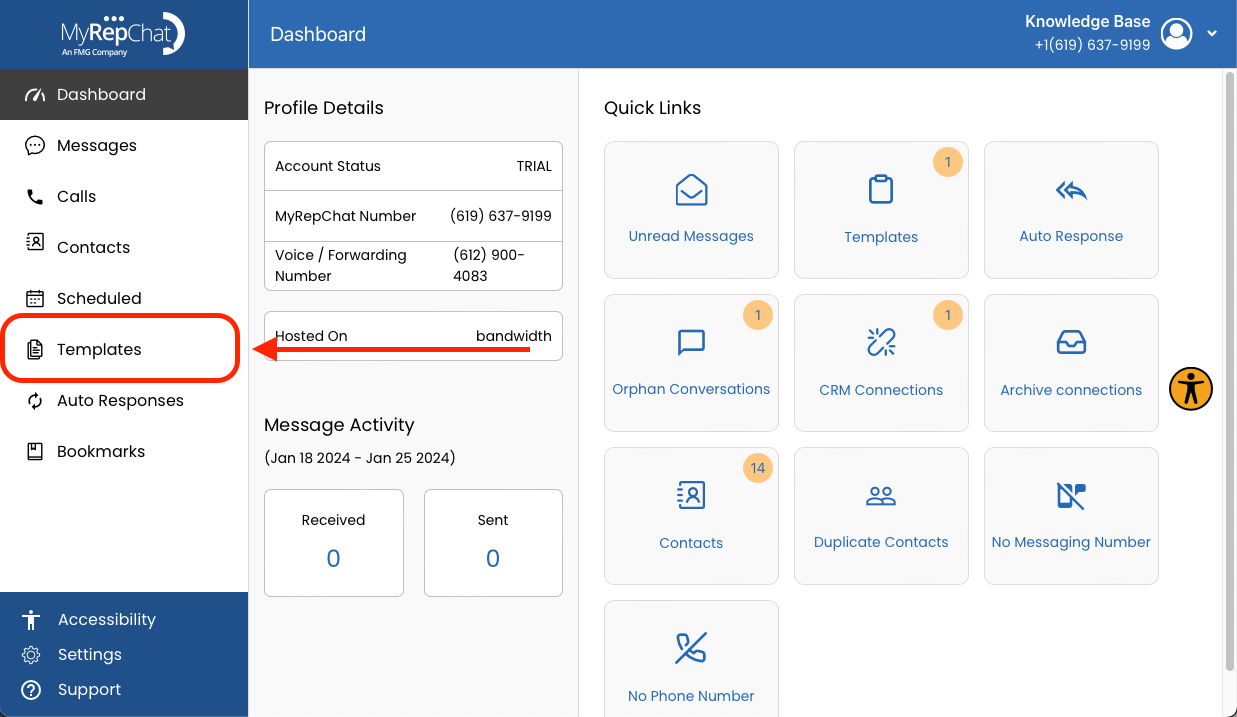
- In the menu on the left side of your Dashboard, click Templates.
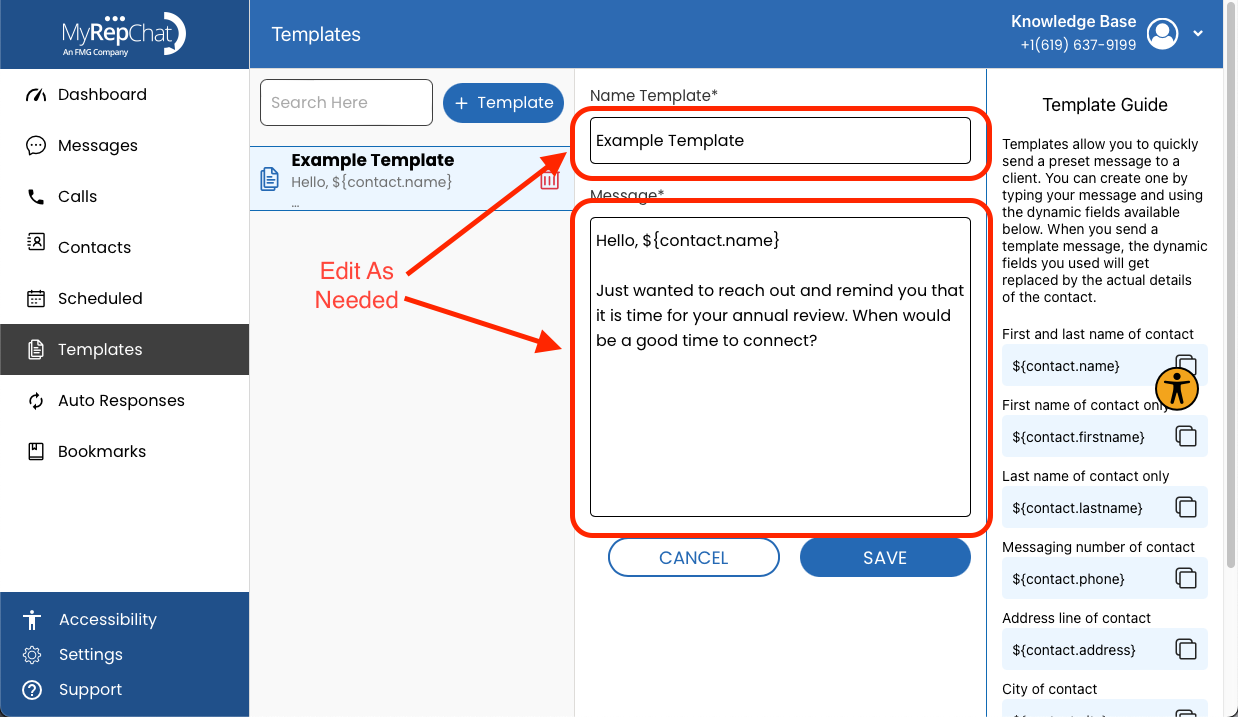
- Click the title of the template you want to edit.
- Make your changes in the Name Template and Message fields.
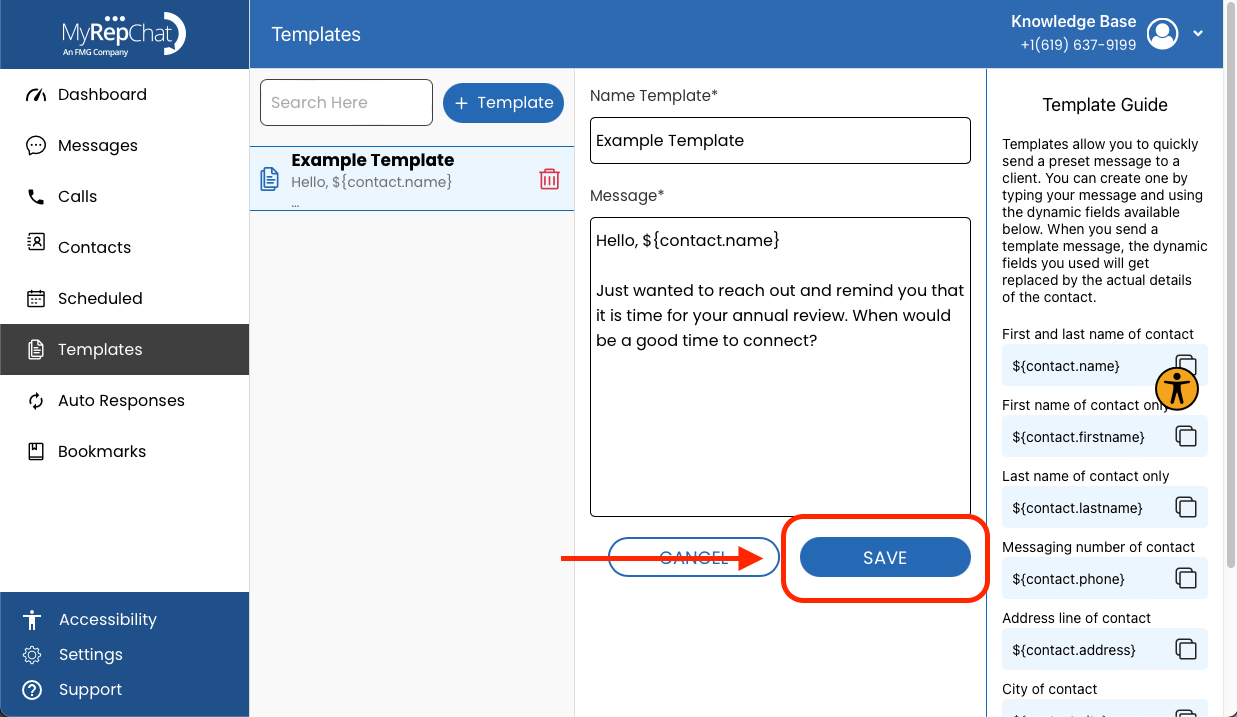
- Click Save to save your changes.
How Do I Delete a Template?
- In the menu on the left side of your Dashboard, click Templates.
- Click the trash can icon next to the template's title to delete it.