
You can delete a contact directly from the mobile app. There are two ways to reach a contact's details page to do this.
Only contacts can be deleted in MyRepChat — text messages cannot be deleted.
Option 1: From the Messages or Calls Tab
- Find the contact in your Messages or Calls tab.
- Tap their image icon next to their name or number.
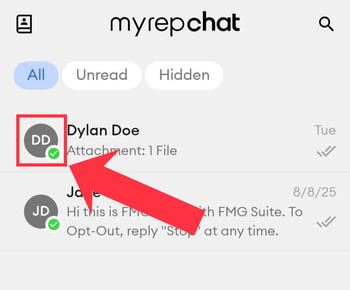
- You'll land on their contact details page.
- Scroll to the bottom and tap Delete.
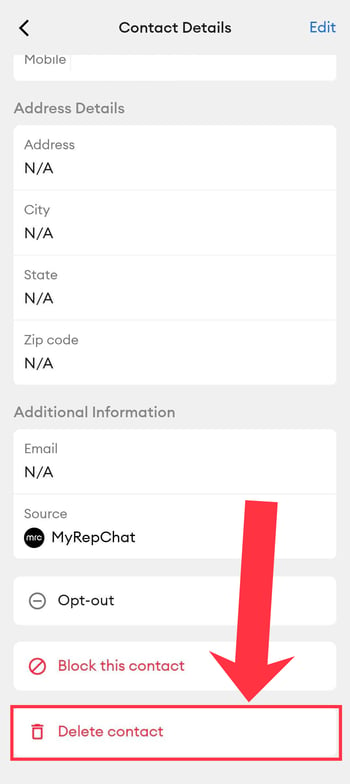
- Confirm the deletion when prompted.
Option 2: From the Contacts List
- Tap the Contacts album icon in the top-left corner of the Messages tab.
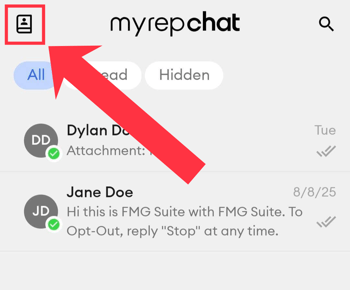
- Find and tap the contact you want to delete.
- You'll land on their contact details page.
- Scroll to the bottom and tap Delete.
- Confirm the deletion when prompted.
If a contact is synced to a CRM, deleting them in MyRepChat won't remove them from your CRM — they can be re-imported at any time.