Note:
- This feature is only available to users with the Voice Add-On enabled.
- A forwarding number must be configured in your account before you can record a voicemail greeting.
What Types of Voicemail Greetings Are There?
You can create two types of voicemail greetings in MyRepChat:
- Default Voicemail: Plays when a caller reaches your voicemail because you didn't answer.
- Unavailable: Plays when your phone is off, in airplane mode, or out of signal.
You can only save one greeting per type. If you record a new greeting for a type that already has one, it will replace the existing recording.
Record a Voicemail Greeting on Mobile
-
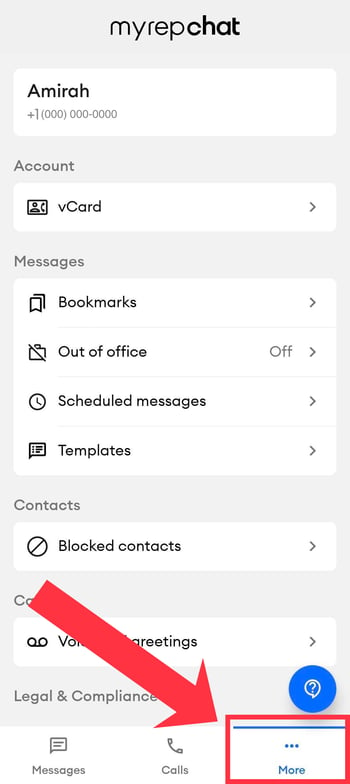
Tap the More tab in the bottom navigation bar.
-
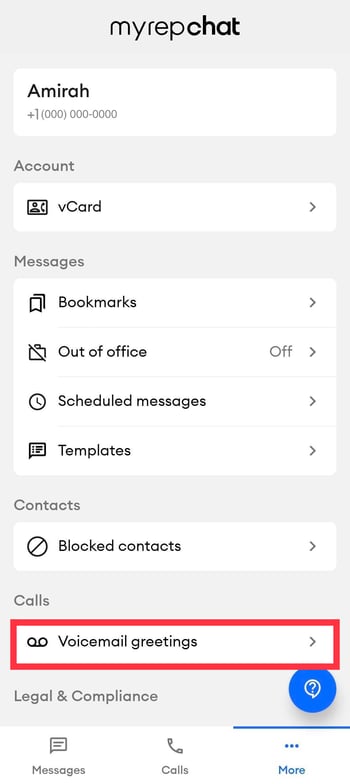
Select Voicemail Greetings.
-
If you haven't recorded a greeting yet, tap Create Greeting. If you already have one and want to add another, tap + Create new greeting.

-
Select the greeting type you want to record:
- Default Voicemail: Plays when you don't answer a call.
- Unavailable: Plays when your phone is off, in airplane mode, or out of signal.
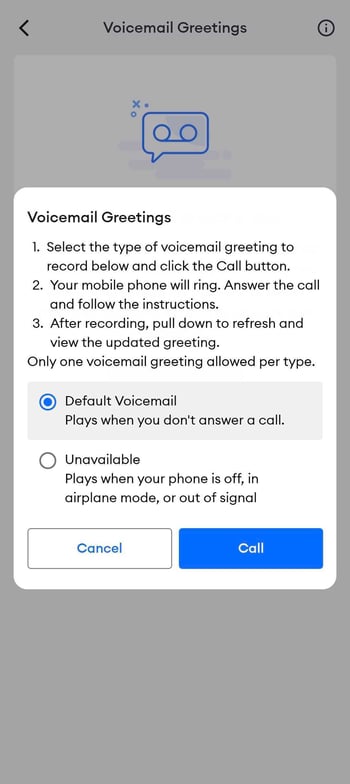
- Tap Call. Your mobile phone will ring — answer it and follow the prompts to record your greeting.
- After recording, swipe down to refresh the screen and see your new greeting listed.
Play, Replace, or Delete a Greeting on Mobile
Once recorded, a greeting appears on the Voicemail Greetings screen with a playback bar and the date it was recorded.
- Play: Tap the blue play button to listen to your greeting.
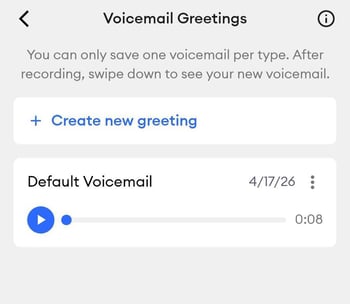
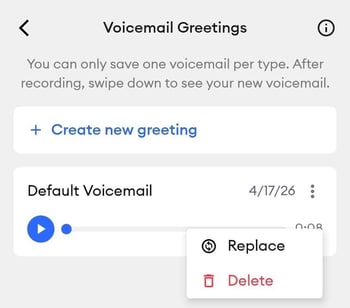
- Replace: Tap the three-dot icon next to the greeting, then select Replace to re-record it.
- Delete: Tap the three-dot icon next to the greeting, then select Delete to remove it.
Record a Voicemail Greeting on Desktop
- Log in to MyRepChat on the web.
- From the Dashboard, go to Settings > Add-Ons and Billing > Voice Mail.
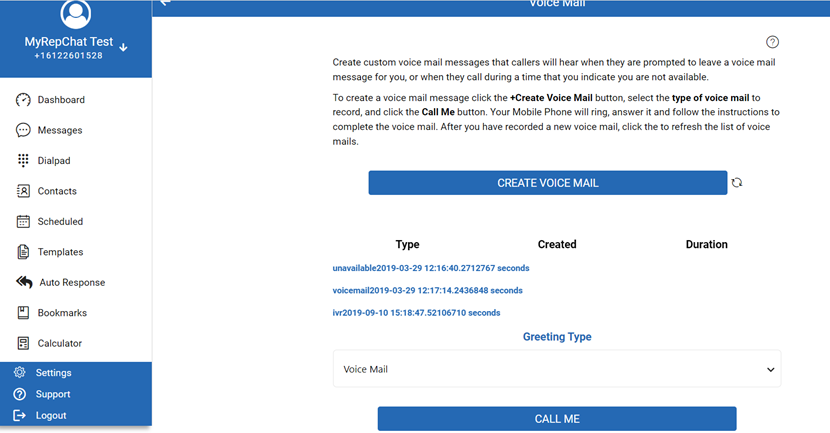
- Click Create Voice Mail.
- Select the greeting type from the dropdown:
- Voice Mail: The standard message callers hear when you don't answer.
- Unavailable: Plays during hours you've specified as unavailable.
- Click Call Me. Your forwarding number will ring — answer it and follow the prompts to record your greeting.