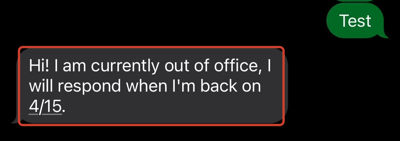
When you're going to be out of the office, setting up an automatic response lets contacts know you're temporarily unavailable when they text you — and that you'll respond once you're back.
How Do I Set Up My Out-Of-Office Auto-Response?
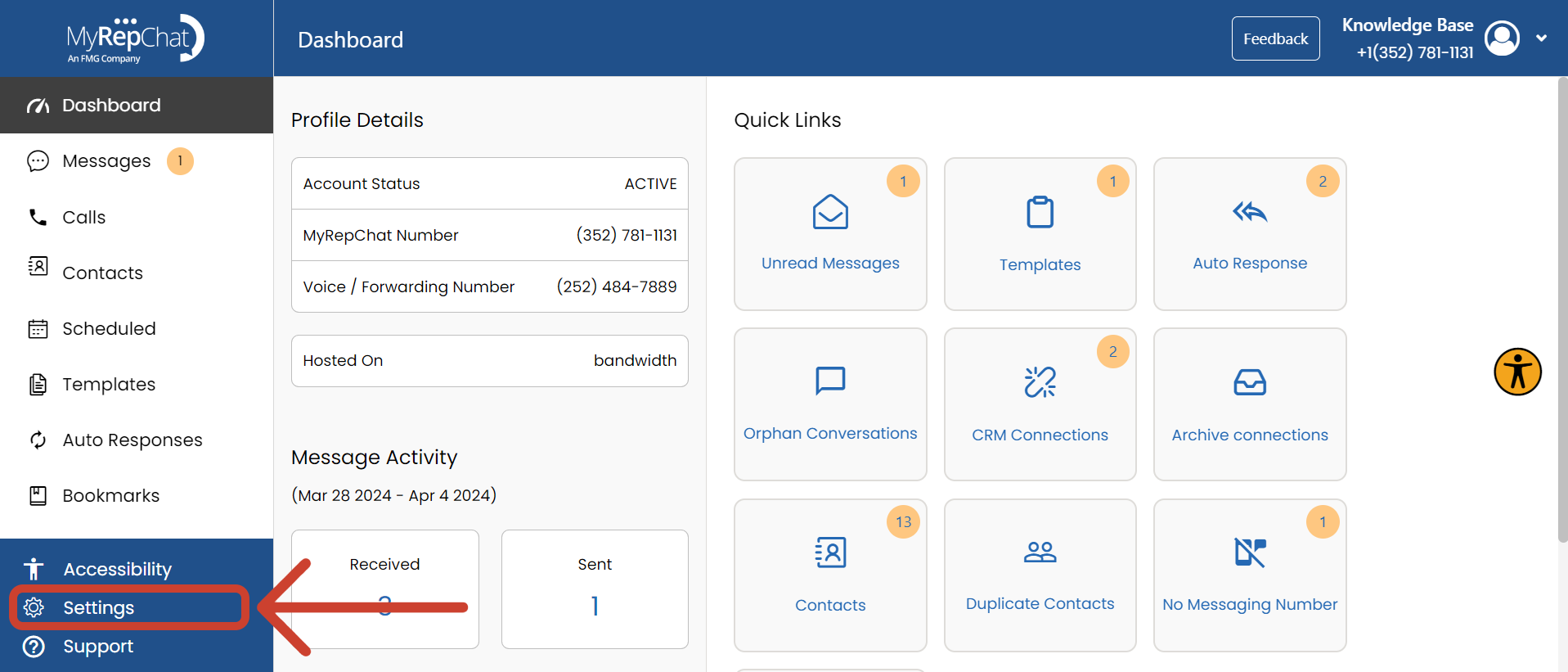
- Click Settings at the bottom of the Dashboard menu.
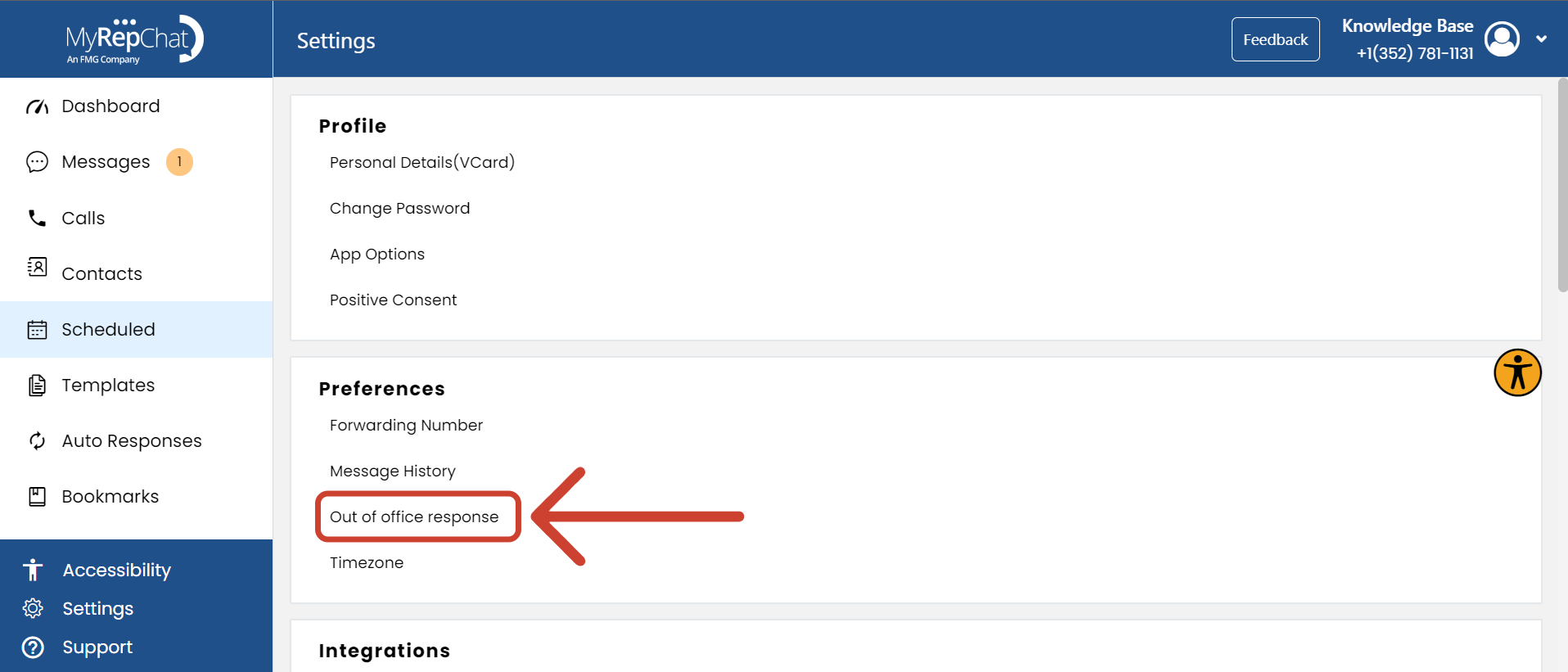
- Under Preferences, click Out of Office Response.
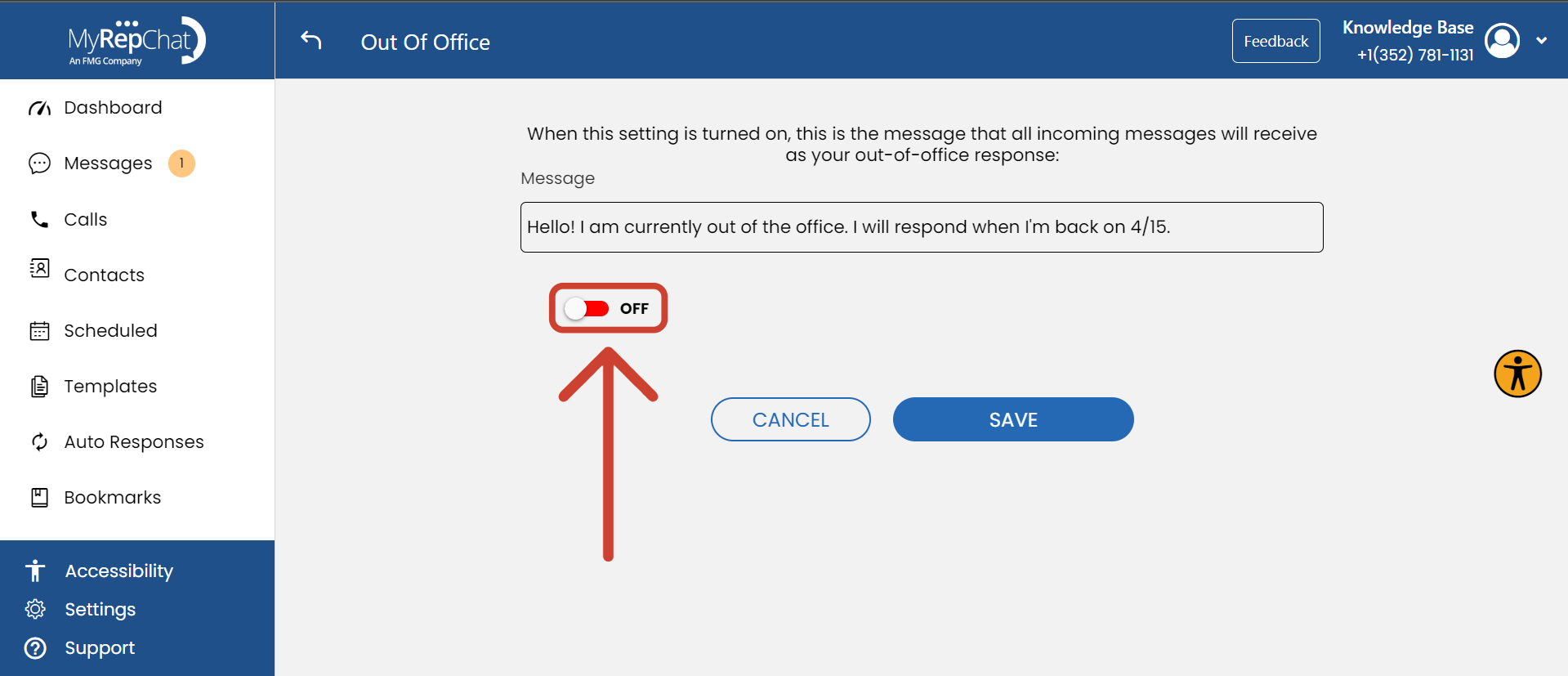
- Type your desired message into the Message text box.
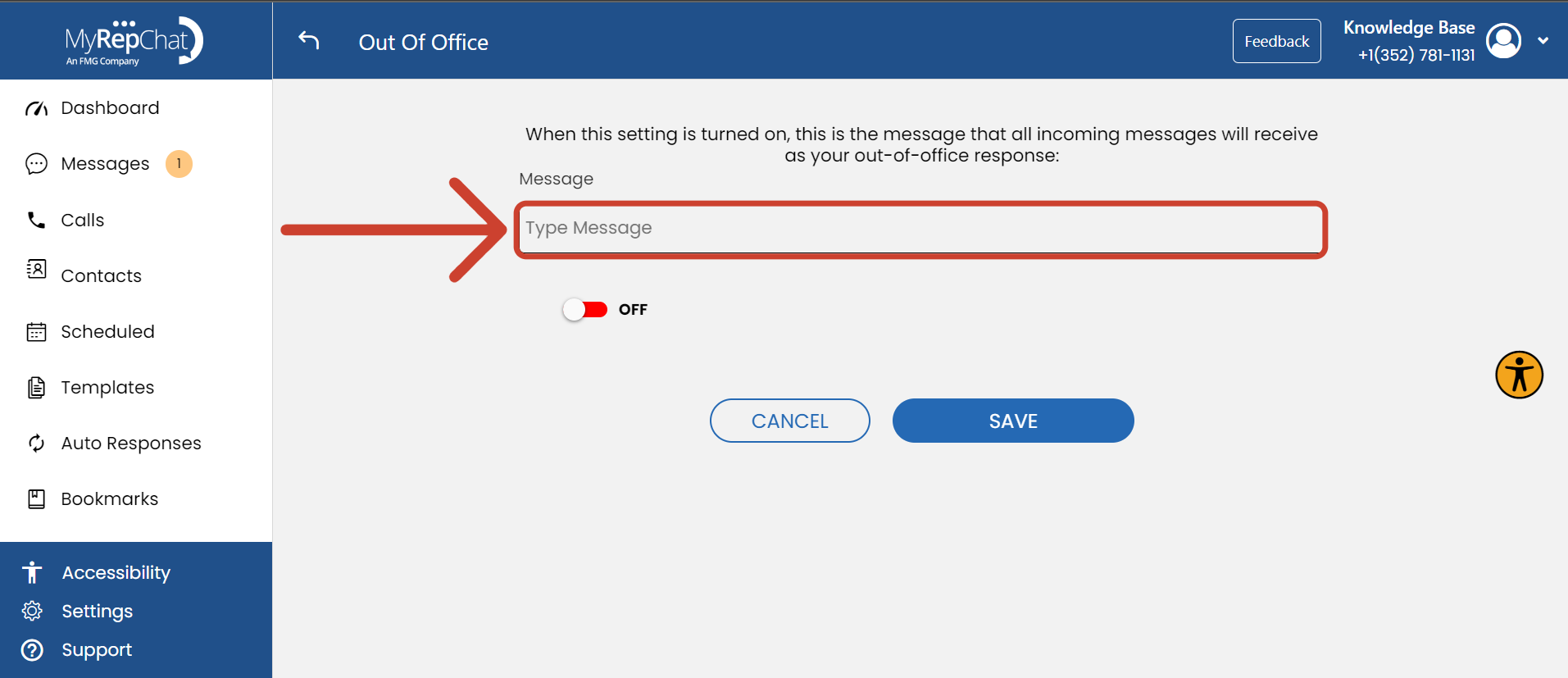
- Use the toggle to turn your out-of-office response on or off (red = off, green = on).
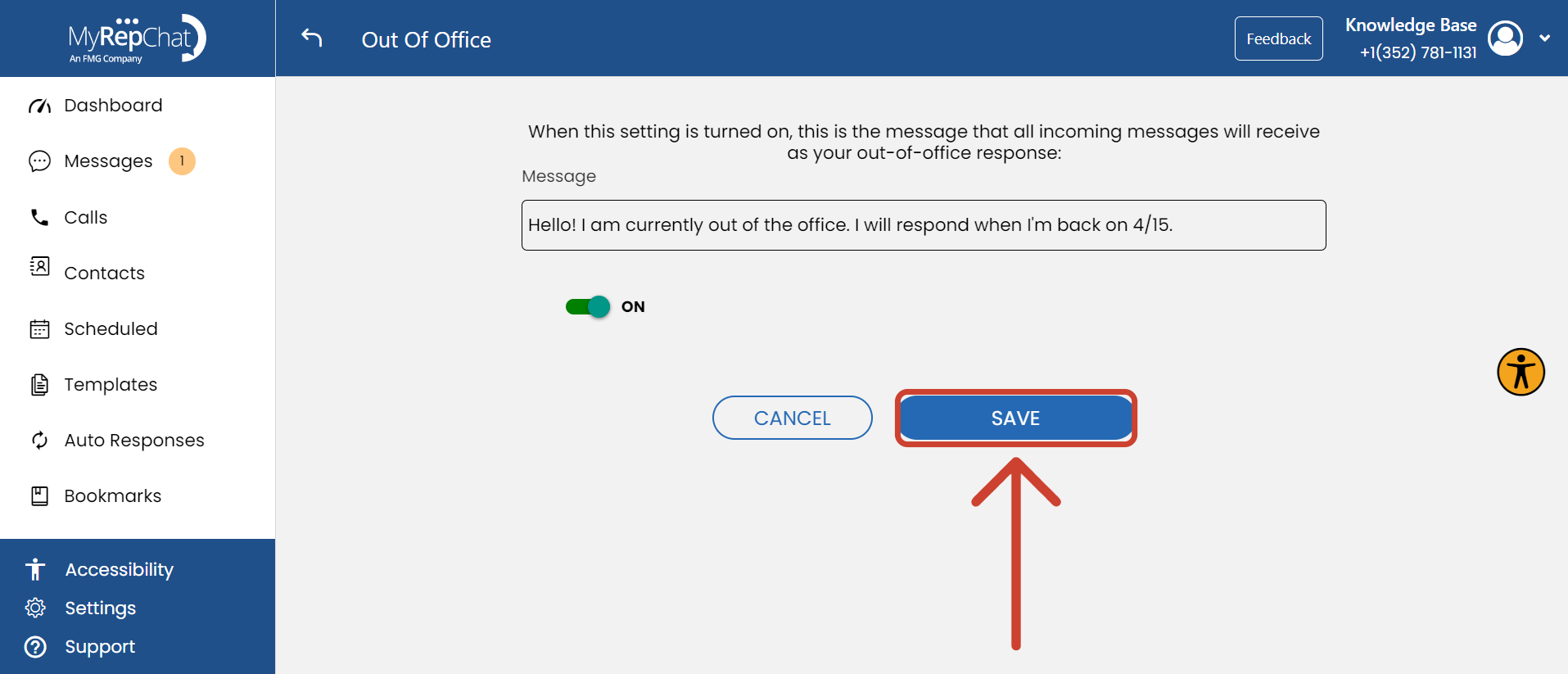
- Click Save to apply your changes.

What Will the Out-Of-Office Auto-Response Look Like?
When you receive a message while your out-of-office response is turned on, you'll still see the incoming message in your notifications as normal — you won't miss anything on your end.

From the client's side, the auto-response arrives just like a regular text message.