
If you're receiving spam or unwanted messages from an unknown number, follow these steps to block it.
How Do I Block a Contact?
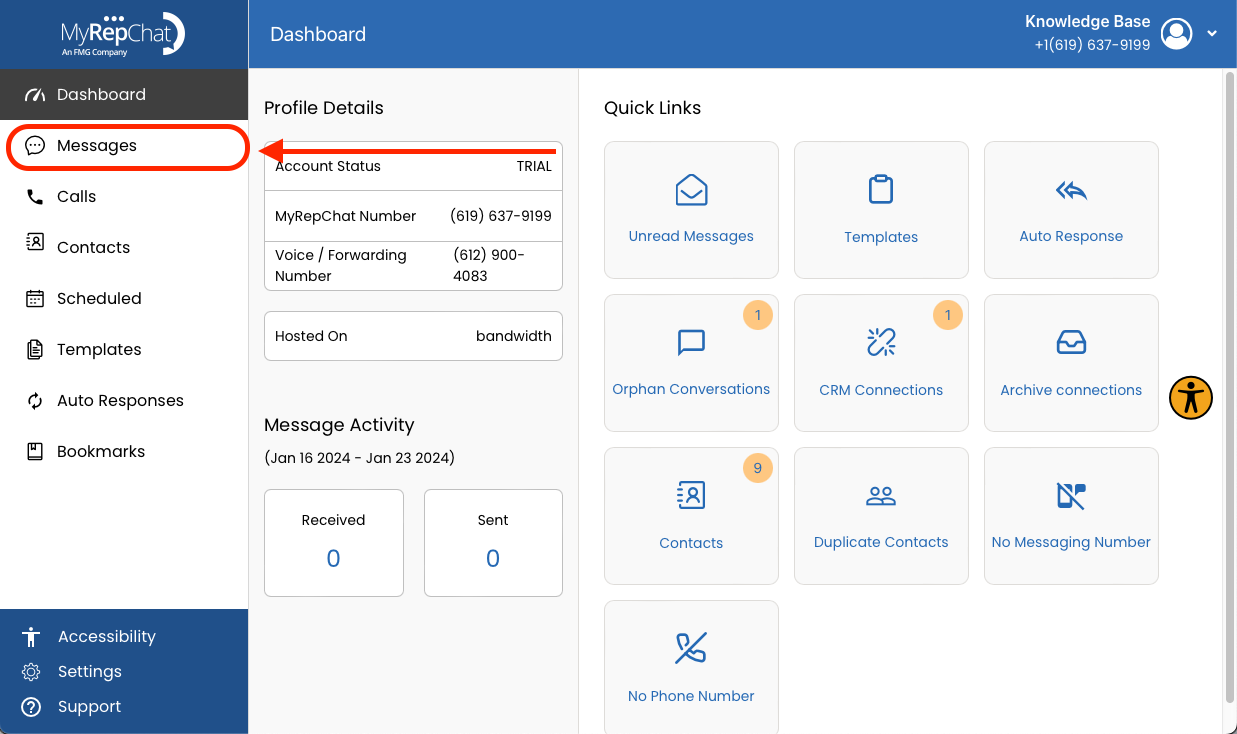
- In the menu on the left side of your Dashboard, open the Messages tab.
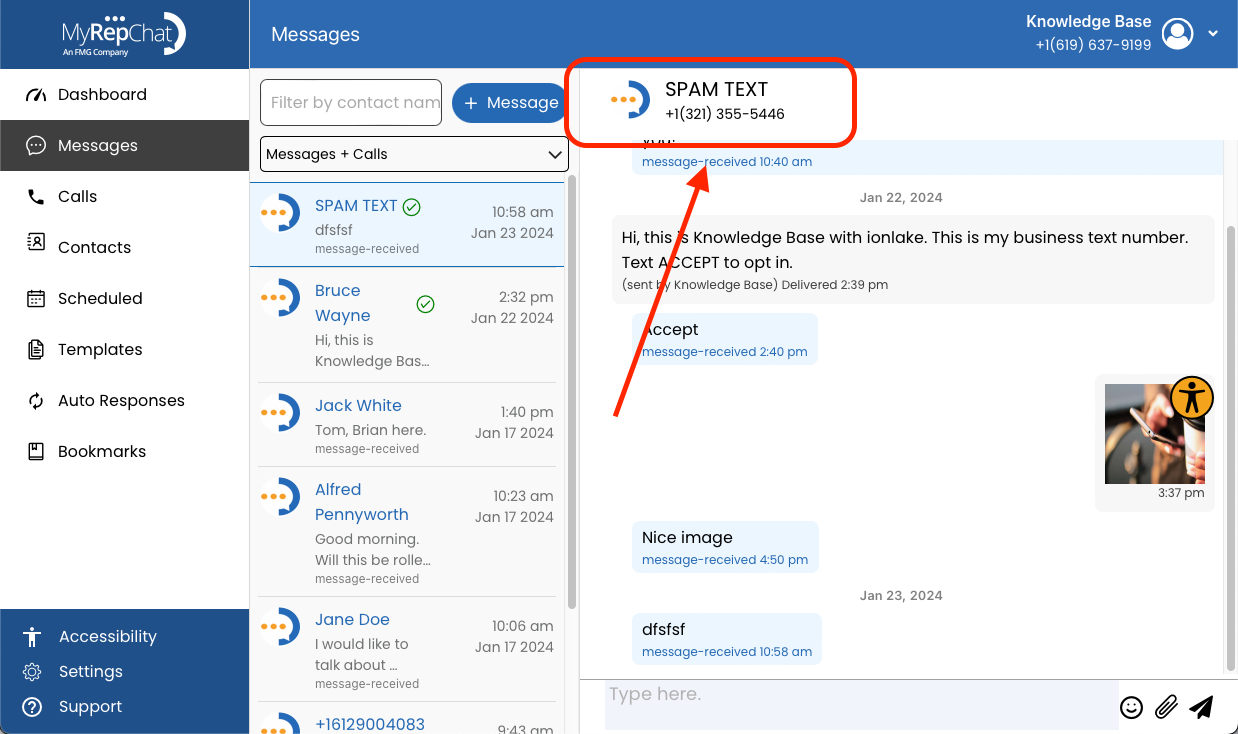
- Select the conversation for the contact you want to block, then click their name and number at the top of the message to open the Contact Edit page.
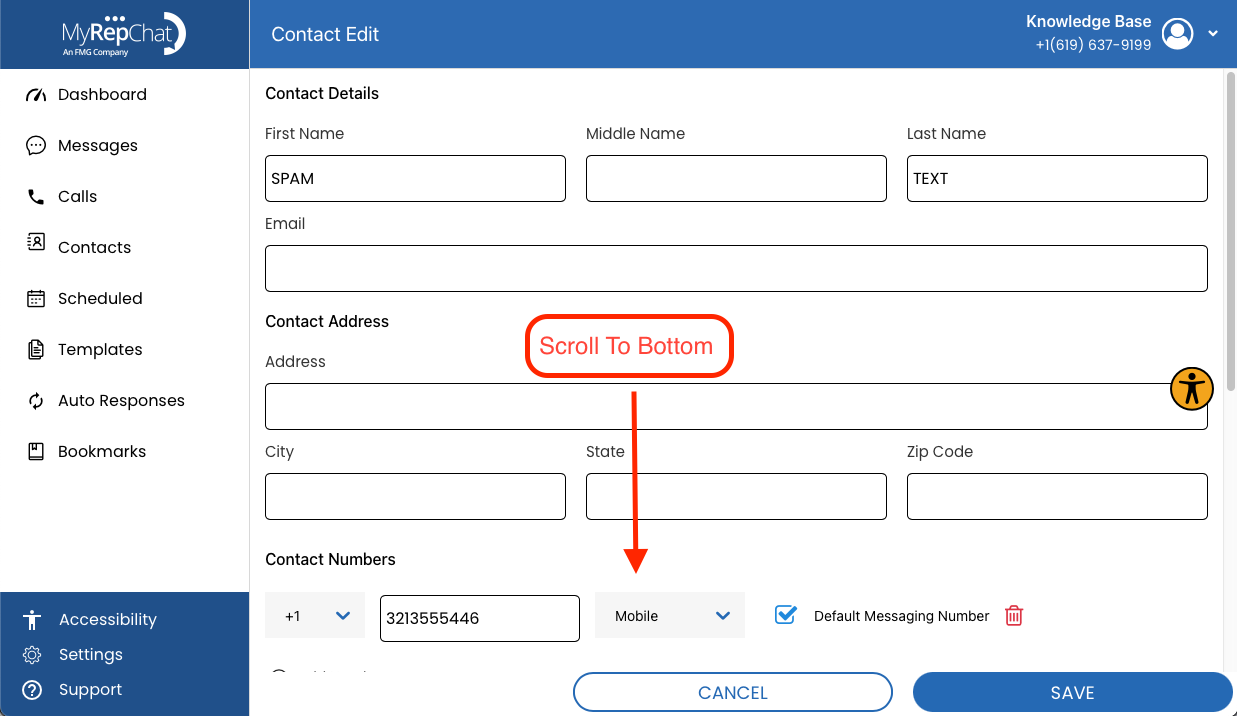
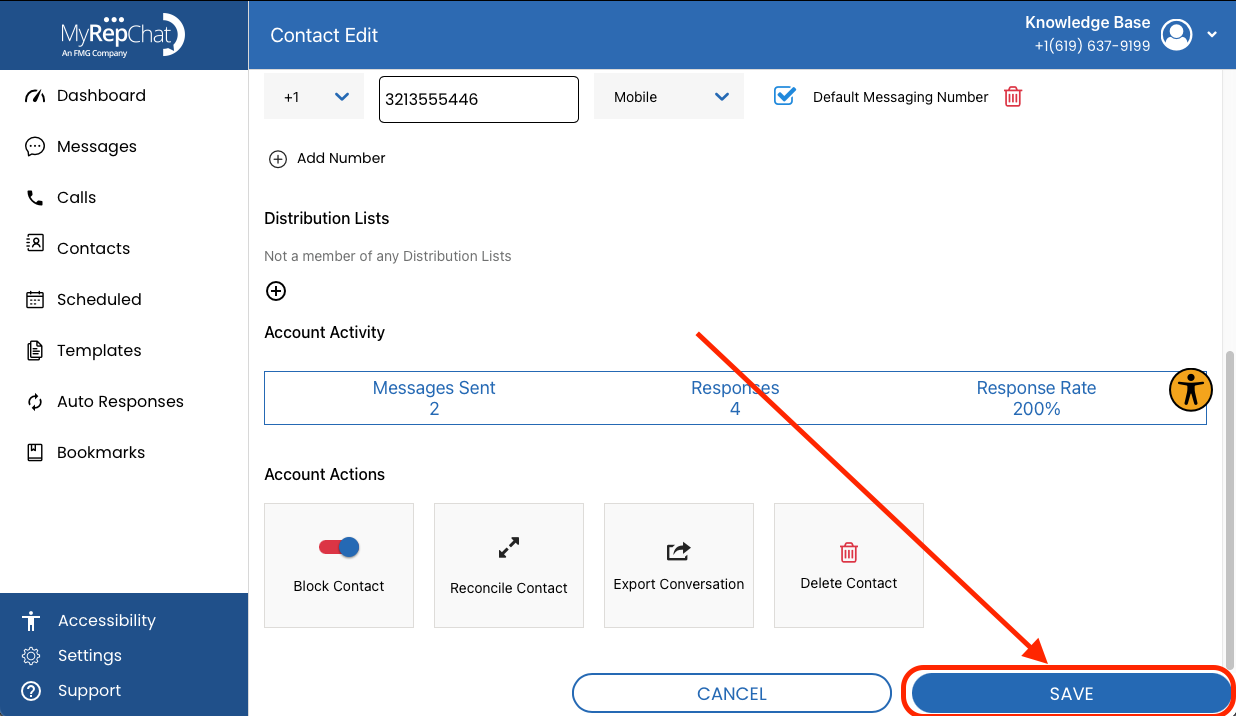
- Scroll to the bottom of the Contact Edit page. Note: All three required fields — first name, last name, and phone number — must be filled out and saved before you can block a contact.
- Click the toggle in the Block Contact section.
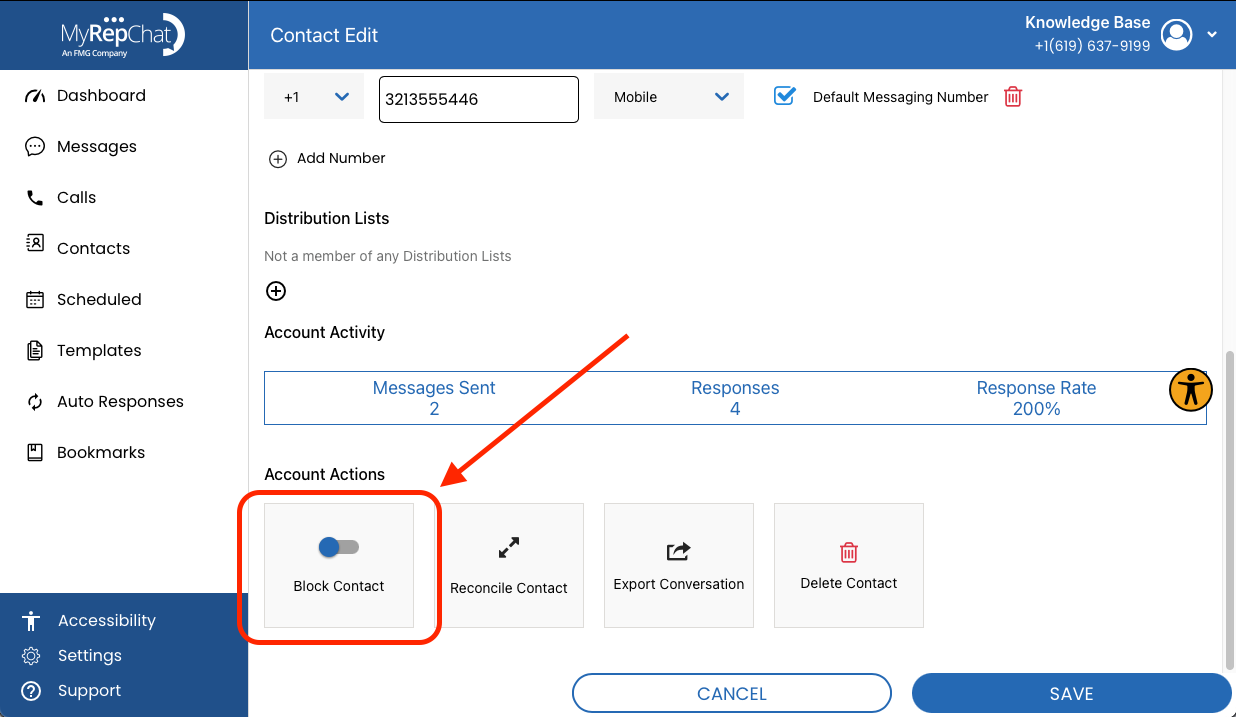
- Click Save in the bottom right to apply the change.
Blocking a number only stops incoming texts — it does not block phone calls from that number.