
How Do I Connect My Email?
Go to Settings > Archives and Reports > Connect to Archiver and enter your email address information. You can leave the email spoofing fields blank.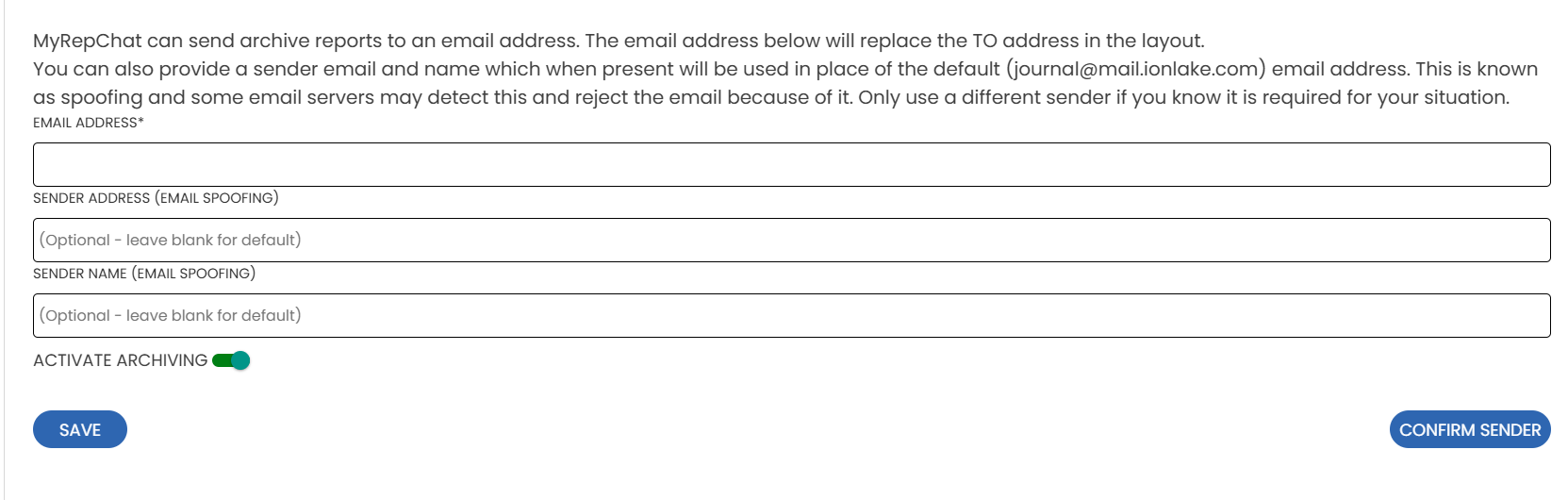
How Do I Set Up My Archiving Schedule?
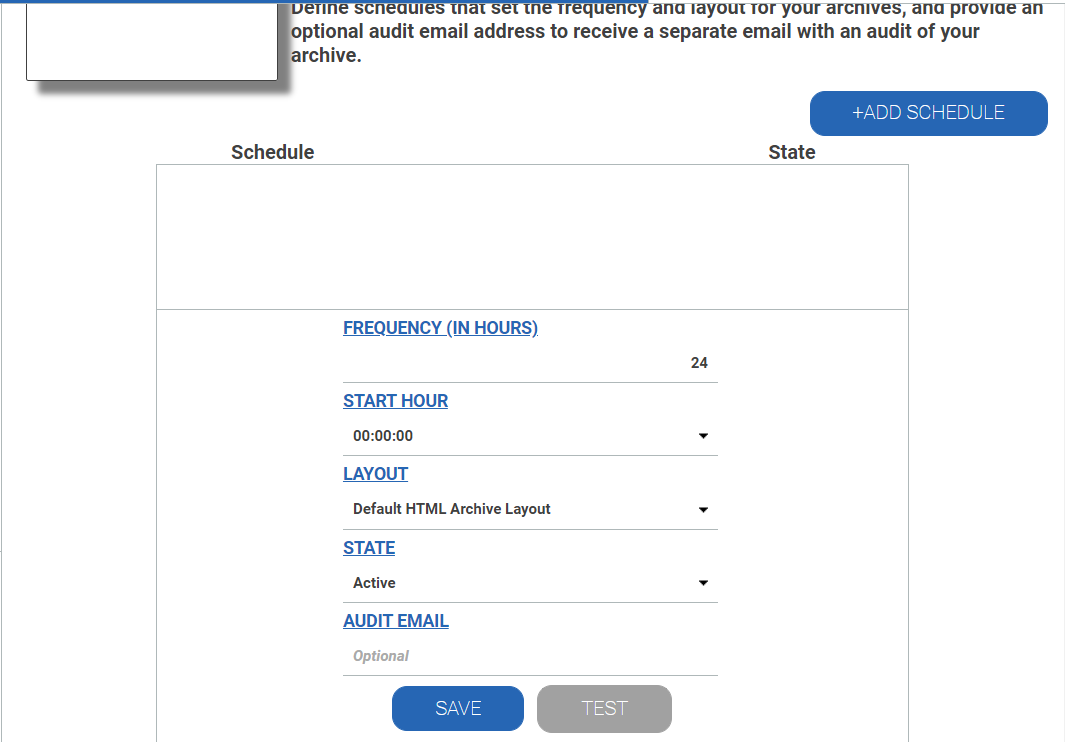
- Go to Settings > Archives and Reports > Archive Schedule, scroll down, and click Email (this should already be checked).
- Click + Add Schedule to set the time and frequency for your archive emails.
- Under State, change the setting from Editable to Active, then click Save.
Note:
- You can enter multiple email addresses, so you and a supervisor, compliance manager, or admin can all receive these archive reports.
- You can remove an email from this section at any time.
- You can return to this page anytime to review the Audit section and confirm your archive schedule is running as planned. Keep in mind that if there's been no activity, you won't receive an email.