
How Do I Add the MyRepChat Tab?
- From the SmartOffice home page, click Add Tab.

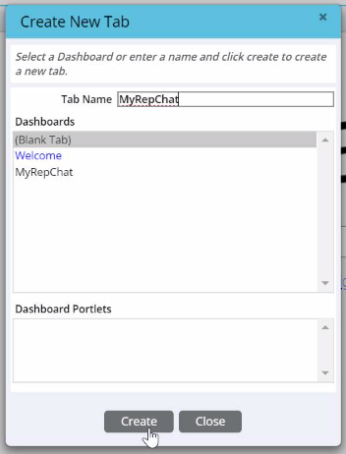
- Name the new tab "MyRepChat" and click Create.
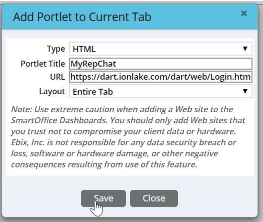
- In the Add Portlet window that appears, configure the following:
- Type: HTML
- Portlet Title: MyRepChat
- URL: [FLAGGED — confirm correct current URL; original used
https://dart.ionlake.com] - Layout: Entire Tab
- Click Save.
If your changes don't appear right away, refresh your browser.