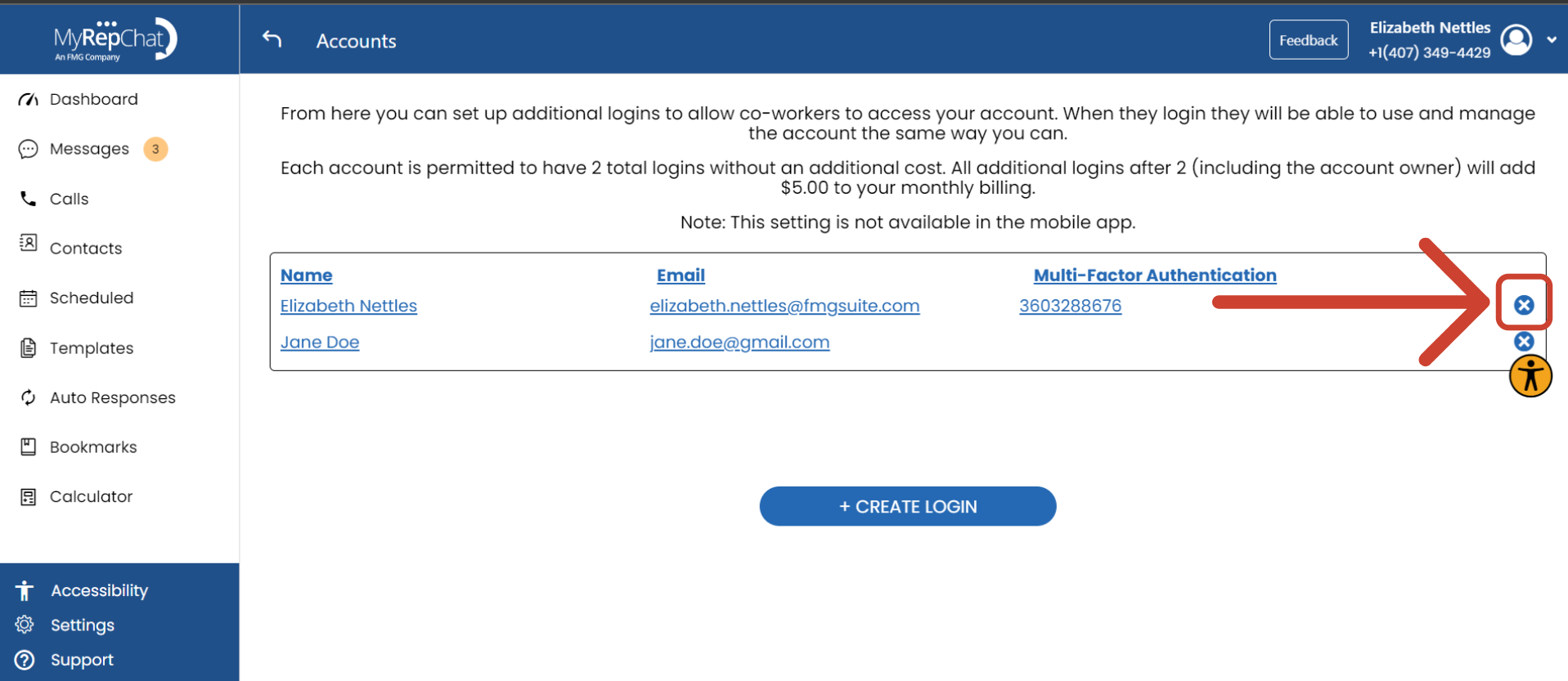
What Are Additional Account Logins?
Additional accounts logins allow more than one person to have access to the same account, including the same phone number, and vCard.
Notes:
- Your base pricing includes two logins: you, plus one additional user.
- Any logins beyond the first two come with an added monthly cost. Pricing is shown at the top of the Additional Logins page.
- Multiple people sharing an account cannot each have their own vCard or phone number.
- You can't change a user's email address or MFA settings after adding them — to make that change, you'll need to remove and re-add the user.
How Do I Add More Users to My Account?
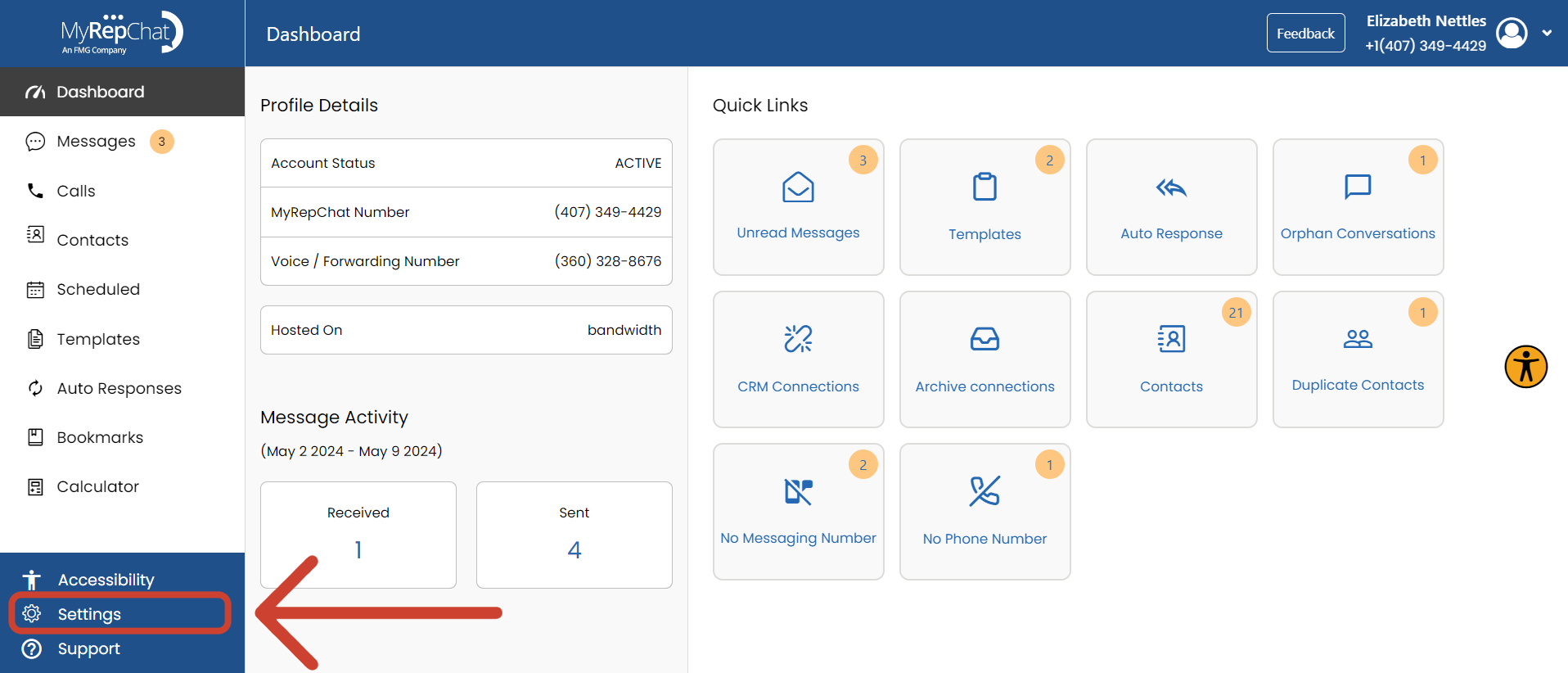
- On your Dashboard, click Settings in the bottom left corner.
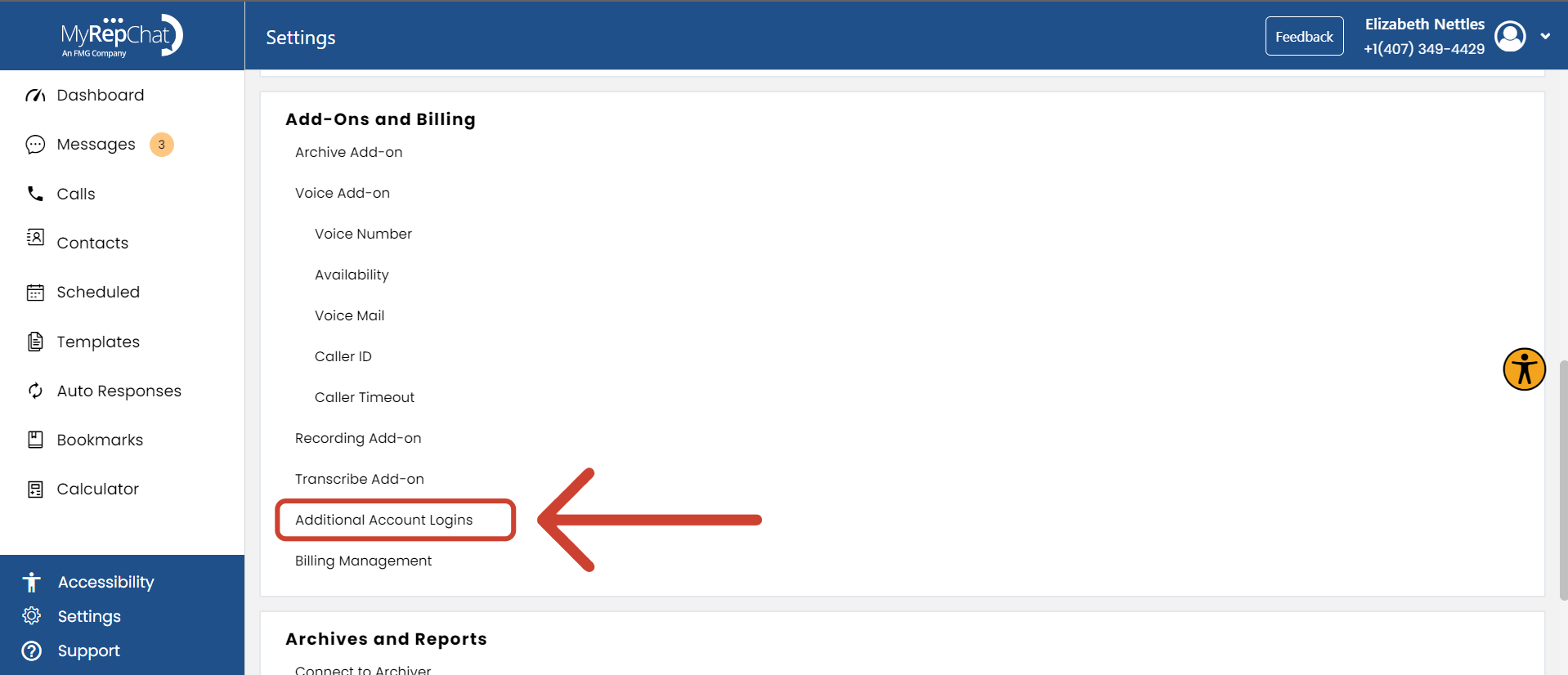
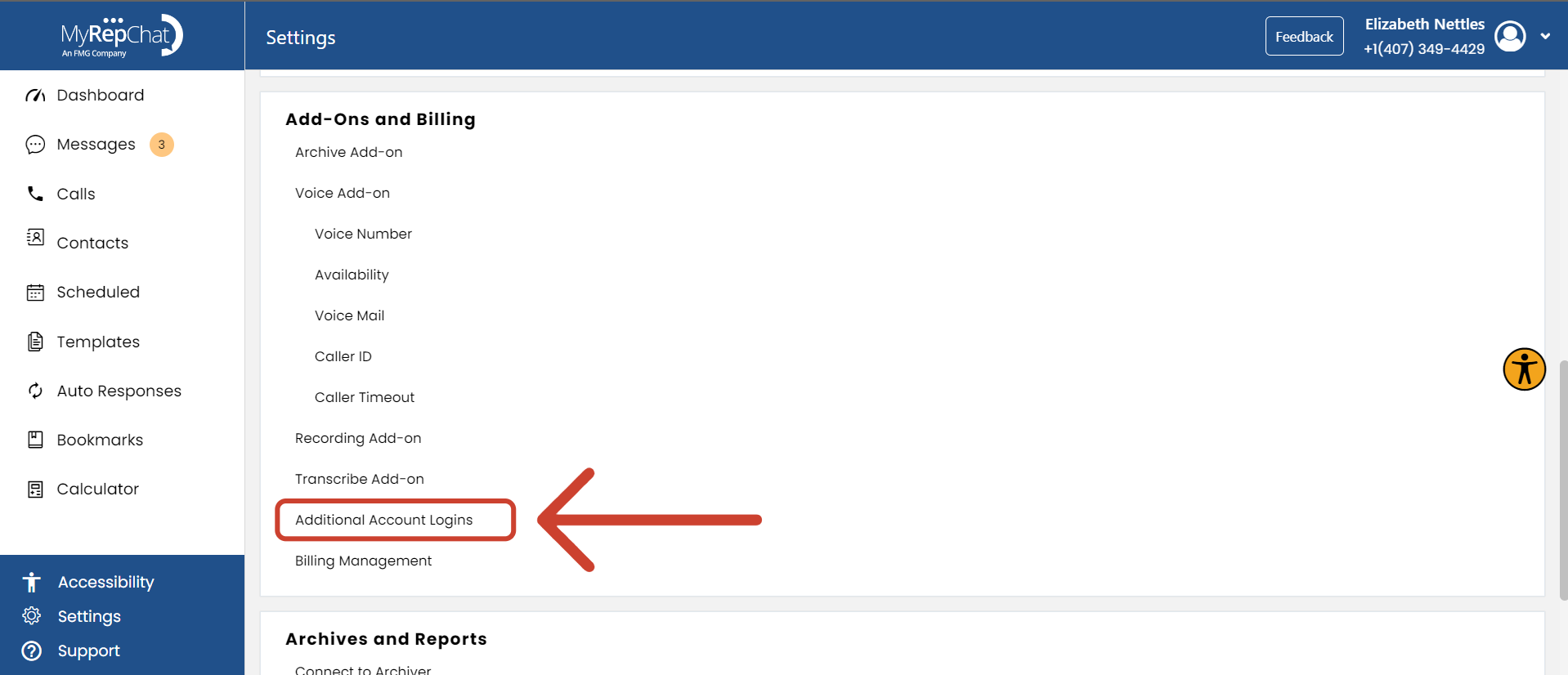
- Under Add-Ons and Billing, click Additional Logins.
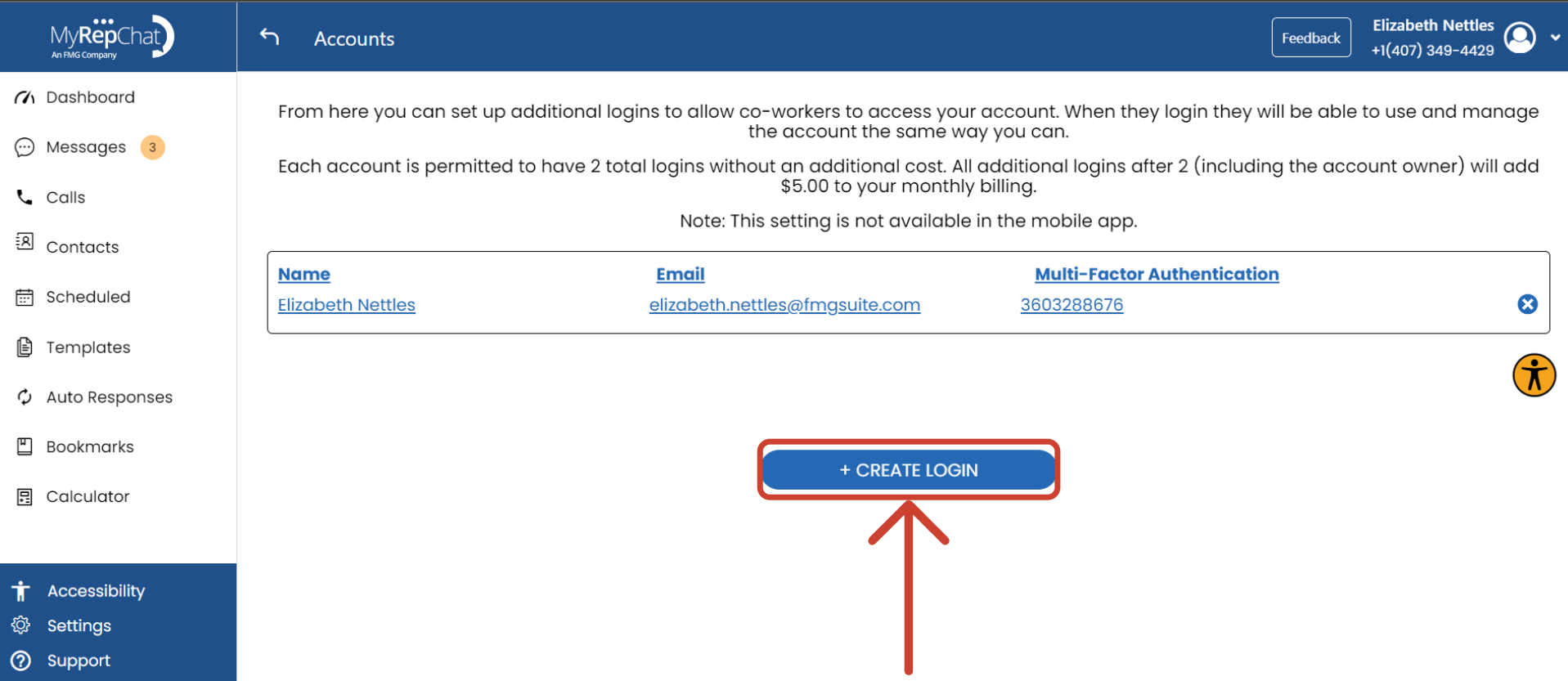
- Click + Create Login.
- Enter the user's name.
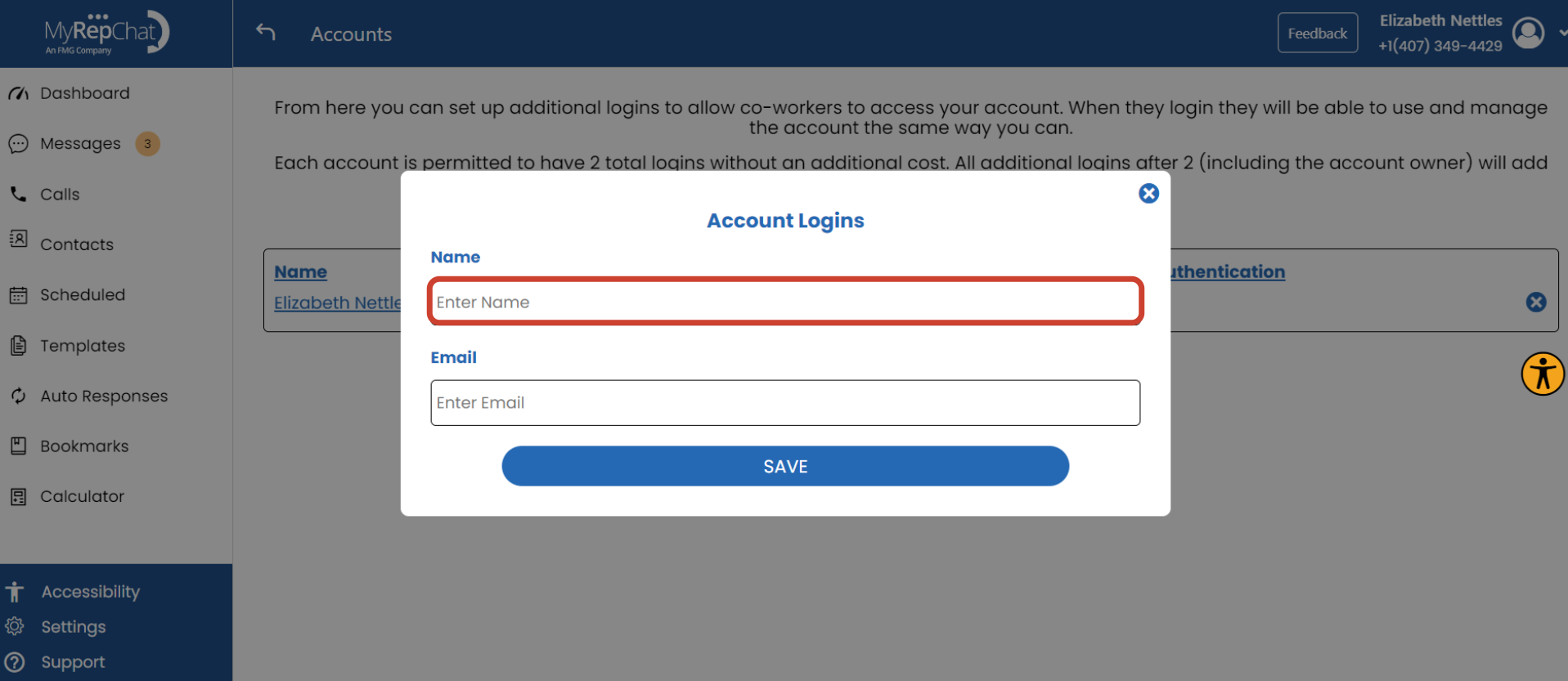
- Enter the user's email address.
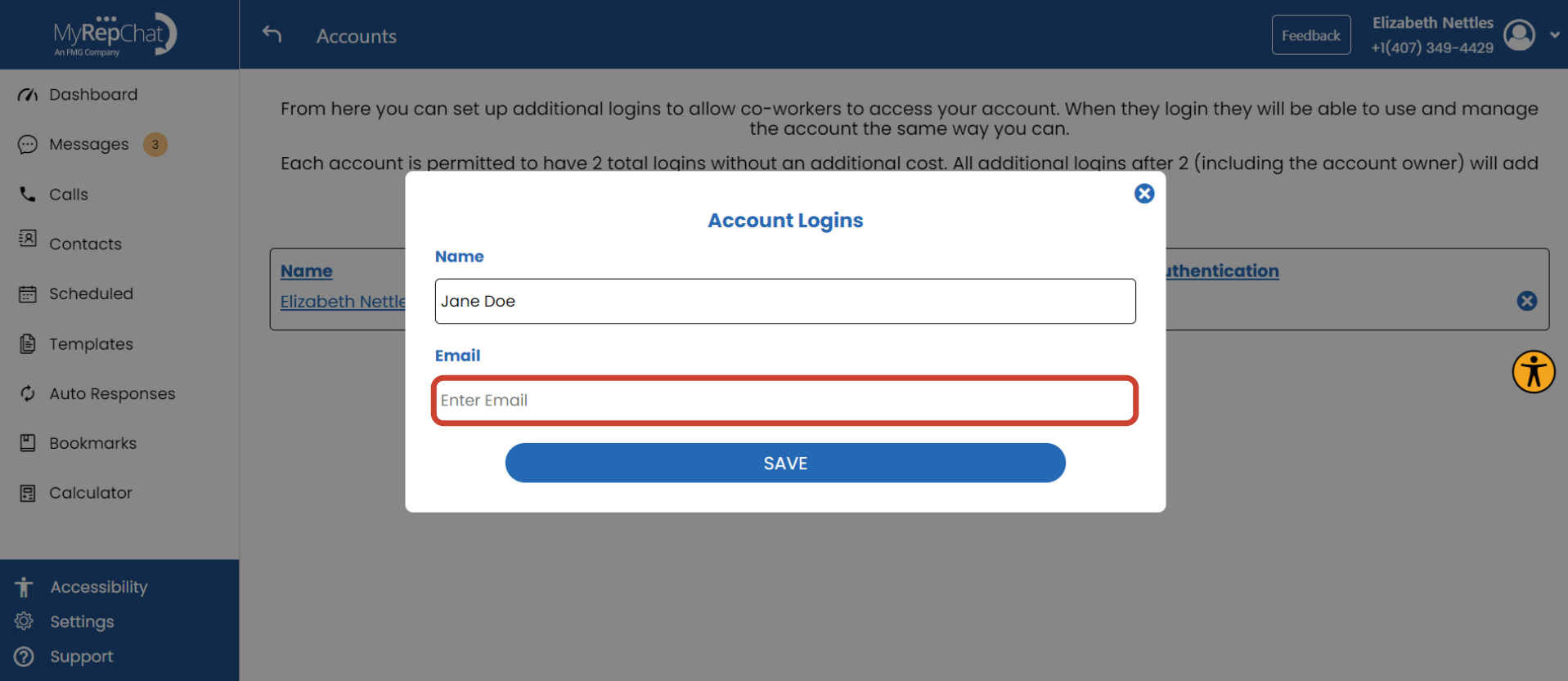
- Click Save.
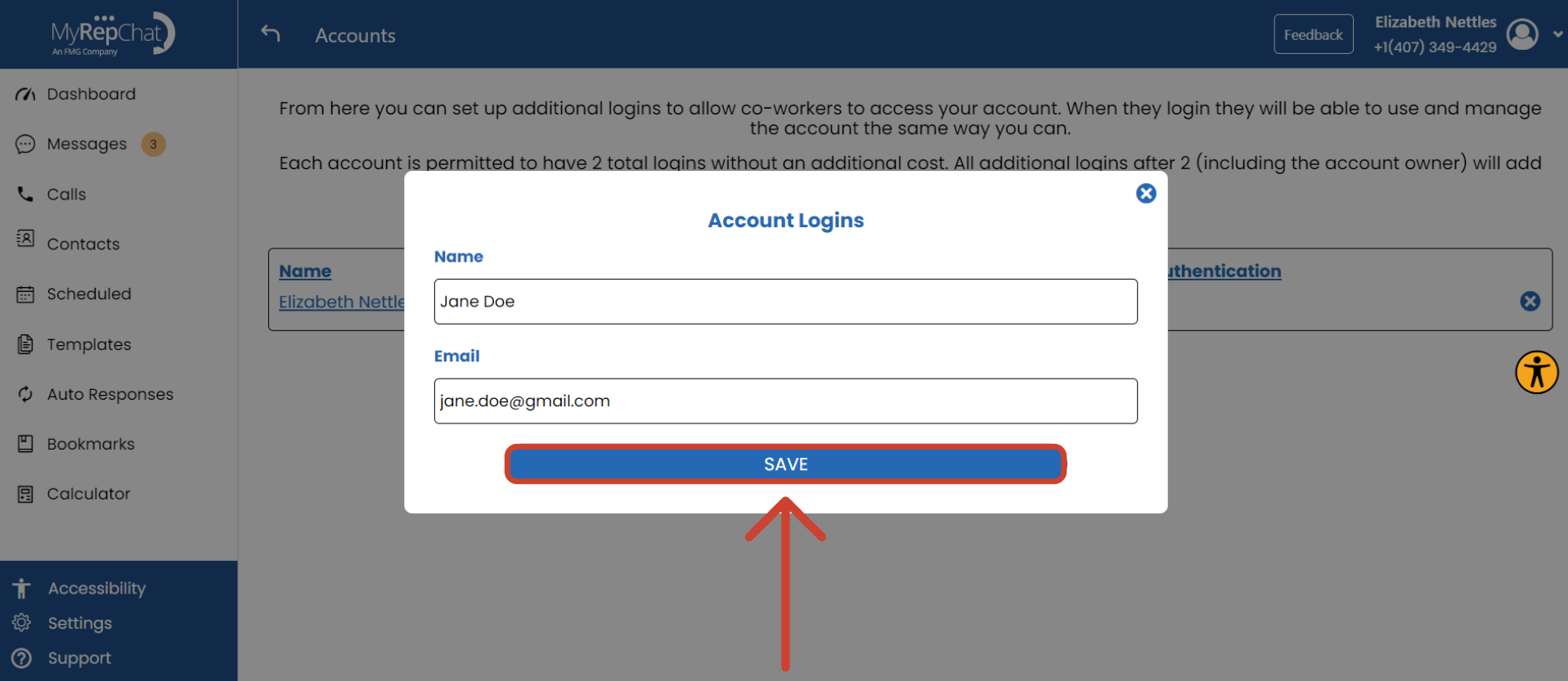
The new user will receive an email with a temporary password and can log in at myrepchat.com.
How Do I Delete Users From My Account?
- On your Dashboard, click Settings in the bottom left corner.
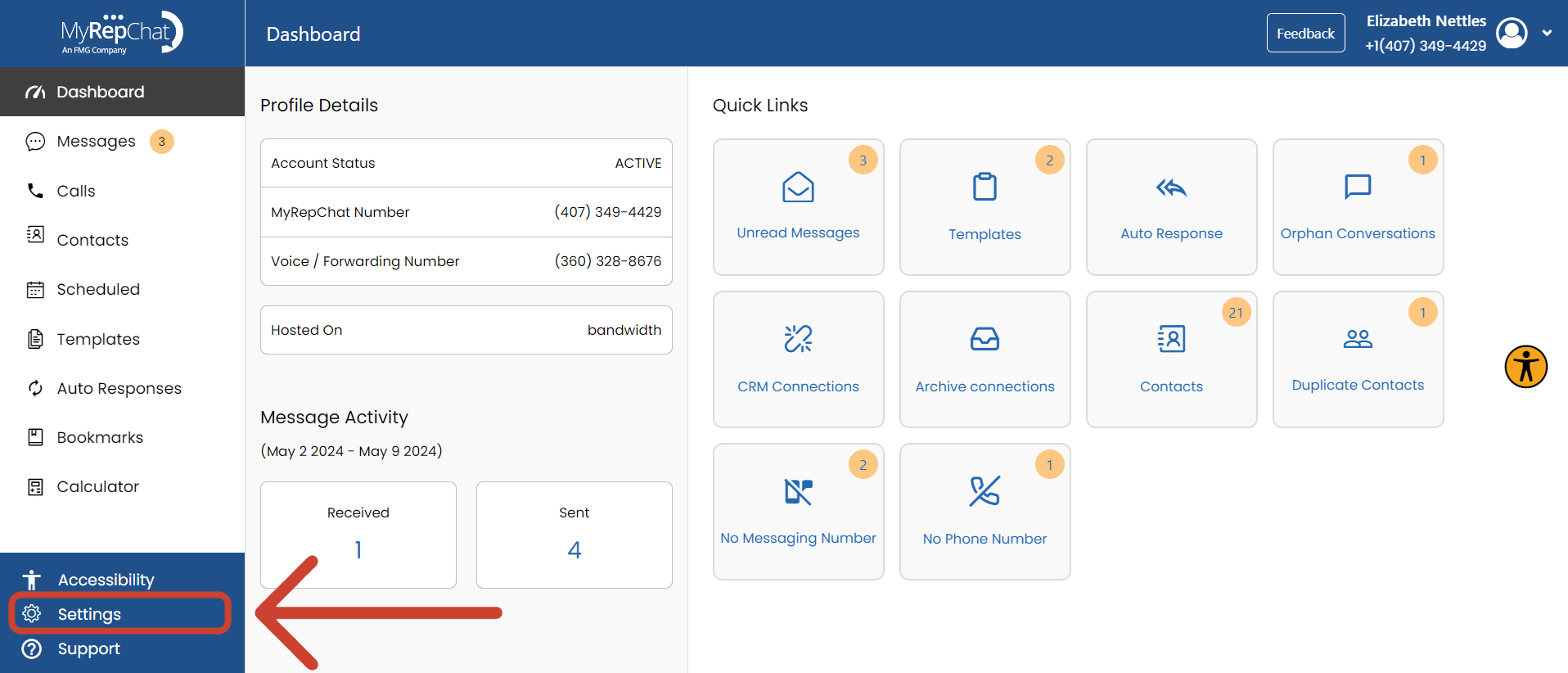
- Under Add-Ons and Billing, click Additional Logins.
- Click the X next to the user you want to remove.