What Is the Recording Add-On?
The Recording Add-On creates recordings of all your MyRepChat phone calls. These recordings are archived with your archive provider, and if your CRM supports audio files, they're also transferred there as a note.
Note:
- This add-on is only available if the Voice Add-On is turned on.
- The Recording Add-On may not be available to you depending on your broker-dealer or group — this is managed at the group level.
- The Recording Add-On comes with an additional monthly fee, which may vary by group. You can find your pricing beneath the toggle in step 3 below.
In some states, it's illegal to record a call without the other party's knowledge. Be sure you understand and follow the call-recording laws that apply to you before enabling this feature.
How Do I Set Up the Recording Add-On?
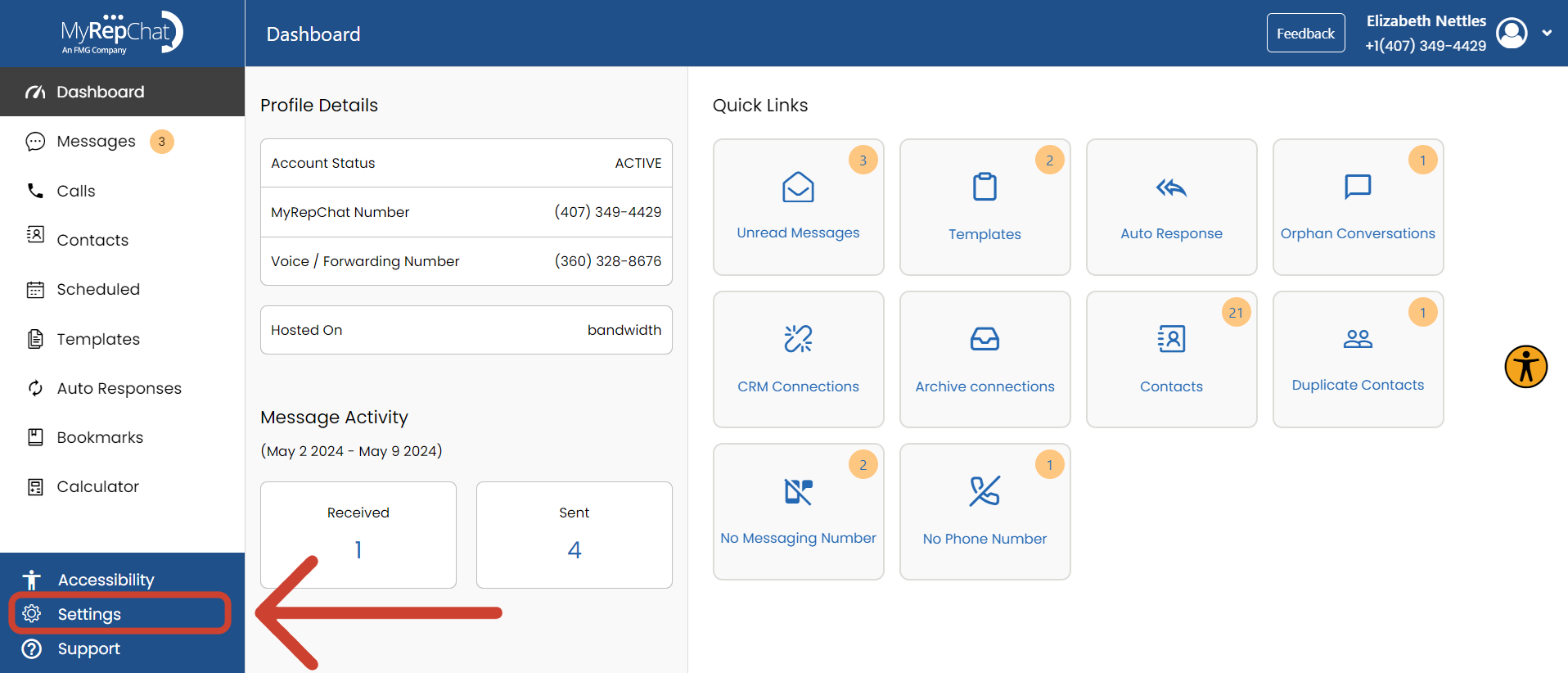
- From your Dashboard, click Settings in the bottom left corner.
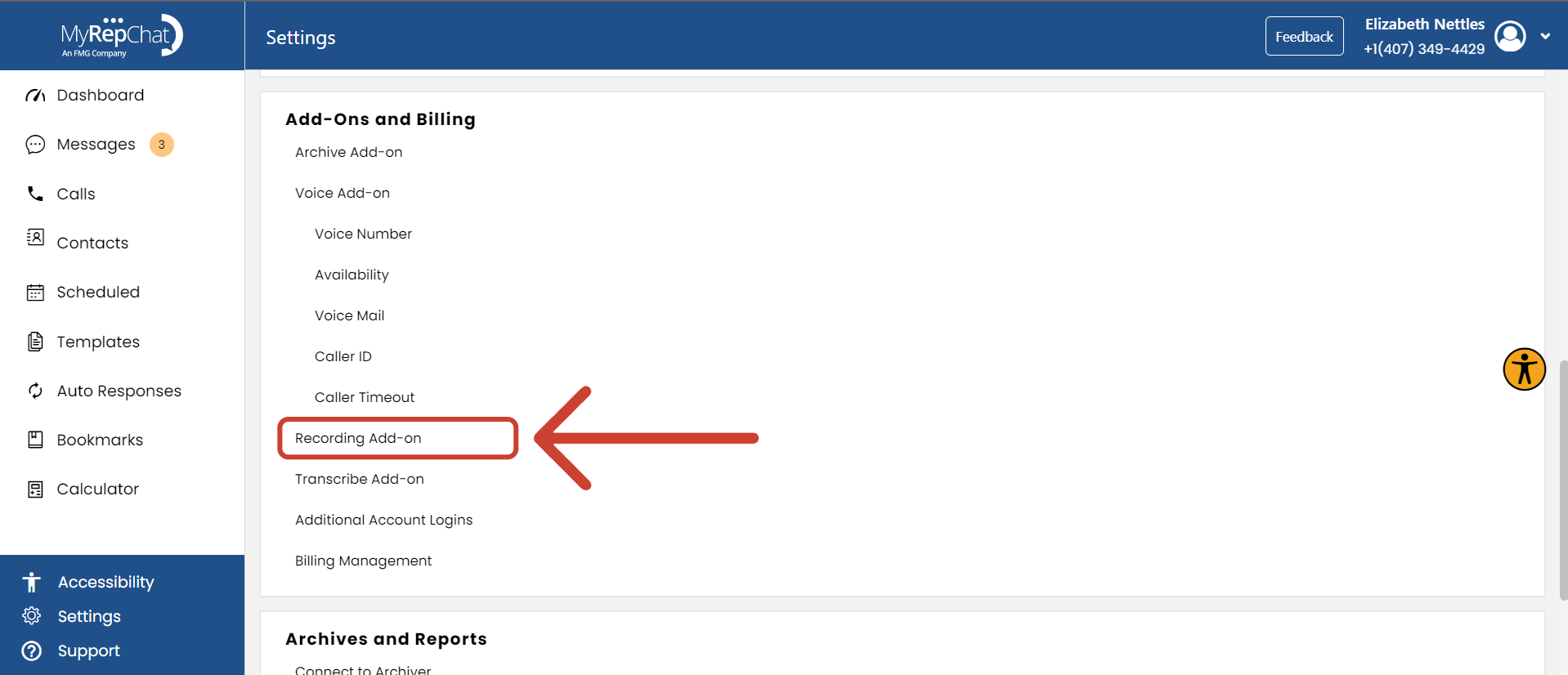
- Under Add-Ons and Billing, find Recording Add-On.
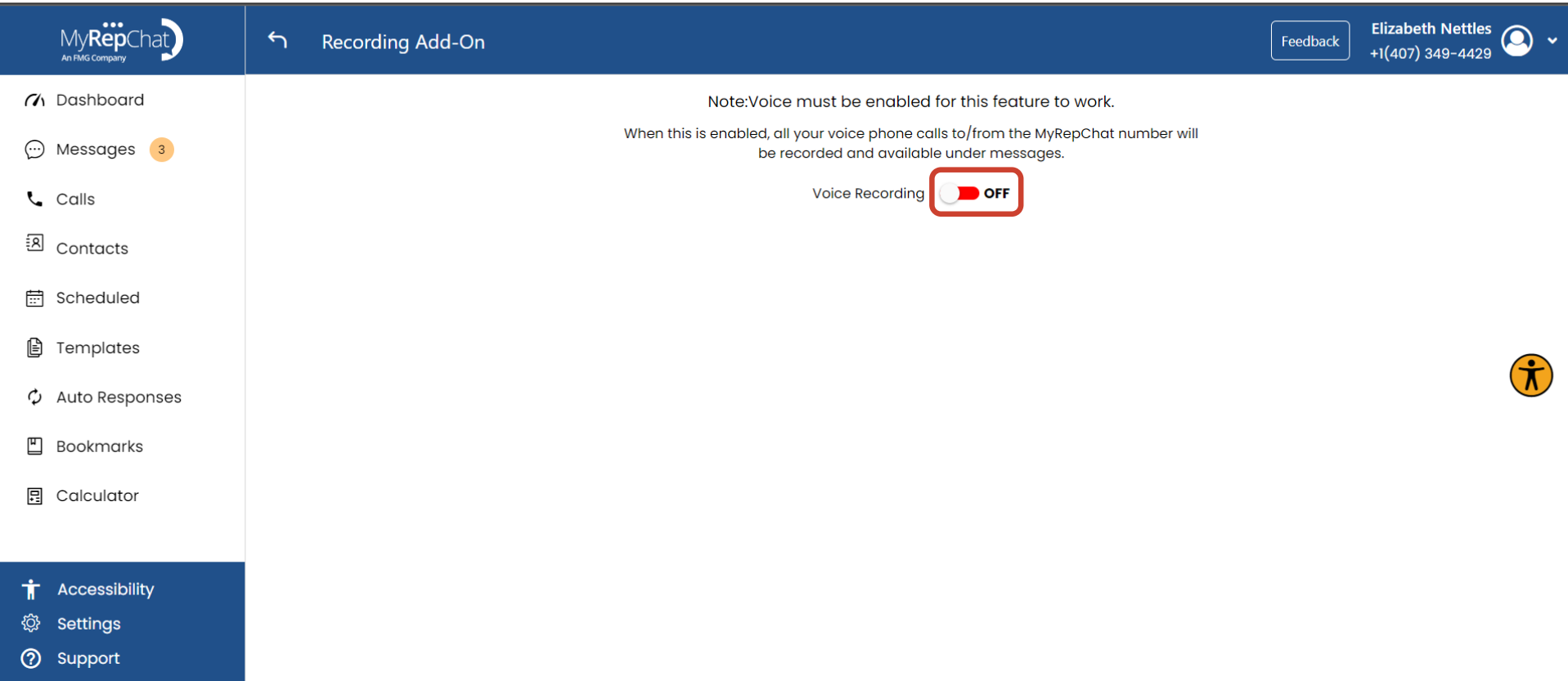
- Use the toggle to turn the Recording feature on or off.