
What Is The Archive Add-On Feature?
The Archive Add-On is designed for MyRepChat users who don't already have an archiving system in place. Once enabled, MyRepChat automatically archives your messages so they're easy to access and stay organized.
How Do I Set Up The Archive Add-On?
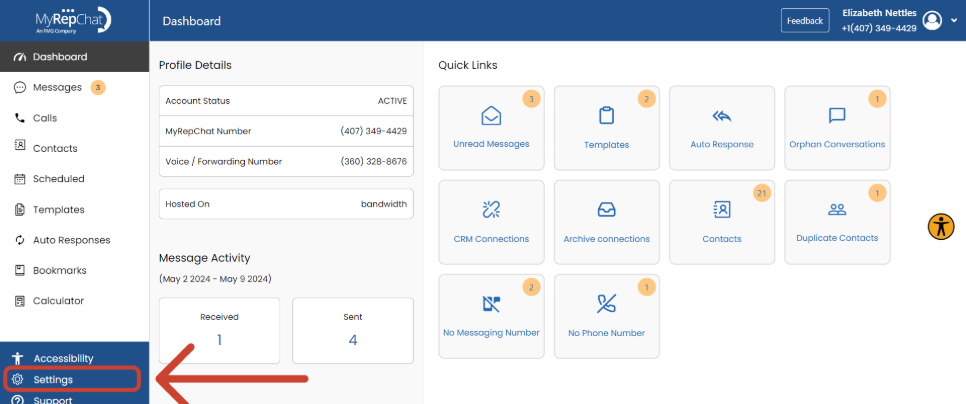
- From your Dashboard, click Settings in the bottom left corner.
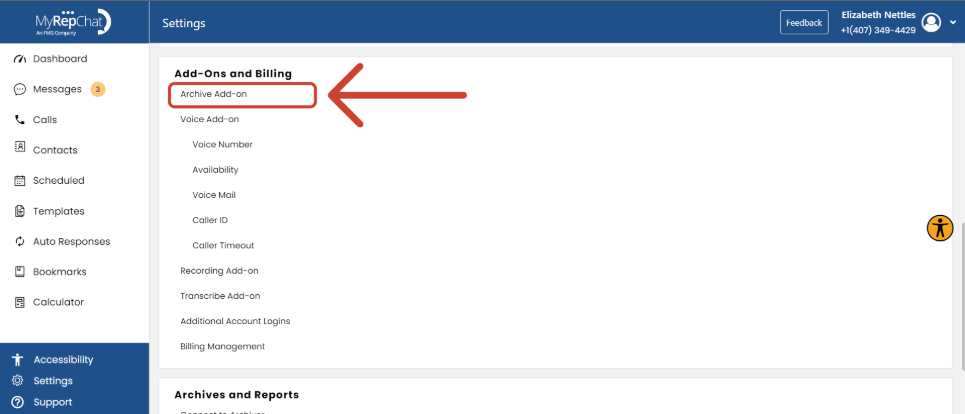
- Under Add-Ons and Billing, click Archive Add-On.
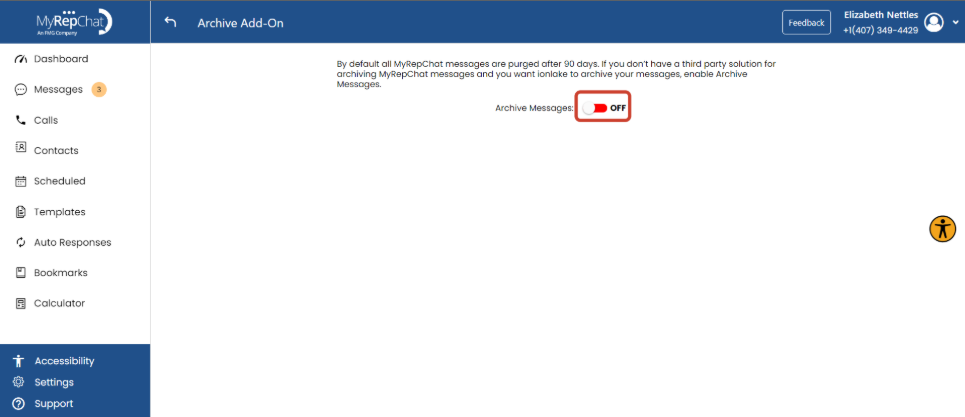
- Use the toggle to turn the Archive Add-On on or off.
Some broker-dealers or groups may already be archiving your MyRepChat messages and data. Check with your group before enabling this feature.
Note:
- Retrieving your archived data can take up to 24 hours. We'll notify you by email once your archive is available.
- The Archive Add-On comes with an additional monthly cost, which can vary depending on your group or broker-dealer. You can see your exact price in the Archive tab, just beneath the toggle.