How Do I Set Up Micro Focus Archiving?
- From the Dashboard, go to Settings > Archives and Reports > Connect to Archiver.
- Use the dropdown menu to select Micro Focus.

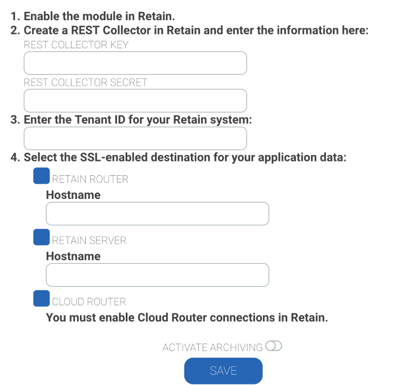
- Follow the on-screen instructions. You'll need the following information on hand:
- Rest Collector Key
- Rest Collector Secret
- Tenant ID for your Retain system
- The Retain Router
- The Retain Server