
An orphan conversation is a text from a phone number that isn't saved in your contacts with a name. In Messages, the conversation shows only the phone number.
How do I resolve an orphan conversation?
-
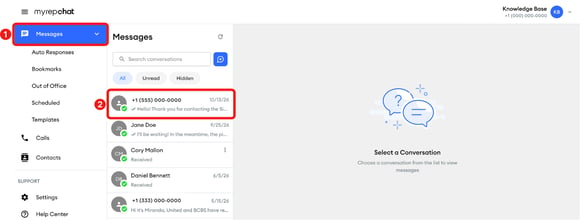
In the left menu, click Messages.
-
Click the conversation that shows only a phone number.
-
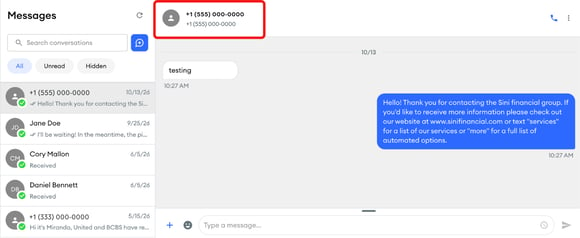
At the top of the conversation, click the phone number or contact icon.
-
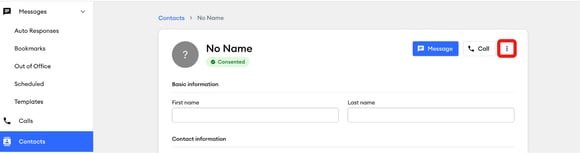
The contact page opens, labeled No Name. Click the three-dot menu in the upper-right corner.
-
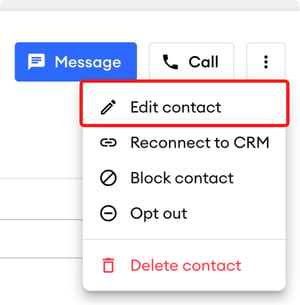
From the dropdown menu, select Edit contact.
-
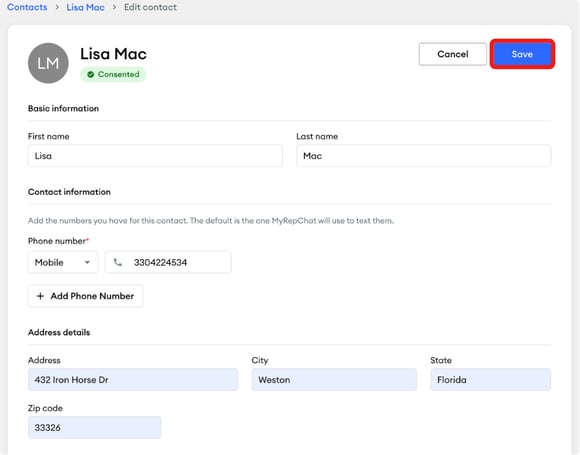
Enter the contact's first and last name, and any other details you want to save, and click Save.
-
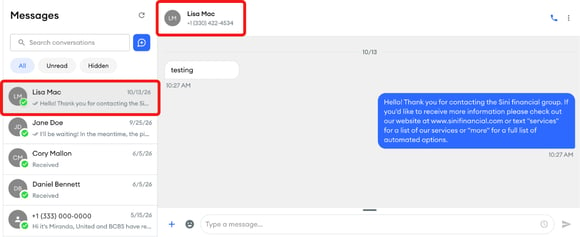
The conversation now shows the contact's name.
If the number is spam, open the conversation, click the three-dot menu in the upper-right corner, then select Block.