How Do I Manually Add a Contact?
-
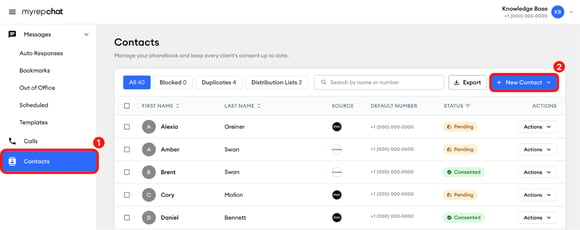
In the left menu, click Contacts.
-
At the top of your contacts list, click + New contact.
-
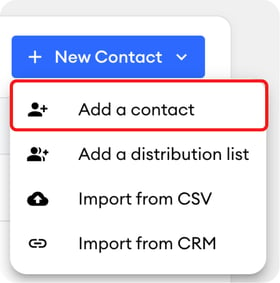
Select Add a contact from the dropdown menu.
-
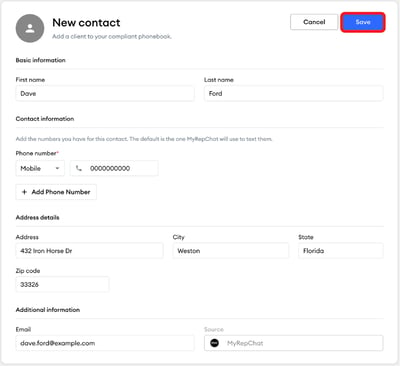
Fill out the contact information, then click Save.

In the left menu, click Contacts.
At the top of your contacts list, click + New contact.
Select Add a contact from the dropdown menu.
Fill out the contact information, then click Save.