If you're receiving spam or unwanted messages, you can block the number from Messages or from the contact's page. When you block a number, you won't receive calls or messages from it.
How do I block a number from Messages?
-
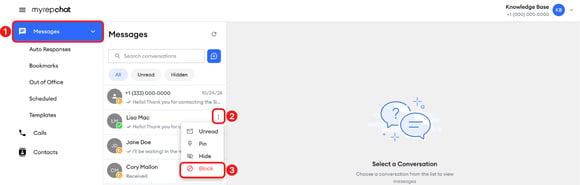
In the left menu, click Messages.
-
Hover over the conversation you want to block, then click the three-dot menu that appears on the right.
-
Select Block.
-
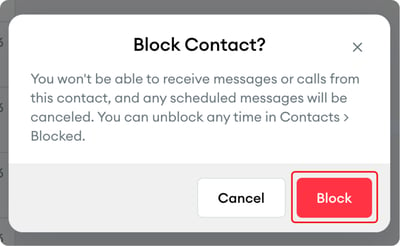
In the Block Contact? pop-up, click Block.
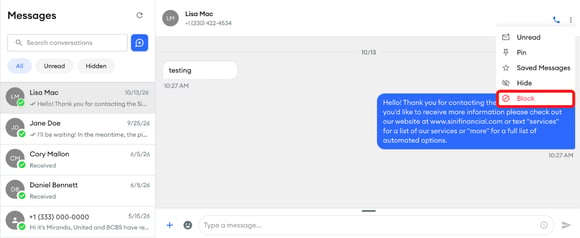
You can also open the conversation, click the three-dot menu in the upper-right corner, then select Block.
How do I block a contact from their contact page?
-
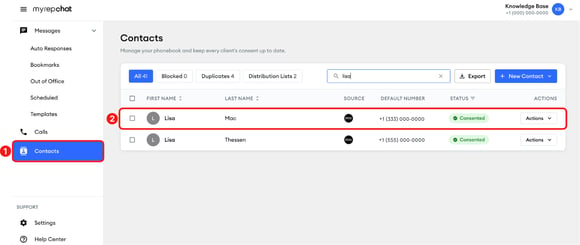
In the left menu, click Contacts.
-
Search by name or number to find the contact, then click it.
-
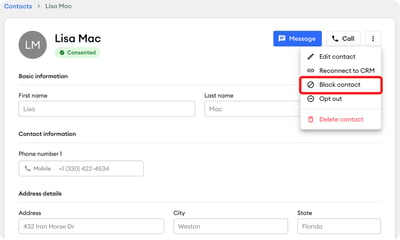
In the contact details window, click the three-dot menu in the upper-right corner, then select Block contact.
-
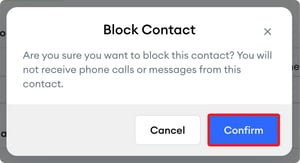
In the Block Contact pop-up, click Confirm.