How Do I Set Up Slack Archiving?
-
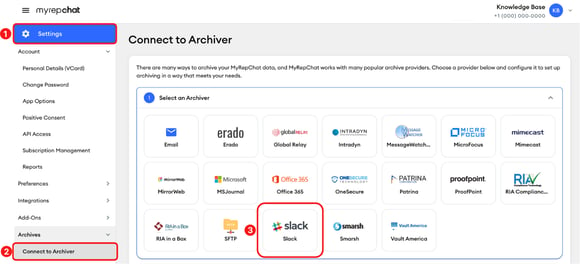
In the left menu, click Settings.
-
Under Archives, click Connect to Archiver.
-
Under Select an Archiver, click Slack.
-
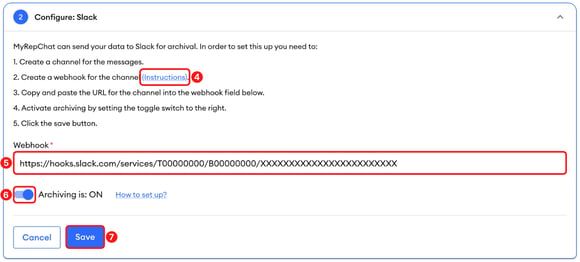
In Slack, create a channel for your messages and a webhook for that channel. For Slack's steps, click Instructions on the Configure: Slack screen.
-
Copy the webhook URL from Slack and paste it into the Webhook field.
-
Turn on the Archiving is toggle.
-
Click Save.