How Do I Set Up OneSecure Archiving?
-
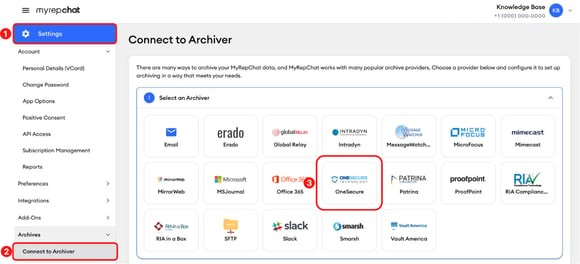
In the left menu, click Settings.
-
Under Archives, click Connect to Archiver.
-
Under Select an Archiver, click OneSecure.
-
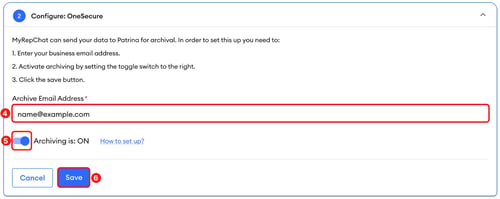
Under Configure: OneSecure, in Archive Email Address, enter your business email address.
-
Turn on the Archiving is toggle.
-
Click Save.